
pyRevit

pyRevit copied to clipboard
 pyrevitlabs
Export to Navisworks
When I use standard export to Navisworks in my C# code opens output window with telemetry. How to close the output window?
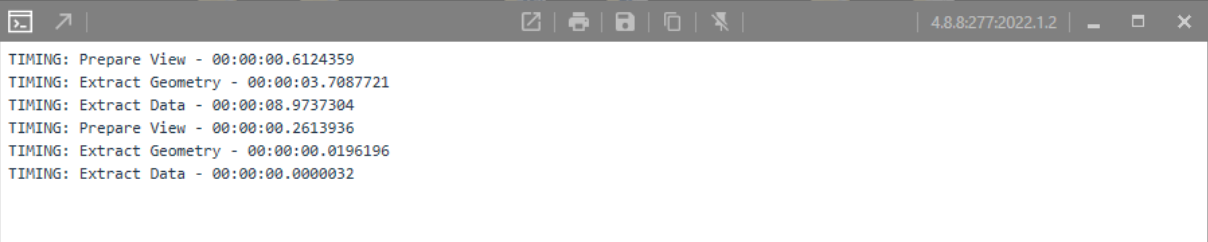


Ok so where are the logs coming from? There is no python involved since it is an .invokebutton right?
@eirannejad, yep is not python code. I also can't understand where are these logs from?
Sample Revit file with 3D view

Minimum code to reproduce
using System;
using System.Collections.Generic;
using System.Linq;
using System.Threading;
using System.Threading.Tasks;
using Autodesk.Revit.Attributes;
using Autodesk.Revit.DB;
using Autodesk.Revit.UI;

namespace PluginTest
{
    [Transaction(TransactionMode.Manual)]
    public class ExportCommand : IExternalCommand
    {
        public Result Execute(ExternalCommandData commandData, ref string message, ElementSet elements)
        {
            var document = commandData.Application.ActiveUIDocument.Document;
            var view = document.ActiveView;
            var options = new NavisworksExportOptions();
            options.ViewId = view.Id;
            options.ExportScope = NavisworksExportScope.View;
            options.ExportElementIds = true;
            options.ConvertElementProperties = true;
            options.Parameters = NavisworksParameters.All;
            options.Coordinates = NavisworksCoordinates.Shared;
            options.FacetingFactor = 5.0;
            options.ExportUrls = false;
            options.ConvertLights = false;
            options.ExportRoomAsAttribute = false;
            options.ConvertLinkedCADFormats = false;
            options.ExportLinks = false;
            options.ExportParts = false;
            options.FindMissingMaterials = false;
            options.DivideFileIntoLevels = true;
            options.ExportRoomGeometry = false;

            document.Export(@"D:\Temp\Results", "Navisworks.nwc", options);
            return Result.Succeeded;
        }
    }
}