

 pyrevitlabs
pyRevit addin not appearing in all versions of Revit
I am trying to install pyRevit_4.8.10.22040_admin_signed, but it only appears in Revit 2019. Please see the error in other versions of Revit attached. I previously installed pyRevit_CLI_4.8.10.22040_admin_signed so there might be a conflict with previous installs. I tried detaching and deleting the clones but no luck. Any other suggestions would be appreciated. Thanks!
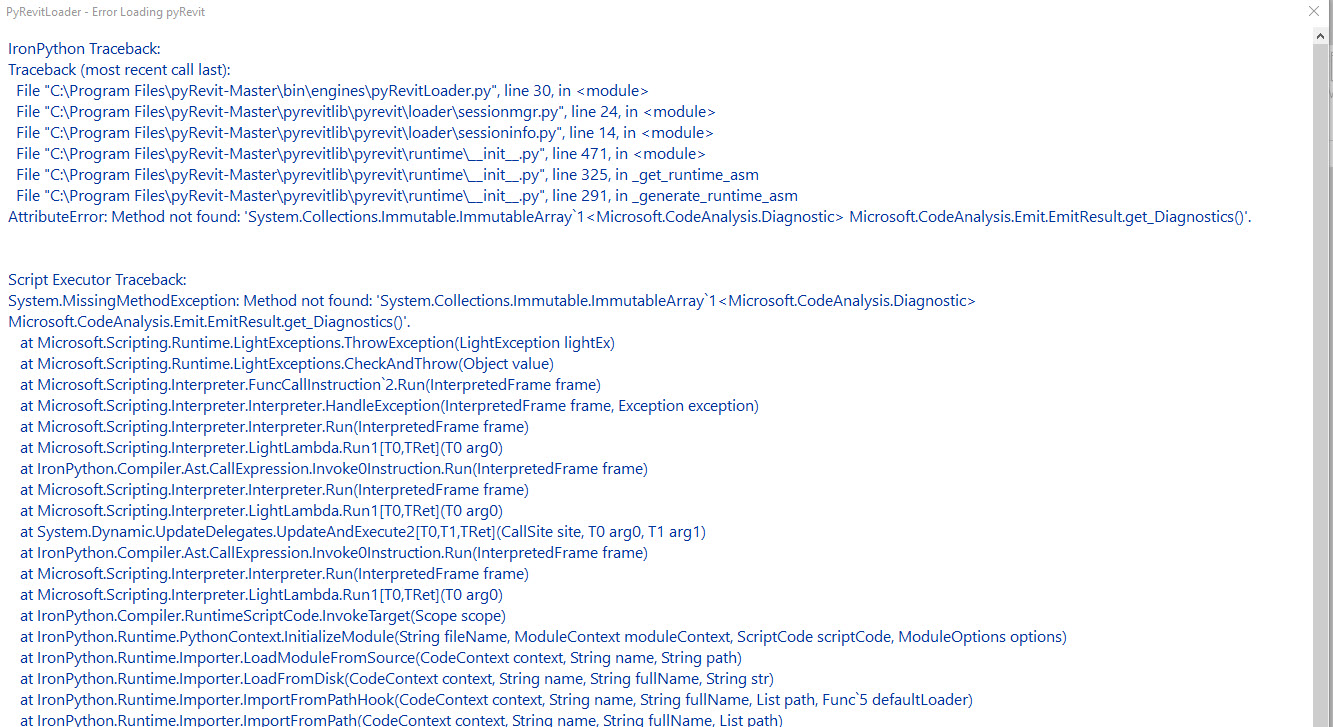


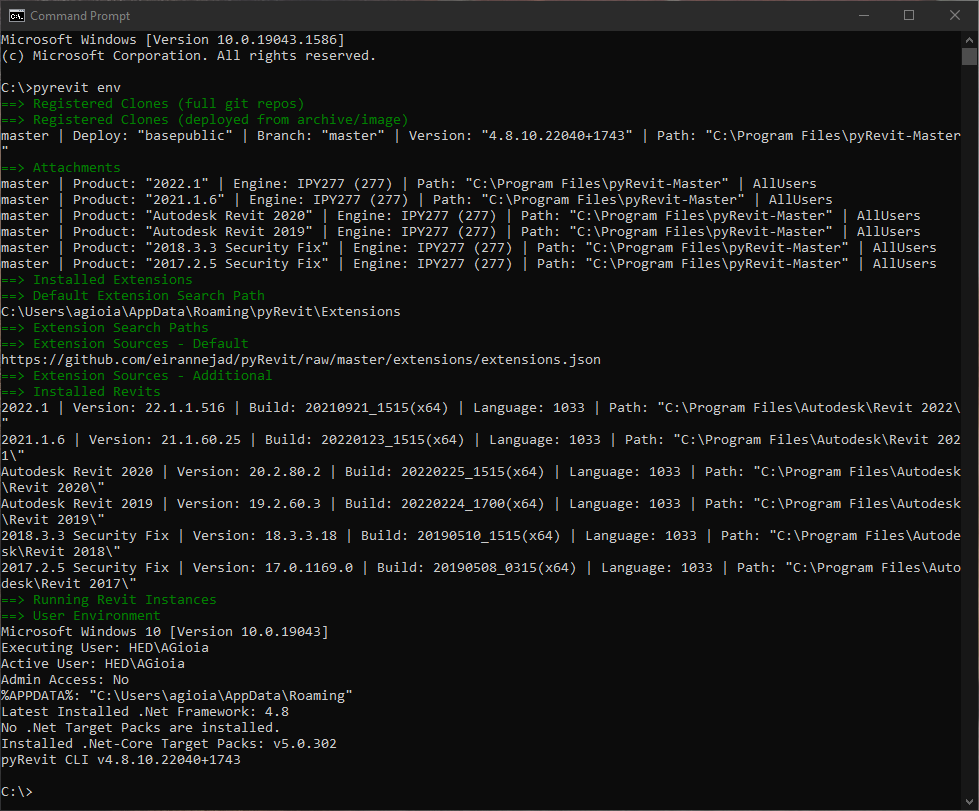
nothing very out of the ordinary here
you could try using a different engine with the command
pyrevit attach master 2710 --allusers --installed
and restart revit in the version you want see pyrevit in
Thanks @jmcouffin That didn't work. I also tried the steps listed here: https://www.notion.so/pyRevit-Is-Installed-But-Does-Not-Load-f6495adb56254e9e8021f8a68e3b2ab7 and I got the results in the 1st screenshot below.
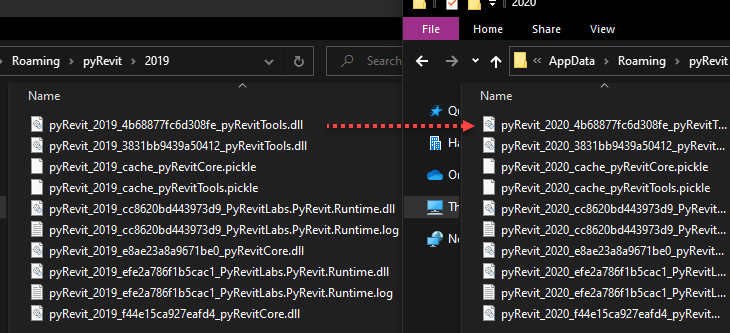
I noticed that my 2020 and 2021 folders were empty in %APPDATA%/pyRevit, so I copied all the files from the 2019 folder to the 2020 and 2021 folders and renamed the files to their corresponding version of Revit. (See 2nd screenshot below).
I'm not sure if this solution would help others, but it solved the issue for me!
Thanks again!
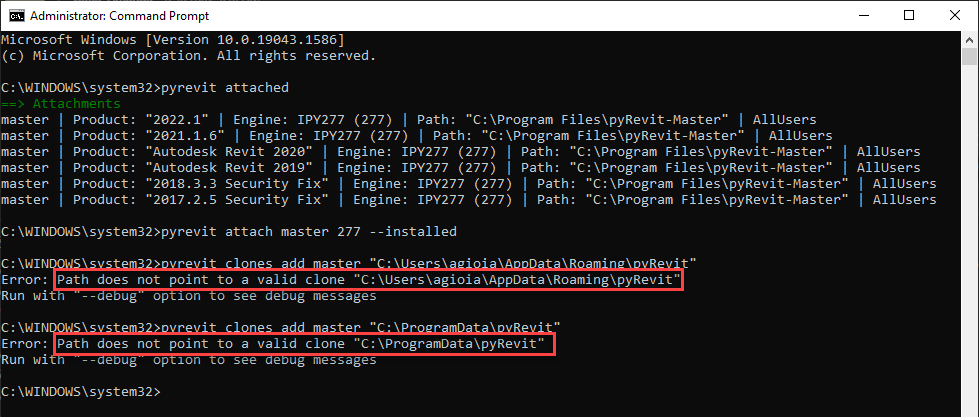
I just realized I should have used this file path instead when running pyrevit clones add master
Thanks @jmcouffin That didn't work. I also tried the steps listed here: https://www.notion.so/pyRevit-Is-Installed-But-Does-Not-Load-f6495adb56254e9e8021f8a68e3b2ab7 and I got the results in the 1st screenshot below.
I noticed that my 2020 and 2021 folders were empty in %APPDATA%/pyRevit, so I copied all the files from the 2019 folder to the 2020 and 2021 folders and renamed the files to their corresponding version of Revit. (See 2nd screenshot below).
I'm not sure if this solution would help others, but it solved the issue for me!
Thanks again!
That should not be necessary, I don't think there is a lot of Revit version specific files in the pyrevit regular install process.