

 pymmcore-plus
About periodic execution of snap and image processing
I would like to capture an image periodically (e.g., once every 5 minutes). Is there an easy way to do this? Also, I would like to process the images when they are acquired. How do I connect the image acquisition to the image processing? Thanks for your help!

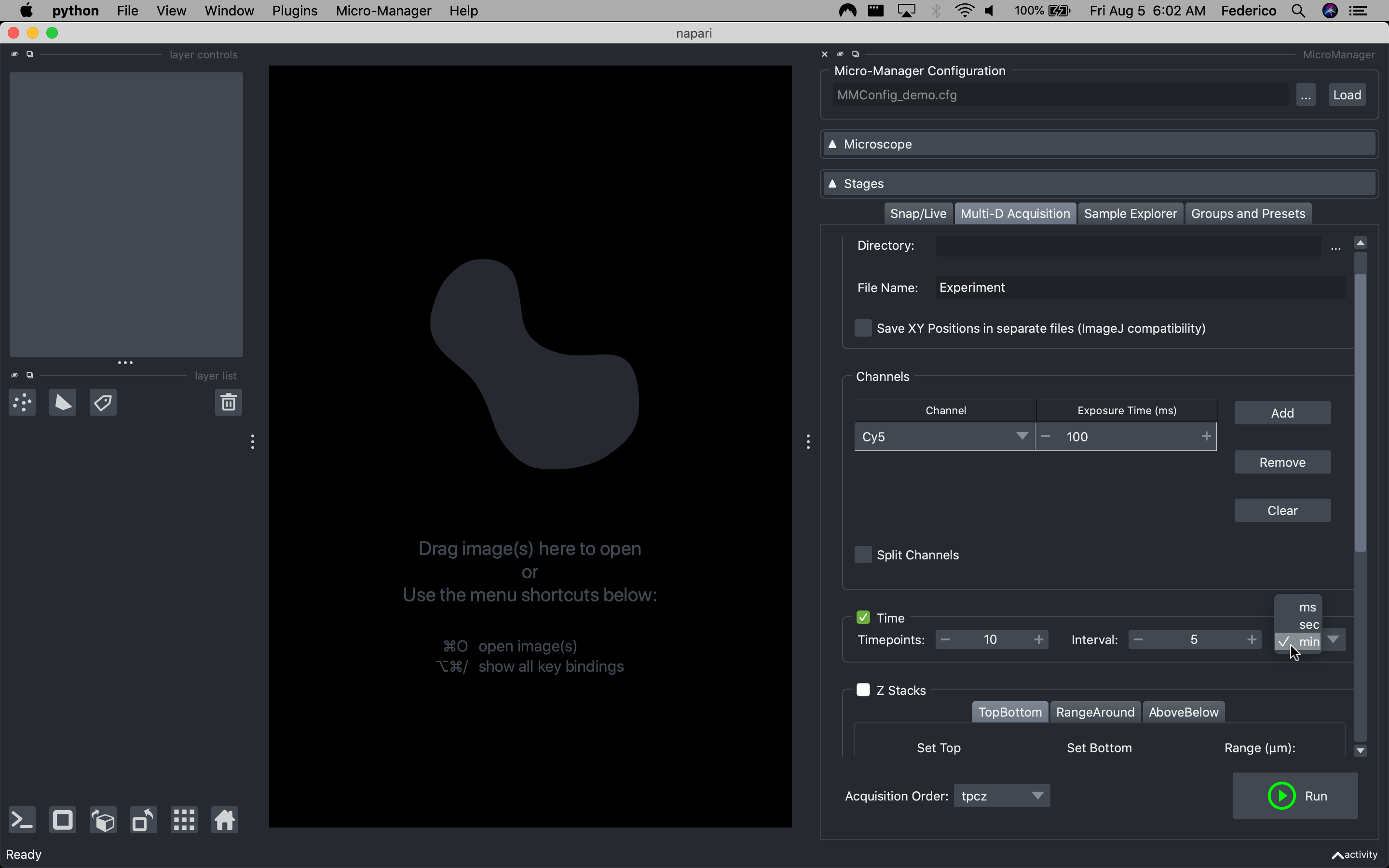
Hi @hiroalchem, if you want to use napari-micromanager, you can acquire a time-lapse using the Muti-D Acquisition tab (image below).
After loading your Micro-Manager configuration and setting the channels you want to acquire in the Channels table, you can check the Time box and set the time-lapse parameter. You can define how many timepoints you want to acquire in the Timepoints spinbox and the interval between each timepoints (in your example 5 minutes) in the Interval spinbox (you can also select the interval's unit - ms, sec, min - in the drop-down box). When you press on the Run button, the acquisition will start.
For the image processing, If you want to analyze each timepoints after they are acquired, you can connect your analysis pipeline to the frameReady pymmcore-plus signal that is emitted every time an image is acquired.
This is an example if you want to use napari-micromanager:
import napari
from useq import MDASequence, MDAEvent
from pymmcore_plus import CMMCorePlus
import numpy as np

viewer = napari.Viewer()
dw, main_window = viewer.window.add_plugin_dock_widget("napari-micromanager")

# get the CMMCorePlus running instance
core = CMMCorePlus.instance()

# your analysis
def _on_mda_frame(image: np.ndarray, event: MDAEvent):

    # 'image' is the last image that has been acquired (numpy array)
    print(image)

    # 'event' contains all the info about the acquisition event
    print(event)

    # return if the 'frameReady' signal is not triggered by a Muti-D Acquisition
    sequence_metadata = main_window._mda_meta
    if sequence_metadata.mode != "mda":
        return

    # you can call your image processing pipeline here to perform the analysis on 'image'.

# connect your analysis code to the pymmcore-plus 'frameReady' signal.
core.mda.events.frameReady.connect(_on_mda_frame)

# run napari
napari.run()
You can now setup napari-micromanager and run the Muti-D Acquisition as explained above but this time your analysis pipeline is executed every time a frame is received.
I hope this is helping!

closing this @hiroalchem ... but feel free to reopen if you have more questions
