

 pyfa-org
Added initial dark mode settings
The beginning of dark mode.
What currently works:
- All main panels (fittings, ship browser, bottom tab panes, market)
What doesn't work:
- Right-click context menus
- Main menu bar (and submenus)
- Other windows that can be opened from the
- Redrawn bitmap buttons post-click
- Highlighted lines in fitting view (selected line is blue/white)
Bugs:
- Issue with color-coded slot in fit overriding dark mode (looks nasty)

Obligatory #1206 link since this PR is supposed to fix it. This one is indeed the most requested pyfa feature.
While I do not think it is possible to make it pretty (it's impossible to change colors of many wx elements IIRC), I am inclined to accept it since some folks miss it and in this case you went ahead and implemented it (so no effort from my side). However, I think there should be some text next to the option which describes that this is a hack and people should not expect good looks from it.
Before merging, gonna ask a few questions:
- have you tested it on macOS?
- have you tested it on linux?
- do you plan to try adding "darkening" of elements from "doesn't work" list?
- are you willing to fix various issues, if I find any before merging?
- what do you think of colors used, are they too contrast? There is a question on reddit which complains about that. Colors which are close to discord's dark there might be better, but I have little understanding about that, so no strong opinions here.
Just to clarify: those are no-pressure questions. I have access to both linux and mac so I just might test myself. But, if you did already, I might just skip this part. Same goes to fixing major issues - I can handle them but it would be cool if you did.
Also, won't have time to test it out today, going to do it tomorrow.

There are probably some elements that can't be changed, but I think the vast majority can be. Others can be, but there are quirks (e.g. certain menu elements can have color set before being attached to the menu bar but not after).
As for your questions:
- I have not tested it on Linux or Mac OS. It worked fine for me on Win 10 and under Windows Subsystem for Linux, so I'm assuming it'll work in a native linux environment.
- I do plan on adding elements from the "not working" list, because I hate wxPython and need to learn more about it so that my hate is more justified :P
- The color contrast may be too high, but then again, there are many EVE redditors who would complain about the air they breathe, so I take it with a grain of salt. But yes, I'm happy to look into a more "discord-like" coolor scheme.
My original intent was to build a color picker for the color scheme, but given the nature of the code, felt this would be easier to do first. If implemented, people could pick their custom color settings.
 mode change 100755 => 100644 pyfa.py
 mode change 100755 => 100644 scripts/effectUsedBy.py
 mode change 100755 => 100644 scripts/findNonMarket.py
 mode change 100755 => 100644 scripts/itemDiff.py
 mode change 100755 => 100644 service/port/efs.py
This has to be fixed (first 4, last one is fine to leave without execution permissions). As for code and functionality on linux / mac - gonna test it later today, if I have some time.
While testing on linux:
Traceback (most recent call last):
  File "/home/dfx/Workspace/eve/pyfa/gui/mainFrame.py", line 539, in OnShowPreferenceDialog
    with PreferenceDialog(self) as dlg:
  File "/home/dfx/Workspace/eve/pyfa/gui/preferenceDialog.py", line 66, in __init__
    prefView.populatePanel(page)
  File "/home/dfx/Workspace/eve/pyfa/gui/builtinPreferenceViews/pyfaGeneralPreferences.py", line 99, in populatePanel
    self.cbToggleDarkMode.SetValue(self.sFit.serviceFittingOptions["useDarkMode"])
TypeError: CheckBox.SetValue(): argument 1 has unexpected type 'NoneType'
To reproduce it, move your <user>\.pyfa folder somewhere, launch the app and open preferences. To fix it, put appropriate value to service/fit.py to serviceFittingDefaultOptions.
On linux, colors are different. This is how it looks on current master:
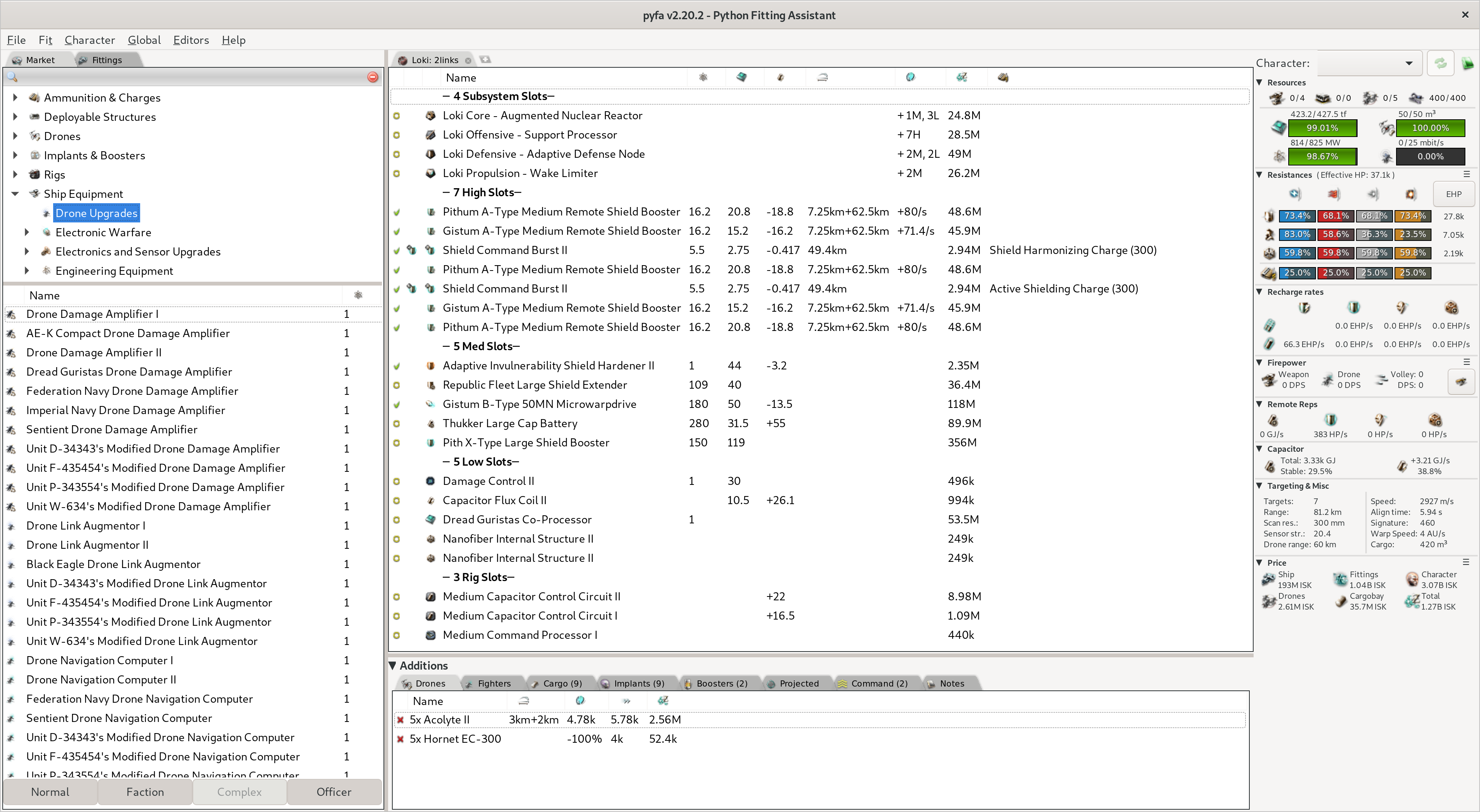
This is how light skin looks on your branch:
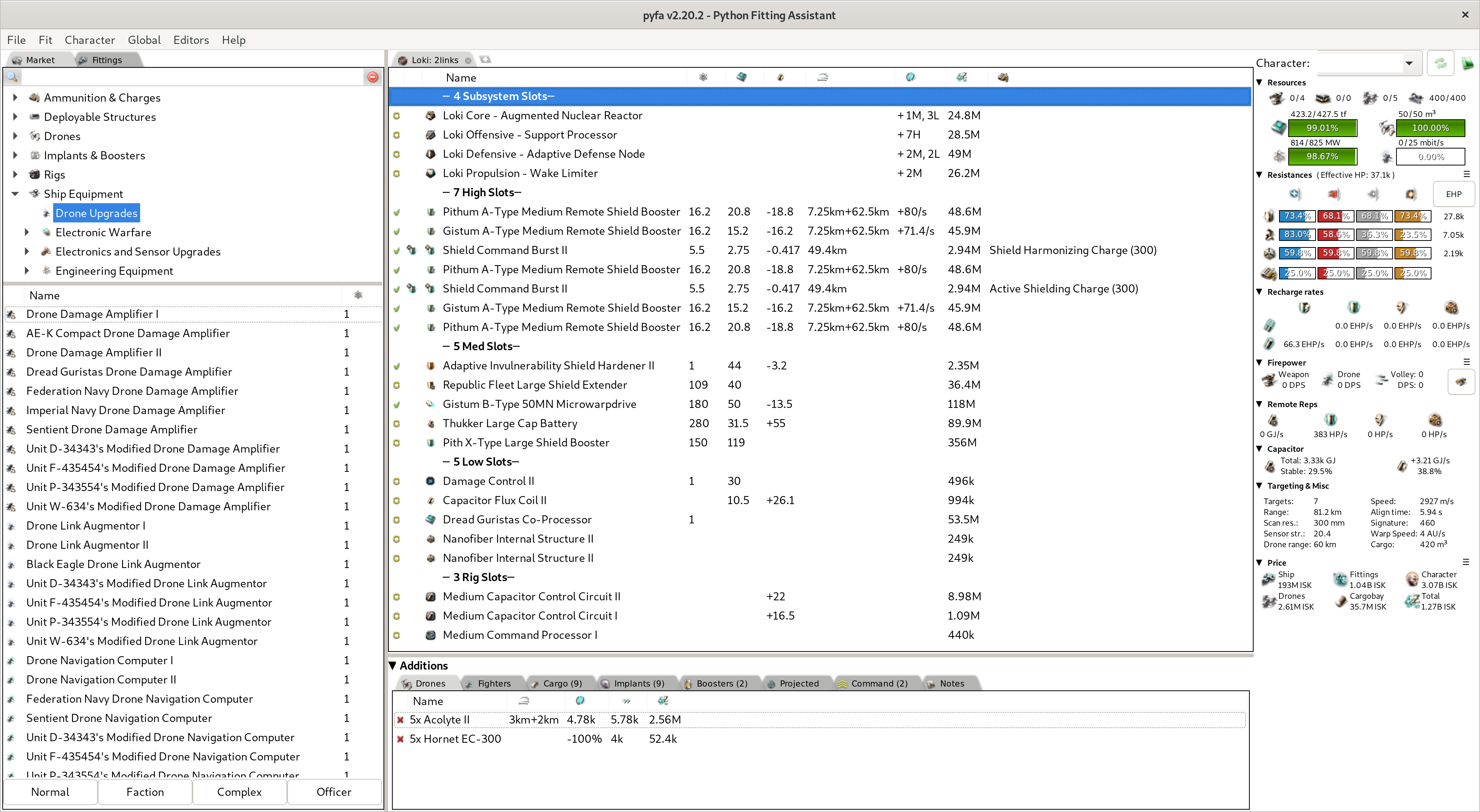
Having search field background as white is fine, the rest needs to be fixed. Compare screenshots side-by-side to see different colors yourself (put extra attention to background color of panels), those are different.
I will check macOS and windows tomorrow.
Understood. I'll fix these.
Curious about the background coloring mismatch, but I think I know what's going on there.
Background color might need some platform-specific code, mind you. I haven't checked what kinds of colors are used on each platform, though.
The reason for the color differentiation is because of mainFrame's darkModeToggled method, recursively calling all its children, indiscriminately updating all panels and widgets by only background and foreground colors. For the "system" color mode, these are set by SYS_COLOUR_WINDOW and SYS_COLOUR_WINDOWTEXT, which is not what we want (dang; it almost worked).
The fix I have in mind is a delegating function that chooses color based on the type of widget/panel it's trying to draw to. This involves creating colorscheme definitions similar to mainFrame's current modes, but for all widget/action types that SYS defines. (e.g. SYS_COLOUR_HIGHLIGHT.) I'm positive this won't work for some specific widgets, but I'll deal with those on a case-by-case.
Here is the color palette I want to map for Dark Mode: https://store.kde.org/p/1376146/. This is close to what @blitzmann was trying to achieve in #1206 and is near enough to discord's colors. Is this a colorscheme you want to use?
The color scheme looks good. Just FYI: i do not plan to use dark mode myself, so it has to be convenient for other users in 1st place, and I found concern in that comment pretty legit.
Tell me when you're done, I will check again, on all 3 platforms (not just on linux).
@mccloudy wxPython 4.1.0 is out. I think it is question of time until we switch to it. Upstream issue progress is going to be tracked here: #2179 just giving you heads up, because newer version might mean some older hacks do not work / some newer hacks are possible. So, might make more sense to test your code with it.
Also I am starting to do some work in hidpi branch. Given the nature of what you are doing and what I am doing, we're likely to run into conflicts during merges. If it turns out that I merge this branch to master earlier than we merge this PR, let me know if you run into any complex conflicts when updating your branch before the merge.
Im a wrye bash dev, and they suffer from the same type of things, because they do not know wx/wxPy as well as they should. wxPy4.0.x will be a good standing point for a while. If not forever.... if having to use Py2. x64 py2 performance is so much better at the moment. I reallly look forward to gettting wxPy4.1 performance issues out of the way.

@Metallicow we're py3 already and not making this switch back. It's too painful to backport some py3 features there. Where speed is a concern I'd rather rewrite it into a lower-level language. With this intention, I am learning Rust for a while already and going to rewrite our calculation engine into it.
As for wx - sure, 4.0.7post2 would be great version. But since 4.1.0 finally allows me to implement DPI-aware windows version of app more or less easily (thanks to wx.Window.FromDIP()), and possibly ability to use hi-res assets and have hires matplotlib renders on GTK (if some issues are ironed out on wx side), I am going to switch to it without any doubts.

Just mentioning that wxPython 4.1.0 uses the system's theme (so Dark Mode, if it's enabled), at least on Mac OS X. It looks good, too:
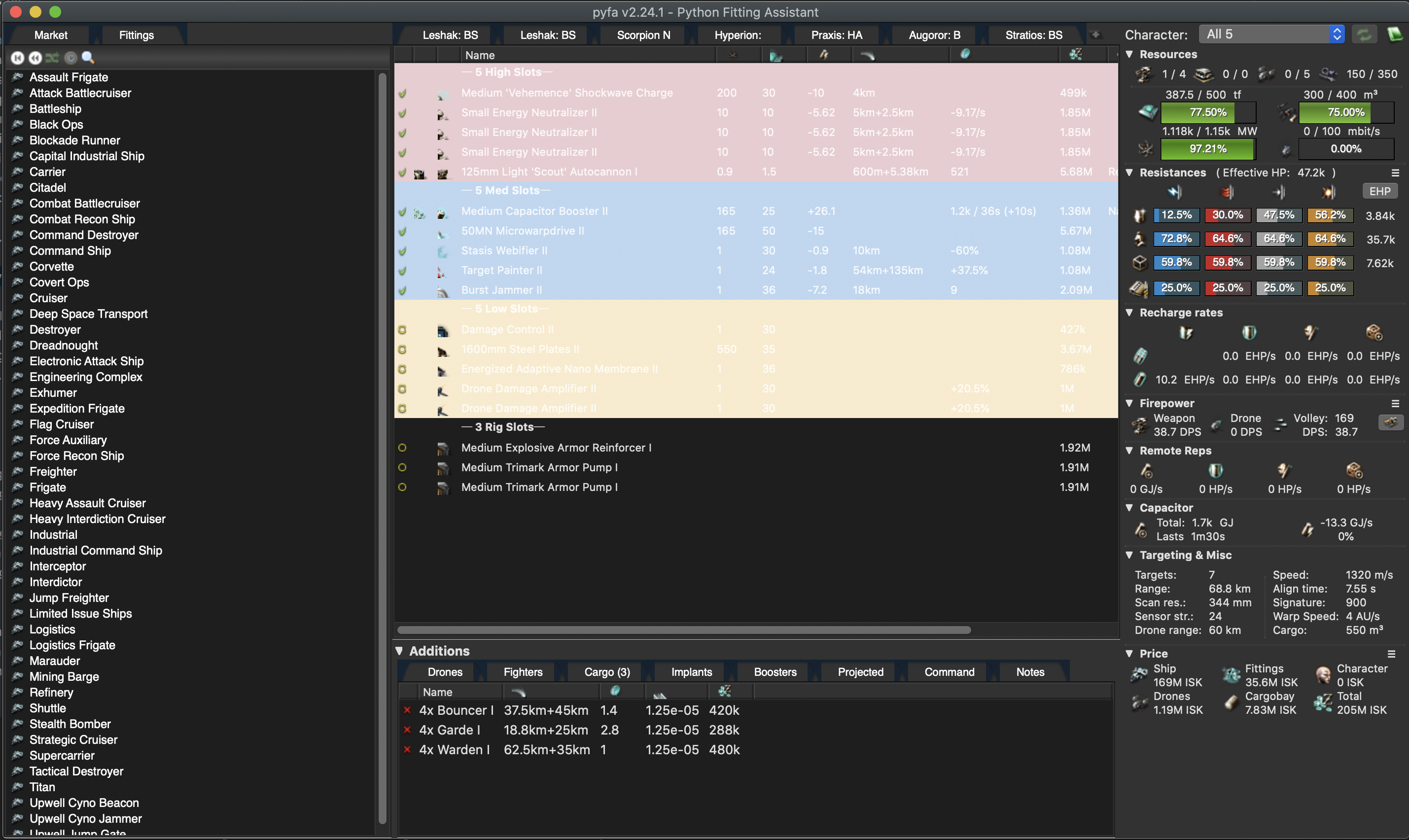 What I see that needs fixing is
- The rack colors aren't good for dark background.
- The custom tabs need a different color.
- Some of the icons don't look good on a dark background.

@m-sasha this ticket is for "custom" dark mode, implemented on pyfa side. The thing you refer to is Mac/wx-provided dark mode, and it is better to track it here: https://github.com/pyfa-org/Pyfa/issues/2179
Also have to mention, it is going to be macos / linux thing only, due to reasons mentioned here: https://github.com/pyfa-org/Pyfa/issues/1206#issuecomment-591844633
Yeah, I understand that. Implementing a "custom" dark mode may not be necessary if the native one works well.
@m-sasha for mac and linux yes, for windows (which is our largest user base) there will be no native dark mode.