

 pyfa-org
Is hidpi scaling enabled?
Sorry for asking a stupid question but is hidpi scaling enabled in version 2.17.2? By the look of it in this screenshot https://imgur.com/a/y7LxNek scaling works as it should in the dialogue window, but not so much in the ship and module windows.
Operating system and version (eg: Windows 10, OS X 10.9, OS X 10.11, Ubuntu 16.10):
Debian 11 Bullseye Kernel 5.4.0 AmD R9 270X Mesa 19.3.3
Other relevant information:

Generally speaking, the answer is "no". However, there are some things which wxPython (our UI toolkit) does out of the box.
- Linux: at home, i have 3840x2160 17" panel. I am using Debian Testing with Xorg, 200% UI scaling. Needless to say, pyfa usability would be fucked up for me if it did not follow that setting. Fortunately, it does. Everything looks alright, except for icons (low-resolution version is used) and graphs (wx doesn't report something needed to matplotlib, so it also looks quite bad). Some assets (like tab images) do not have high-resolution version, so they also look quite bad. I will make a screenshot when I come home.
- Mac: seems to be (almost?) fully supported. Scaled properly and hires assets are used.
- Windows: process is set as DPI-unaware to be upscaled by OS. I tried setting DPI awareness but wx lacks multiple things to make pyfa scale properly under windows.
As far as I understand, wxWidgets 3.1.x series are adding multiple missing parts of functionality for proper hiDPI support, like FromDIP: https://raw.githubusercontent.com/wxWidgets/wxWidgets/v3.1.3/docs/changes.txt
Wxpython is yet to add this support so we can actually use it, but it might take some time. They have not released 4.1.x even as alpha yet, and even after they do - odd 2nd number means development release and can be unstable. So, we are just waiting for them, without those changes it's nearly impossible to have proper hiDPI support.

Please specify which display server you are using (wayland, xorg), which UI scaling factor you have, and please make 2 pyfa screenshots: with 100% scaling and with your current scaling factor.
A lot late.
Running Openbox 3.6.1 Xorg 1.20.8
Since Openbox don't have automatic support for scalling I run these commands in autostart
echo Xft.dpi: 144 | xrdb -merge
export GDK_SCALE=2
export GDK_DPI_SCALE=0.5
export QT_AUTO_SCREEN_SET_FACTOR=0
export QT_SCALE_FACTOR=2
export QT_FONT_DPI=96
gsettings set org.gnome.desktop.interface scaling-factor 2
gsettings set org.gnome.desktop.interface text-scaling-factor 1.5
Here's with no scalling https://imgur.com/MnGSSdN Here's with scalling https://imgur.com/lECUeKm
Everything else works fine, except for pyfa and jEveAssets (which is java).
I am afraid you are left to your own devices on this. wxpython (even in newer version, 4.1.0) states that scaling on GTK is handled by underlying toolkit. So, for example, wx.Window().FromDIP(50) returns 100 on Windows and 50 on Gnome. (and wherever I use FromDIP(), pyfa looks correctly scaled on both OS').
If GTK doesn't scale window contents for you - you will have to find out why. After all, Gnome (which uses GTK for most of its software) does that automatically. I have no idea which variables are responsible for that, until today I thought it's GDK_SCALE and GDK_DPI_SCALE.
For the record - how it looks on my system:
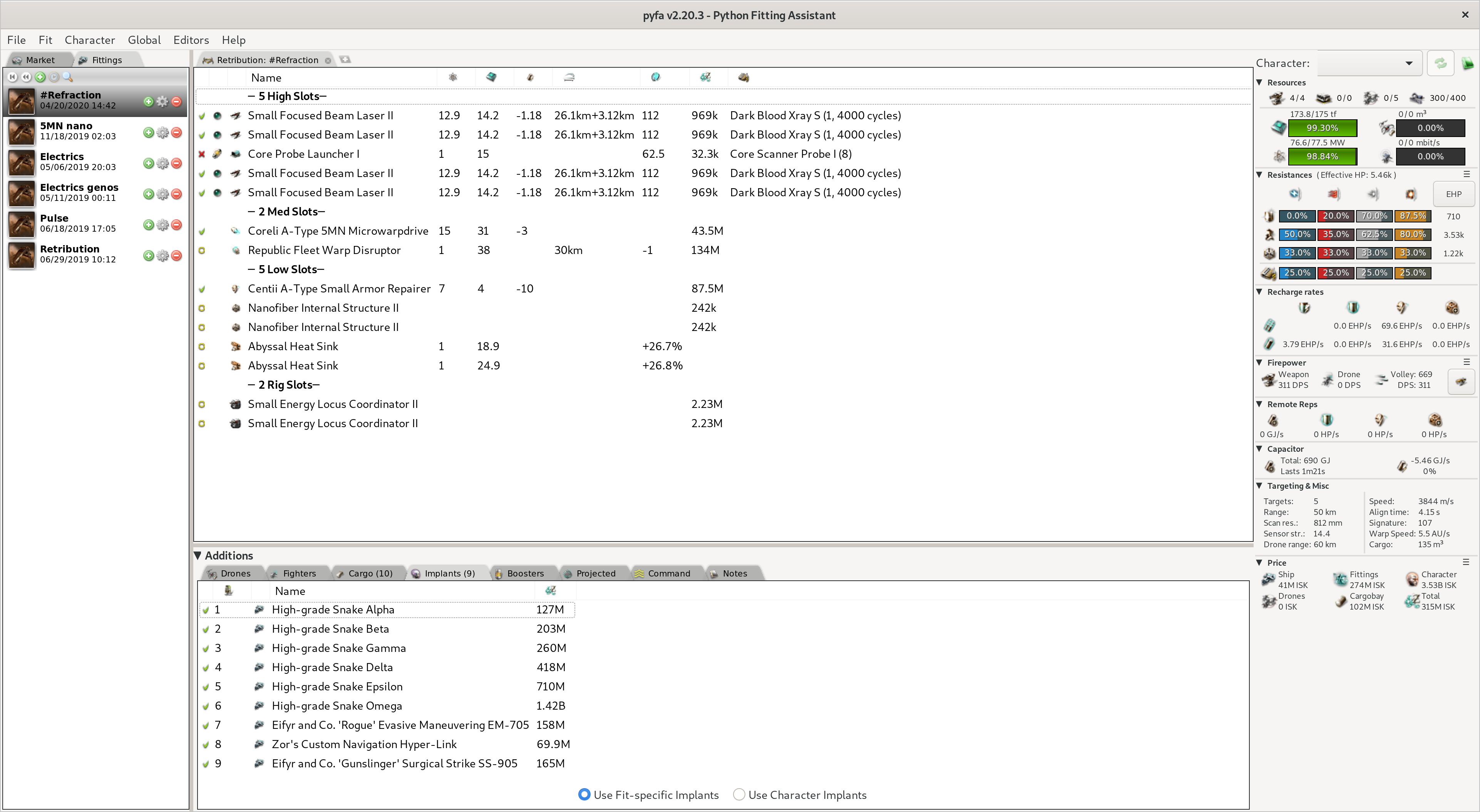
Linux Kernel 5.5.0, Xorg 1.20.8, Gnome 3.36.1 with 200% scaling, wxpython 4.0.7.post2.
And this is how it looks with the environment variables set to 1:
