
pychess
 pychess copied to clipboard
 pychess
Locked PGN file
Hello,
Under Windows only :
- Open a PGN file with pyChess
- Open the game to verify that it is loaded
- Close the game
- Close the database
- We are back to the home screen but don't terminate pyChess' main window now
The files PGN and SQLITE are locked. We must wait until the termination of pyChess to get the files unlocked.
Regards

Can you explain what "locked" mean here? I can open/edit/save/delete .pgn and .sqlite also.

It means that the file is not "closed" technically speaking. I can't save or delete the mentioned files while pyChess is not terminated. The lock is not exclusive, so there is a read access.
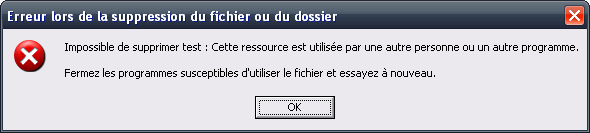
[Erreur when deleting the file or the folder]
Impossible to delete test.pgn : this resource is used by another person or another program.
Close the programs expected to use that file and try again.
This program is pyChess :
pychess.exe pid: 3064 ***
  578: File          C:\***\test.pgn
I can't reproduce this nor with latest git nor with .msi I linked in #1484 Strange.
Works for me on Windows 10. I mean I can delete .pgn .scout .bin .sqlite files after exact four steps you gave. Can you reproduce this on newer Windows versions (7/8/10) or just with XP in VirtualBox?