

 puppetlabs
Terminal tab labeled "Puppet PDK" is opened every time I start VS Code or open a workspace
Issue Type: Bug
I'm unsure if this is a feature or a bug, to be honest — but, undesirably, having this extension installed (literally just to have syntax-highlighting in the occasional .epp file I'm browsing) is causing a new Terminal window called "Puppet PDK" to open in every single VS Code instance.
I checked through the options, to no enlightenment. If this is intentional, a way to disable it would be very preferred; if it's not intentional, let me know if I can provide any further debugging information! (=
Extension version: 1.4.0 VS Code version: Code 1.68.1 (30d9c6cd9483b2cc586687151bcbcd635f373630, 2022-06-14T12:48:37.209Z) OS version: Darwin arm64 21.5.0 Restricted Mode: No Connection to 'SSH: nspawn' could not be established Canceled Remote OS version: Linux x64 5.8.0-0.bpo.2-amd64 Remote OS version: Linux x64 5.8.0-0.bpo.2-amd64
System Info
| Item | Value |
|---|---|
| CPUs | Apple M1 Pro (10 x 24) |
| GPU Status | 2d_canvas: enabled canvas_oop_rasterization: disabled_off direct_rendering_display_compositor: disabled_off_ok gpu_compositing: enabled metal: disabled_off multiple_raster_threads: enabled_on oop_rasterization: enabled opengl: enabled_on rasterization: enabled raw_draw: disabled_off_ok skia_renderer: enabled_on video_decode: enabled video_encode: enabled webgl: enabled webgl2: enabled |
| Load (avg) | 10, 9, 7 |
| Memory (System) | 16.00GB (0.34GB free) |
| Process Argv | --crash-reporter-id ddb5da65-4654-412e-9dc3-738998ade011 |
| Screen Reader | no |
| VM | 0% |
Connection to 'SSH: nspawn' could not be established Canceled
| Item | Value |
|---|---|
| Remote | SSH: nspawn |
| OS | Linux x64 5.8.0-0.bpo.2-amd64 |
| CPUs | AMD EPYC 7413 24-Core Processor (48 x 2883) |
| Memory (System) | 502.99GB (34.45GB free) |
| VM | 0% |
| Item | Value |
|---|---|
| Remote | SSH: nspawn |
| OS | Linux x64 5.8.0-0.bpo.2-amd64 |
| CPUs | AMD EPYC 7413 24-Core Processor (48 x 2883) |
| Memory (System) | 502.99GB (34.42GB free) |
| VM | 0% |


No problem!
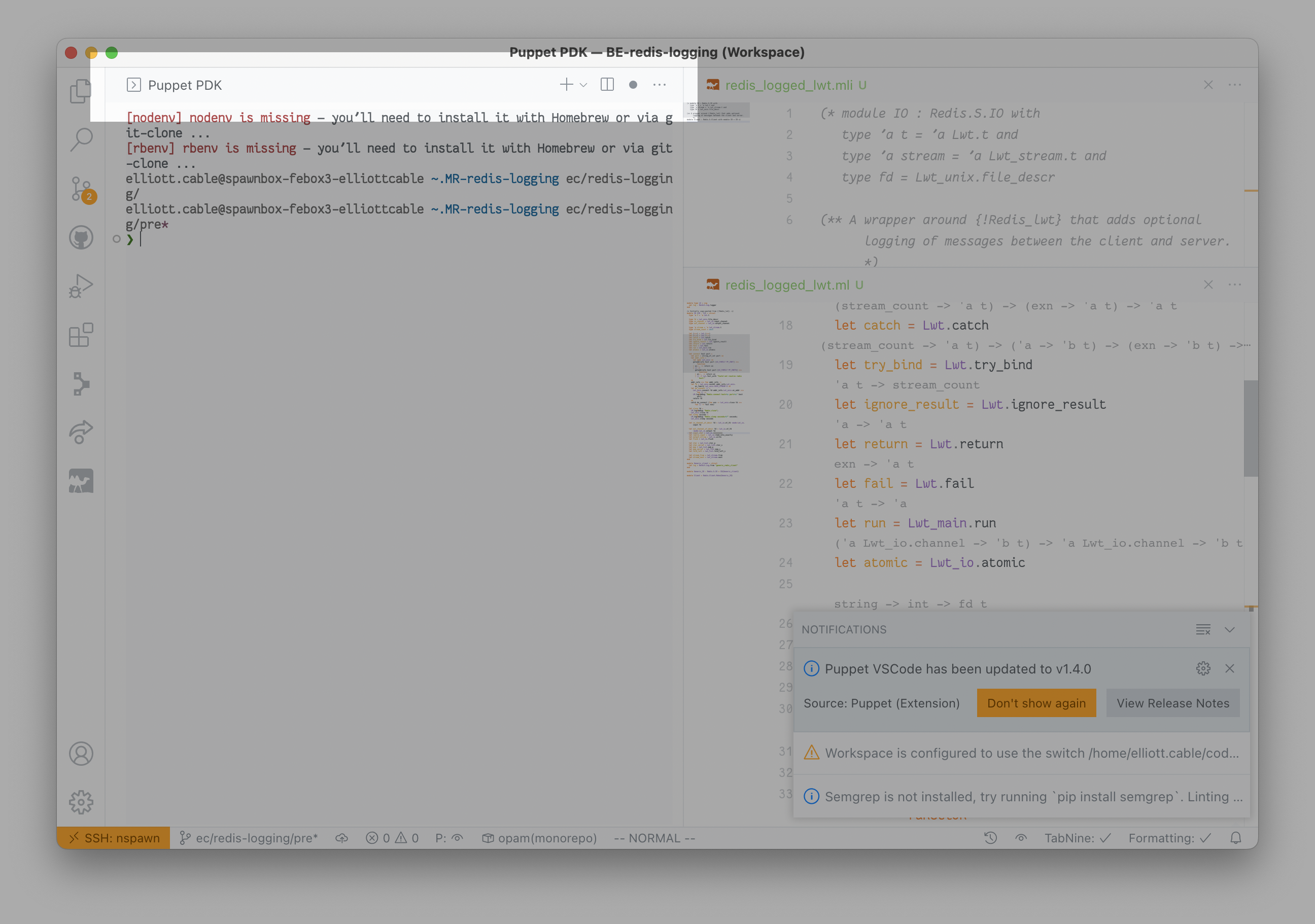
Producing that screenshot included no more than double-clicking a Workspace file I didn't already have open.
(Possibly relevant, as it's relevant to a lot of extension-issues I open, is that all of my work is thru VSCode Remote: SSH.)
Looks like @jpogran has kindly submitted a fix for this. I'll get it merged asap and look at pushing a new release.
Did you find any setting to disable that terminal window at all? I really don't need it and it's the only vscode extension I have which spawns it's own terminal every time. I wish I could disable that behavior completely.
The source is that line: https://github.com/puppetlabs/puppet-vscode/blob/fccf88b4596893c3fedaefa0aca07559350879f1/src/feature/PDKFeature.ts#L16


@stillhart I think this is potentially a feature request.
Adding an option to disable the terminal would mean a config change and some more testing. It would be great if you could open a new issue for this!
This specific issue is related to the extension spawning multiple terminals.
The merged change should fix it by checking for suspended terminals first.
With regards for a new release that contains the fix referenced in this issue, I'll see what I can do.
Any update with this issue. Getting VS Code set up and have hit this extension spawning multiple terminals.

@Nwolford51 This issue has been resolved by the PR merged today: https://github.com/puppetlabs/puppet-vscode/pull/833
