

 pulsejet
Use App without OCC Commands
Fantastic and much-needed app!
It would be great if the app would work without OCC commands to enable users on shared hosting plattforms without SSH access to use it. Not sure if this is technically possible but it would be much appreciated.
Thanks!

This sounds useful in general, but I doubt it'll work on shared hosting because of the exiftool dependency

Right now, Memories is usable on Hetzner Storage Share (which has just been updated to Nextcloud NC25). However, since there is no way to have occ running on the instance, I can't do an initial indexing, only images added after the initial install of Memories are indexed.

Right now, Memories is usable on Hetzner Storage Share (which has just been updated to Nextcloud NC25). However, since there is no way to have occ running on the instance, I can't do an initial indexing, only images added after the initial install of Memories are indexed.
You can run OCC commands using KonsoleH, including memories:index
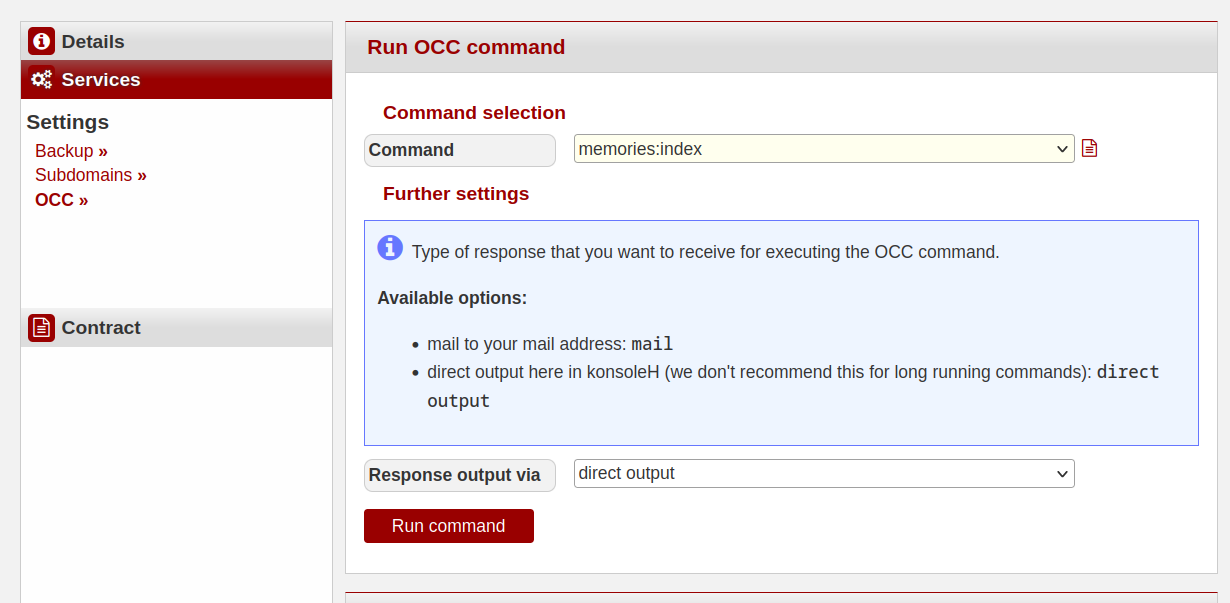
EDIT: Just tested it, and images are showing up in my timeline.
EDIT 2: It does not allow running memories:video-setup

@QazCetelic thanks a lot, I wasn't aware of this feature in Hetzner konsoleH. It seems Hetzner is whitelisting specific occ commands (the recognize ones aren't enabled).
I asked Hetzner why the memories:video-setup command isn't available in the KonsoleH commands. Because it needs ffmpg and that is not installed on their Storage Share Instances for performance reasons. Is there any workaround for this? I can live without the thumbnails, but it's a pity that I can't even play videos in the memories app.

Can you access and edit config.php? If yes, just set memories.vod.disable to true. https://github.com/pulsejet/memories/wiki/System-config-options
I can't access it myself, but the Hetzner Support edited it for me. Works just fine, except the thumbnails of course. Thank you!