

 ptitSeb
Garry's mod (srcds), 64 bit
- Box64 version: Box64 with Dynarec v0.1.9 c8d4d3b built on May 13 2022 01:00:55
- Hardware: Oracle ARM free tier vps
- Software: Ubuntu 20.04.3 LTS
I modified the 64 bit srcds branch to use box64 (added box64 to the executable path) but it errors out, just crashes. I also needed to download it on my pc because steamcmd is 32 bit
Logs: ~/server_test$ ./srcds_run_x64 Dynarec for ARM64, with extension: ASIMD AES CRC32 PMULL ATOMICS PageSize:4096 Box64 with Dynarec v0.1.9 c8d4d3b built on May 13 2022 01:00:55 Using default BOX64_LD_LIBRARY_PATH: ./:lib/:lib64/:x86_64/:bin64/:libs64/ Using default BOX64_PATH: ./:bin/ Counted 29 Env var Looking for ./bin/linux64/srcds Using native(wrapped) libdl.so.2 Using native(wrapped) libpthread.so.0 Using native(wrapped) libc.so.6 Using native(wrapped) ld-linux-x86-64.so.2 Using native(wrapped) librt.so.1 LD_LIBRARY_PATH=/home/ubuntu/server_test/bin/linux64:.:bin/linux64: Using emulated bin/linux64/libtier0.so Using emulated /lib/x86_64-linux-gnu/libstdc++.so.6 Using emulated /lib/x86_64-linux-gnu/libgcc_s.so.1 Using native(wrapped) libm.so.6 Warning: Weak Symbol _ITM_memcpyRtWn not found, cannot apply R_X86_64_JUMP_SLOT @0xffffac6eb078 (0x990f6) Warning: Weak Symbol _ITM_RU1 not found, cannot apply R_X86_64_JUMP_SLOT @0xffffac6eb688 (0x99d16)Warning: Weak Symbol _ZGTtdlPv not found, cannot apply R_X86_64_JUMP_SLOT @0xffffac6ebb08 (0x9a616) Warning: Weak Symbol _ITM_RU8 not found, cannot apply R_X86_64_JUMP_SLOT @0xffffac6ebff0 (0x9afe6)Error: Symbol fstat64 not found, cannot apply R_X86_64_JUMP_SLOT @0xffffac6ec118 (0x9b236) in /lib/x86_64-linux-gnu/libstdc++.so.6 Warning: Weak Symbol _ITM_memcpyRnWt not found, cannot apply R_X86_64_JUMP_SLOT @0xffffac6ec480 (0x9b906) Warning: Weak Symbol _ZGTtnam not found, cannot apply R_X86_64_JUMP_SLOT @0xffffac6ecc80 (0x9c906)Error: relocating Plt symbols in elf libstdc++.so.6 Error initializing needed lib libstdc++.so.6 Error loading one of needed lib Error initializing needed lib libtier0.so Warning: Cannot dlopen("libtier0.so"/0x400d68, 2) Failed to open libtier0.so (Cannot dlopen("libtier0.so"/0x400d68, 2) ) 4155801|SIGSEGV @0x649466bc (???(/usr/local/bin/box64+0x649466bc)) (x64pc=0x1c441/???:"???", rsp=0xffffacff0430, stack=0xffffac7f1000:0xffffacff1000 own=(nil) fp=0xffffacff0438), for accessing 0x1c440 (code=1/prot=0), db=(nil)((nil):(nil)/(nil):(nil)/???:clean, hash:0/0) handler=(nil) Segmentation fault (core dumped) WARNING: No map specified! Defaulting to gm_construct Auto detecting CPU Using default binary: ./bin/linux64/srcds Server will auto-restart if there is a crash. Dynarec for ARM64, with extension: ASIMD AES CRC32 PMULL ATOMICS PageSize:4096 Box64 with Dynarec v0.1.9 c8d4d3b built on May 13 2022 01:00:55 Using default BOX64_LD_LIBRARY_PATH: ./:lib/:lib64/:x86_64/:bin64/:libs64/ Using default BOX64_PATH: ./:bin/ Counted 28 Env var Looking for ./bin/linux64/srcds argv[1]="-game" argv[2]="garrysmod" argv[3]="+map" argv[4]="gm_construct" Using native(wrapped) libdl.so.2 Using native(wrapped) libpthread.so.0 Using native(wrapped) libc.so.6 Using native(wrapped) ld-linux-x86-64.so.2 Using native(wrapped) librt.so.1 LD_LIBRARY_PATH=/home/ubuntu/server_test/bin/linux64:.:bin/linux64: Using emulated bin/linux64/libtier0.so Using emulated /lib/x86_64-linux-gnu/libstdc++.so.6 Using emulated /lib/x86_64-linux-gnu/libgcc_s.so.1 Using native(wrapped) libm.so.6 Warning: Weak Symbol _ITM_memcpyRtWn not found, cannot apply R_X86_64_JUMP_SLOT @0xffffaab29078 (0x990f6) Warning: Weak Symbol _ITM_RU1 not found, cannot apply R_X86_64_JUMP_SLOT @0xffffaab29688 (0x99d16)Warning: Weak Symbol _ZGTtdlPv not found, cannot apply R_X86_64_JUMP_SLOT @0xffffaab29b08 (0x9a616) Warning: Weak Symbol _ITM_RU8 not found, cannot apply R_X86_64_JUMP_SLOT @0xffffaab29ff0 (0x9afe6)Error: Symbol fstat64 not found, cannot apply R_X86_64_JUMP_SLOT @0xffffaab2a118 (0x9b236) in /lib/x86_64-linux-gnu/libstdc++.so.6 Warning: Weak Symbol _ITM_memcpyRnWt not found, cannot apply R_X86_64_JUMP_SLOT @0xffffaab2a480 (0x9b906) Warning: Weak Symbol _ZGTtnam not found, cannot apply R_X86_64_JUMP_SLOT @0xffffaab2ac80 (0x9c906)Error: relocating Plt symbols in elf libstdc++.so.6 Error initializing needed lib libstdc++.so.6 Error loading one of needed lib Error initializing needed lib libtier0.so Warning: Cannot dlopen("libtier0.so"/0x400d68, 2) Failed to open libtier0.so (Cannot dlopen("libtier0.so"/0x400d68, 2) ) 4155804|SIGSEGV @0x649466bc (???(/usr/local/bin/box64+0x649466bc)) (x64pc=0x1c441/???:"???", rsp=0xffffab42e3f0, stack=0xffffaac2f000:0xffffab42f000 own=(nil) fp=0xffffab42e3f8), for accessing 0x1c440 (code=1/prot=0), db=(nil)((nil):(nil)/(nil):(nil)/???:clean, hash:0/0) handler=(nil) Segmentation fault (core dumped) Add "-debug" to the ./srcds_run_x64 command line to generate a debug.log to help with solving this problem Sat May 21 17:35:17 UTC 2022: Server restart in 10 seconds ^CSat May 21 17:35:21 UTC 2022: Server Quit
ubuntu@instance-20220119-1536:~/server_test$


Now it gets further but hags after logging the bind ip.
I attached the log here because it was easier and it's very long
Now it gets further but hags after logging the bind ip.
I attached the log here because it was easier and it's very long
Hmmmm do you have Steam Installed? its trying to find Dll's

New logs after all the updates. And yes, I have steam installed and also it isn't required, because the steam libraries are built-in. Currently it looks like the server starts but I can't join it because it's in offline/lan mode, it load the "steam support library" even tho it states one line before that it does load it. And yes, I opened all the required ports (27015 and 27005) and I allow all outcoming connections. screen.log
- Using root doesn't change anything
- If it wasn't 64-bit it wouldn't run... I also stated it above
Gmod is not compatible with ARM.
Do you what this repo is about? Because box64 & box86 are "compatibility layer", to make things compatible with ARM, basicaly.
I got 32bits version of Garry's Mod running on Steam
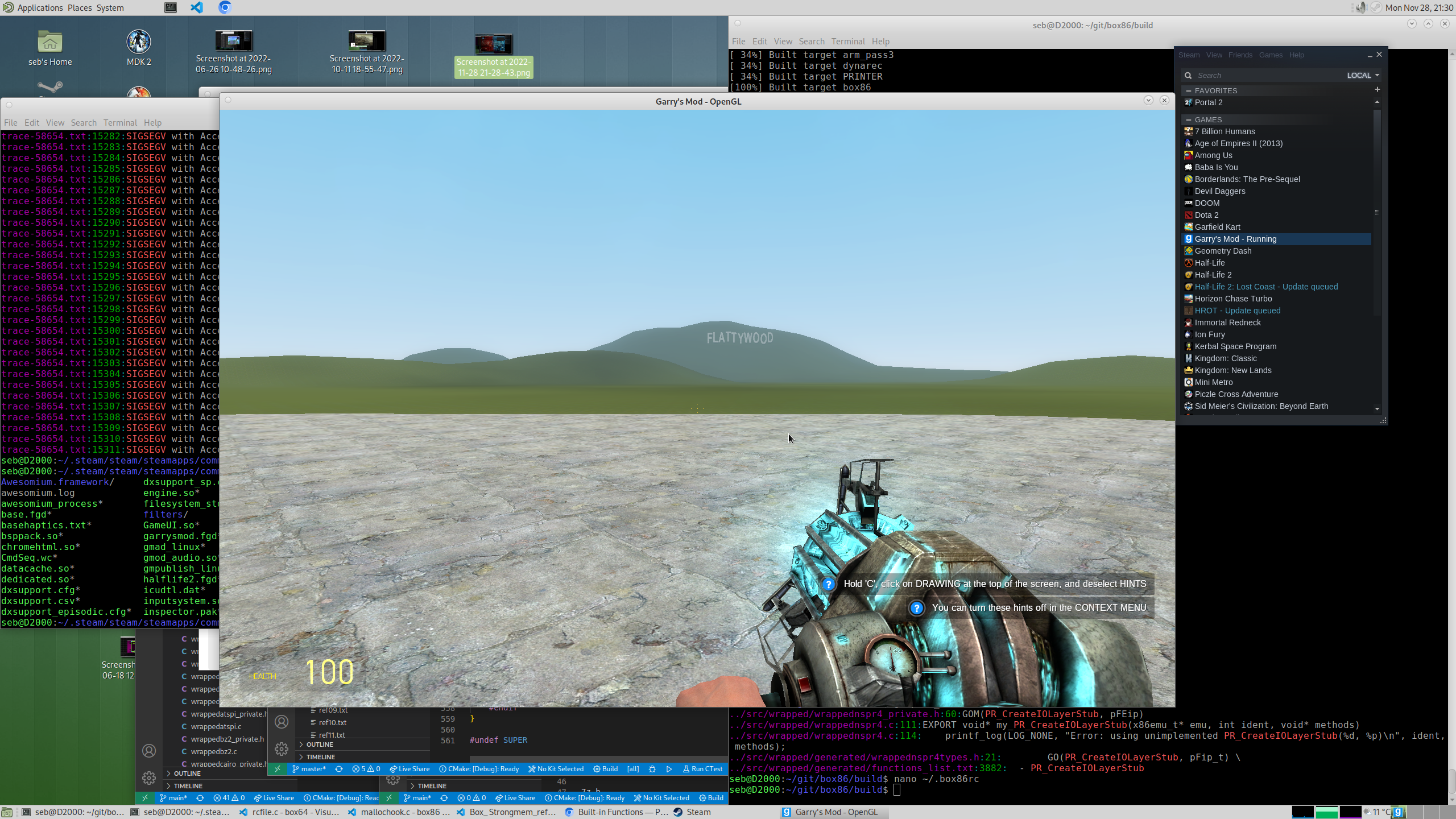
I don't know about the 64bits, but on the 32bits libnspr4.so needed to be emulated. You might need to use BOX64_PREFER_EMULATED=1 and use some steam-runtime folder for the sources of the libs.
I tried with BOX64_PREFER_EMULATED=1 on the latest (32-bit) version and sadly it still says that the server in running in a Lan only mode. https://pastebin.com/5SCNPs72 (the server quit because I did CTRL C)
I am also having trouble with server starting in LAN only and steamauth not working properly. @MatStef132 have you found any solution?

I am also having trouble with server starting in LAN only and steamauth not working properly. @MatStef132 have you found any solution?
Sadly no. We probably need to wait for ptitSeb to figure something.