ps2homebrew
[ISSUE]: [SLES-538.30] Psychonauts - Black screen after loading
Checks
- [X] I have checked existing OPL issues for duplicates and found none
- [X] I am using either OPL latest stable version, or archived version or OPL beta version
Describe the issue
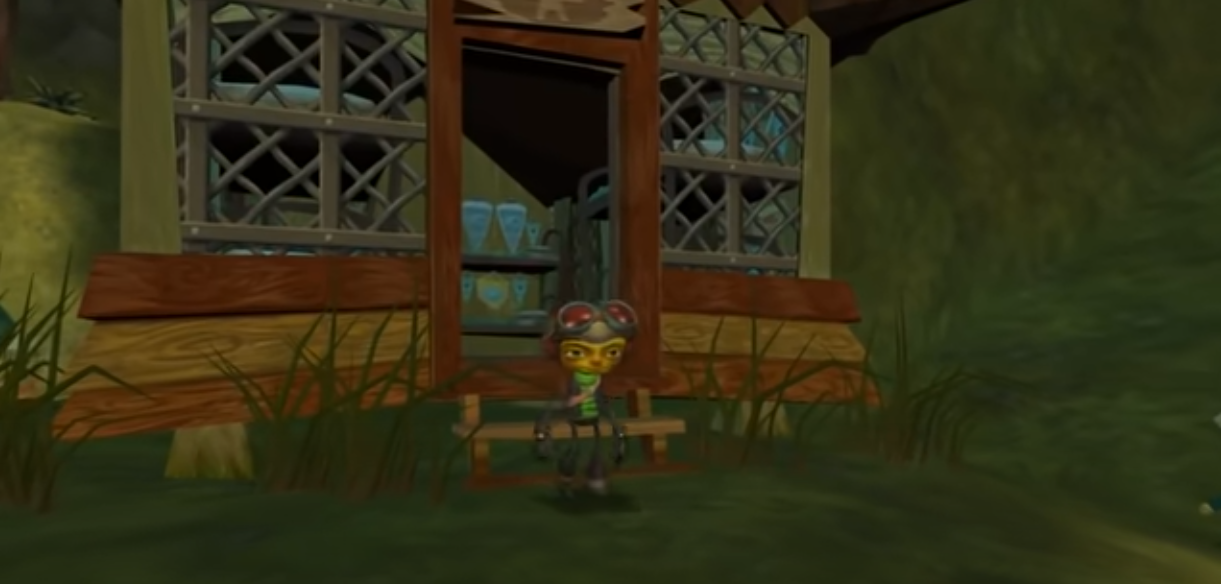
After this loading screen the monitor goes black and the controller analog light turns off.
Console model
SCPH-77004
OPL version / revision
OPL v1.1.0 Beta DB 2148 OPL v1.1.0 Stable OPL v1.0.0 Stable
In which device(s) have you experienced this issue?
SMB
Context and extra information
game affected is Psychonauts [SLES-53830], http://redump.org/disc/4323/
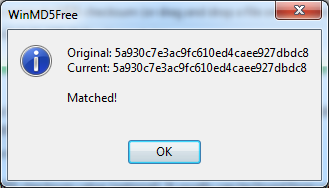
.iso SHA1 verified and matches.
I've checked the http://sx.sytes.net/oplcl/games.aspx for the compatibility and it should run fine.
I've also tried many compatibility modes. Nothing worked.
Many thanks!
EDIT: Formatted my memory card and configured everything from scratch. Still nothing.

I tested from USB on my 77004 and everything works, m8, use official release of OPL and not that bugged DB. This is not a good place to report issues with this particular DB version.

I tested from USB on my 77004 and everything works, m8, use official release of OPL and not that bugged DB. This is not a good place to report issues with this particular DB version.
Thanks for replying! I did try both stable versions of OPL (1.0.0 and 1.1.0), with SMB and it always gets stuck at the same part. I can upload a video if it could help.
I tested through SMB with OPL 1.2.0 and it seems to work as well.
I'll try it! Thanks! Out of curiosity, are you using the PAL version of the game? With any compatibility modes enabled?
Well, it works in-game (I mean in menu) through SMB so yeah, change device if you wanna play, unfortunately, similar issue with PAL Metal Slug 4. PAL games don't work too good through SMB and iirc from a long time nobody fixes compatibility issues but I can be and I hope I'm wrong.
Well, it works in-game through SMB so yeah, change device if you wanna play, unfortunately, similar issue with PAL Metal Slug 4. PAL games don't work too good through USB and iirc from a long time nobody fixes compatibility issues but I can and I hope I'm wrong.
Same thing with the v1.2.0-Beta-1792-13e626f release, black screen after the intro and the controller turns off.
Just tested with the SLUS-21120 version. Seems that it doesn't have the intro issue.
I'll leave this issue open if anyone wants to look into it.
@NotoriusNeo I told you PAL versions don't have as much love as NTSCs counterparts. xD
Unfortunately I have the same issue through SMB with OPL v.1.1.0 with SLES_538.30.
None of the compatibility modes seems to help.
So currently the only alternative that you have is to try this game through other device e.g. USB.

@ Haker120 I am not sure if I understand you... OP has given his report about PAL version. In your every reply you wrote that this game works. Through SMB or USB.
So I am not sure which version did you try? PAL (SLES_538.30), NTSC (SLUS_211.20) or both?
I have the same problem as NotoriusNeo with PAL version through SMB. I did not try the NTSC version.
If you'd read carefully you'll know PAL version works from USB and supposedly HDD (I didn't test but usually if works from USB it will from HDD) and only in-game through SMB. And NTSC works with SMB as NotoriusNeo stated.
@ Haker120 I am not sure if I understand you... OP has given his report about PAL version. In your every reply you wrote that this game works. Through SMB or USB.
So I am not sure which version did you try? PAL (SLES_538.30), NTSC (SLUS_211.20) or both?
I have the same problem as NotoriusNeo with PAL version through SMB. I did not try the NTSC version.
Hello @J013k ! Thanks for your feedback!
@Haker120 is correct. I'm running the latest beta of OPL (v1.2.0-Beta-1792-13e626f) and I managed to make it work on the NTSC version as stated in here without any compatibility mode enabled.
Cheers!