

 ps2homebrew
[ISSUE]: OPL 1.2.0 Beta 2119 black screen when starting a game
Checks
- [ ] I have checked existing OPL issues for duplicates and found none
- [X] I am using either OPL latest stable version, or archived version or OPL beta version
Describe the issue
In OPL beta version 1.2.0-2163, every time I load a game, it just goes to a black screen. I've tried the compatibility modes and they don't work, can someone please help me? Updates: In addition to not being able to run Metal Gear Solid 2: Sons of Liberty, OPL corrupts my pendrive.
Console model
SCPH-77001
OPL version / revision
OPL beta 1.2.0-2119
In which device(s) have you experienced this issue?
USB
Context and extra information
Resident EVil 4 SLES_53702 and Shadow of the Colossus SCUS_97472


Resident Evil 4 [SLES_537.02]:
OPL Stable 1.1.0 USB - works well
OPL Beta 1.2.0 2125 USB - works well
My PS2 model is SCPH-90008. I use redump images and don't use PADEMU, VMC, GSM.
@Vini182837 this game is not compatible with VMC and PADEMU.

Sometimes issues like this happen when USB device is not fully compatible. I mean OPL can show game list but it will always crash\freeze after debug colors. To be honest I am not sure why? Sometimes one of my flashrive works with SCPH-70004, but it refuses to work with SCPH-77004... Sometimes it shows games list, unfortunately none of the games can be loaded...
So the best option will be to check other USB devices because a compatibility is not ideal.

Sometimes issues like this happen when USB device is not fully compatible. I mean OPL can show game list but it will always crash\freeze after debug colors. To be honest I am not sure why? Sometimes one of my flashrive works with SCPH-70004, but it refuses to work with SCPH-77004... Sometimes it shows games list, unfortunately none of the games can be loaded...
So the best option will be to check other USB devices because a compatibility is not ideal.
Actually it probably is the same issue as with multiple usb devices: "too fast initialization". If usb device is slow, then sometimes it can lead to similar behaviour. Should be fixed in https://github.com/ps2homebrew/Open-PS2-Loader/pull/1443
Is there any initialization differences between IOP (e.g. SCPH-70004) and DECKARD (e.g. SCPH-77004) consoles?
No matter what I cannot launch any game with this flashdrive on SCPH-77004 even on OPL 2197,
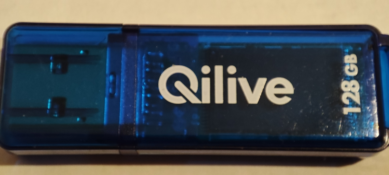 However everything is fine with
 SCPH-70004.
Is there any initialization differences between
IOP(e.g.SCPH-70004) andDECKARD(e.g.SCPH-77004) consoles?No matter what I cannot launch any game with this flashdrive on
SCPH-77004even on OPL 2197,SCPH-70004.
Deckard requires more power. That means that usb takes longer to be detected. Opl waits 5 seconds, maybe it is not enough.
Deckard requires more power. That means that usb takes longer to be detected. Opl waits 5 seconds, maybe it is not enough.
Is there a chance to test a version with a higher delay? I mean 6s, 7s, 8s ,9s?
Add 1: https://github.com/ps2homebrew/Open-PS2-Loader/issues/1311#issuecomment-2327445583.
Add 2: https://github.com/pcm720/nhddl/issues/21#issuecomment-2571614374.
I recently tried BDM Assault to use these drivers with FreeMcBoot 1.966.
In short how to use it:
bdm_assault.irx must be pasted into
mc?:/SYS-CONF/USBD.IRXusbd_bd_assault.irx must be pasted intomc?:/SYS-CONF/USBHDFSD.IRX
The funny thing is that now I can boot a console with a flashdrive, launch OPL and in most causes everything is fine. Previously to get the best results I needed to put my flashdrive after OPL boots to get the best compatibility.
So I do not know if FMCB is not conflicting\colliding with OPL drivers in some way?
Did this work for you guys im having the exact same issue and was wondering if theres anyway to fix it
