PrusaSlicer
 PrusaSlicer copied to clipboard
 prusa3d
Allow painting supports with layers visible
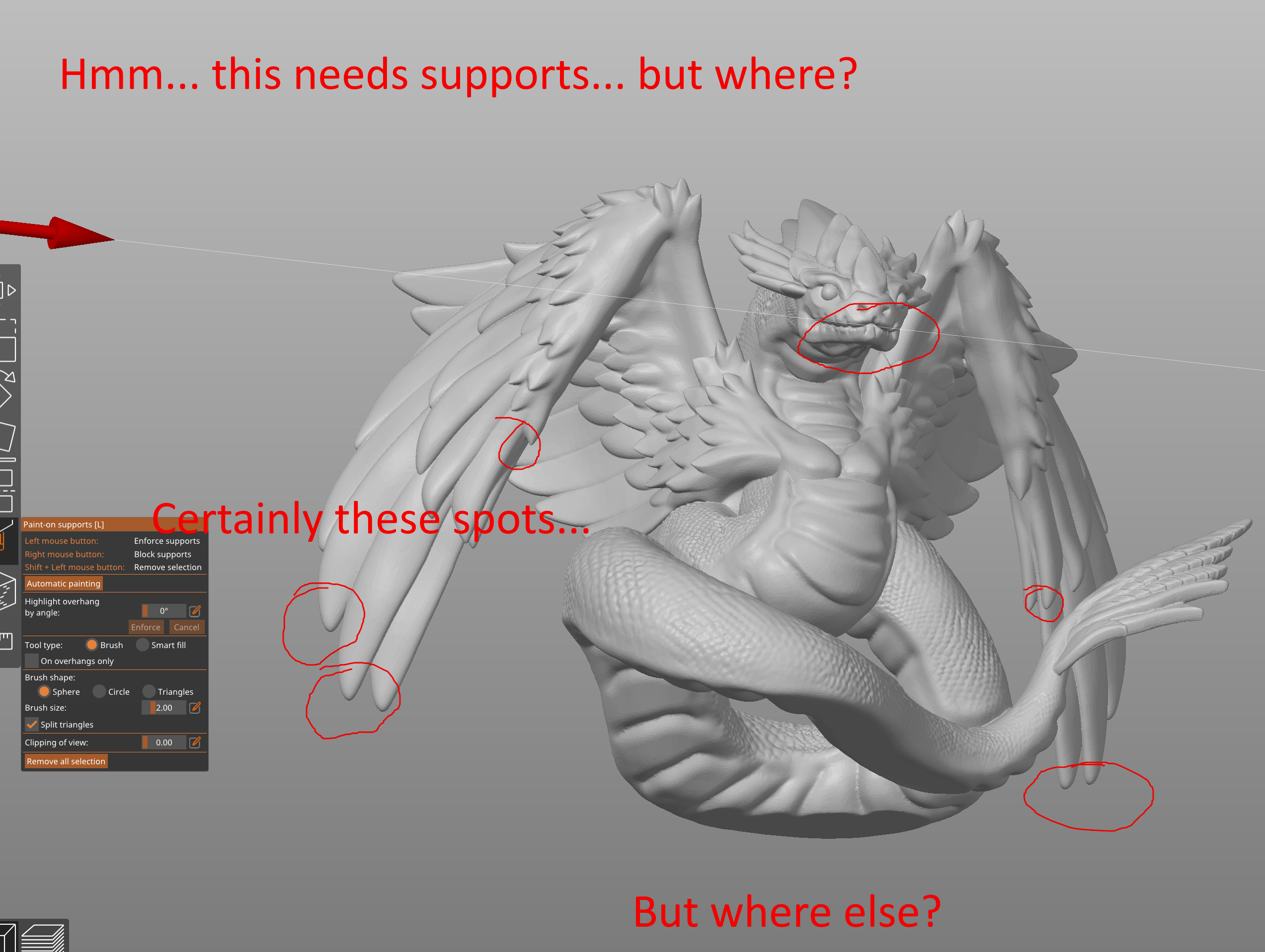
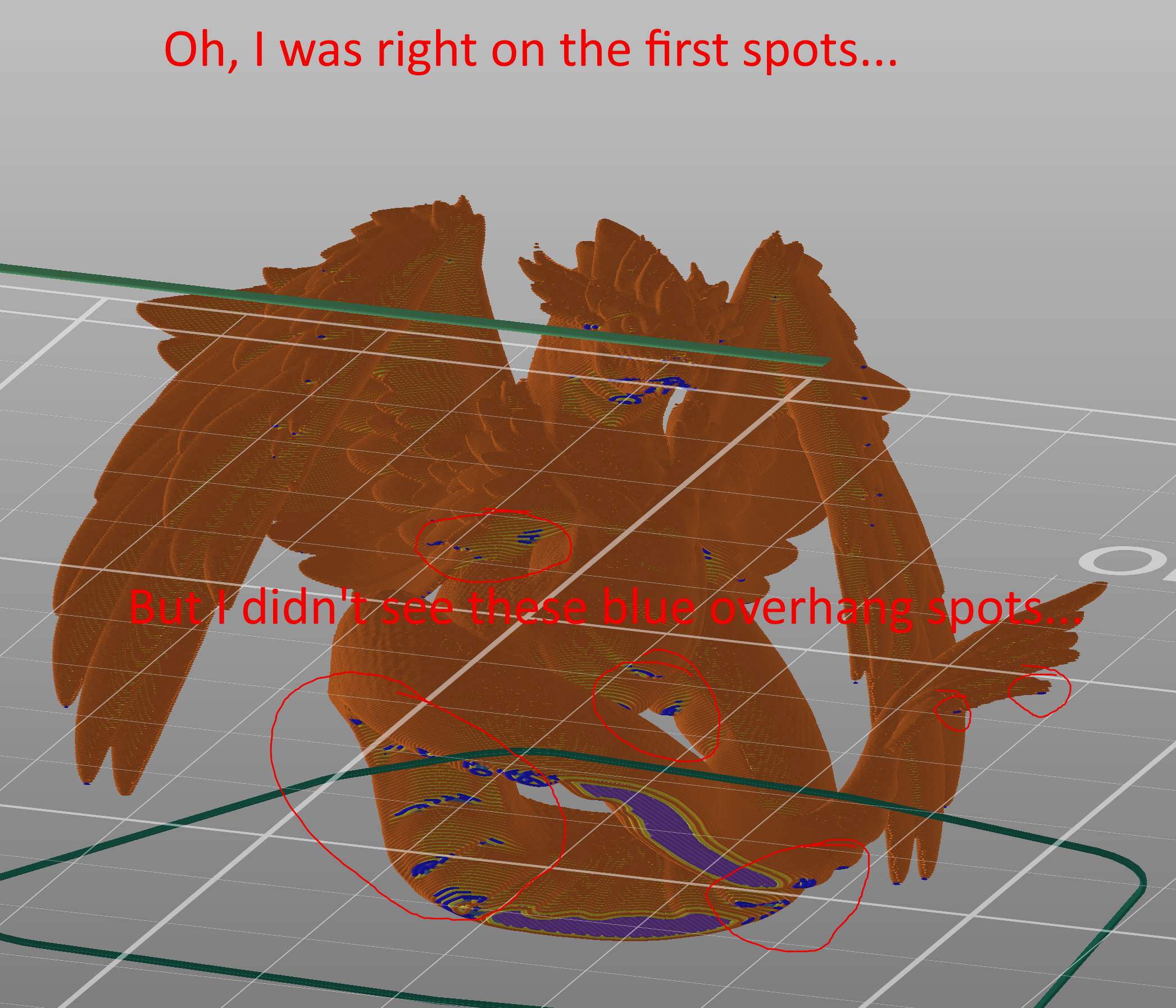
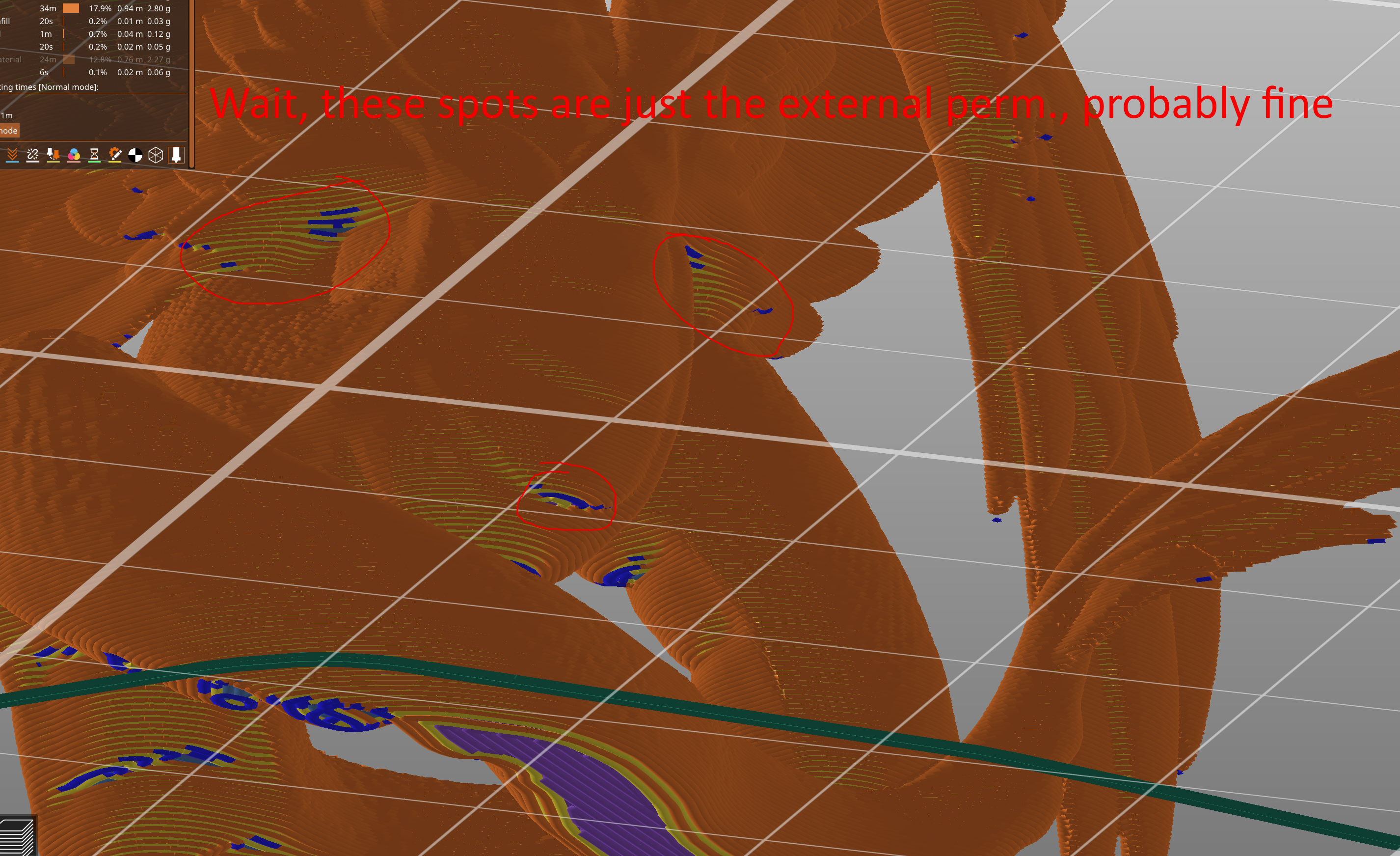
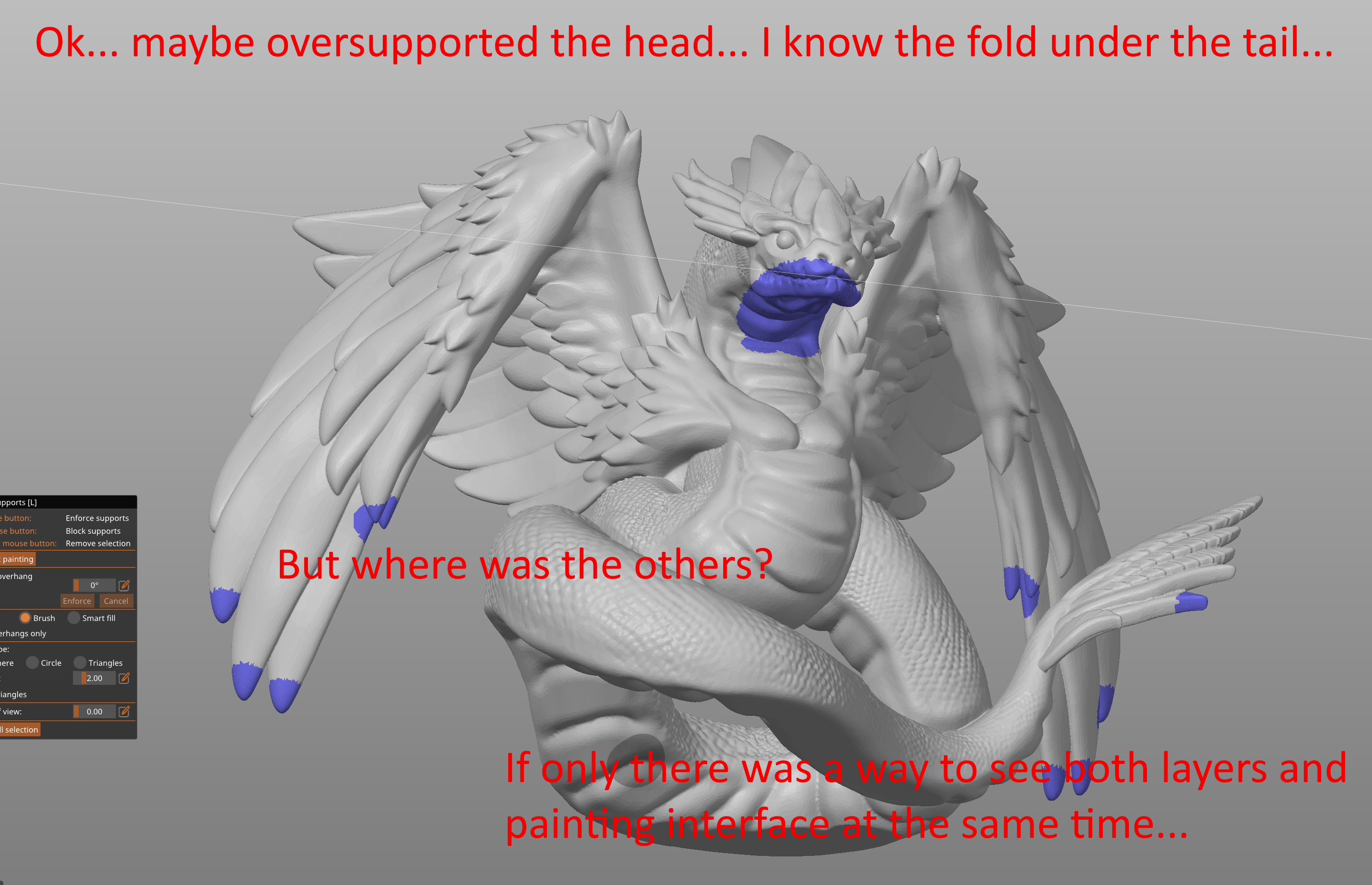
Is your feature request related to a problem? Please describe. Since support painting was introduced, the issue occurred time and time again: slice model, see where blue overhang indicators would show, open support painting and paint a spot or area, go back to layer view and see if the area was supported... find a new area, back to support painting and paint a spot or area, go back to layer view and see if the area was supported... repeat until all areas supported.
Describe the solution you'd like With PrusaSlicer 2.6 (alpha2 and alpha3), there is now the ability to see the shell of the model around the sliced layers. I would like the ability to paint supports while seeing the layers so it's easier to determine where to paint supports.
Describe how it would work The 2 options I can see:
- Allow painting in the layer view, where the shell shows painting marks and the painting tool exists. This would also require hiding the supports themselves for easier viewing and possibly having an option to show the interface layers/contact points (for organic supports). It would still allow clipping, though may be a bit more system intensive.
- Allow viewing layers in the editor view's painting interface. This way it's possible to see all the layers with the full editor view.
Both of these could also have the effect of freezing the slicing while working, so that it doesn't constantly try to slice between painting (see context below)
Describe alternatives you've considered Educated guess and check... (the current method)
Actual thought of an alternative: like a twist on texture mapping, project the overhang areas as a shade of blue (maybe mildly guassian blurred) into the model itself as either a mask to paint in/restrict painting or simply as a different color to contrast the blue/red painting color.
Additional context I have background slicing enabled and maybe having a delay between painting anything (supports, color, etc.) and actually auto-slicing would be useful. Bonus for canceling auto-slicing if painting starts up again. Have had too many moments where I go to paint something, release the mouse button, slicing starts, I go to paint another spot and the painting freezes because it's trying to finish slicing. Having a couple sec delay could allow for "paint, release mouse, paint, release mouse, paint, release mouse... slicing starts" instead of the current "paint, release mouse, slicing starts, paint... wait for program to catch up... finish painting, release mouse, slicing starts..." cycle.

I have background slicing enabled and maybe having a delay between painting anything (supports, color, etc.) and actually auto-slicing would be useful. Bonus for canceling auto-slicing if painting starts up again. Have had too many moments where I go to paint something, release the mouse button, slicing starts, I go to paint another spot and the painting freezes because it's trying to finish slicing. Having a couple sec delay could allow for "paint, release mouse, paint, release mouse, paint, release mouse... slicing starts" instead of the current "paint, release mouse, slicing starts, paint... wait for program to catch up... finish painting, release mouse, slicing starts..." cycle.
It is there, only it is 0.5s long (or short).

I would like the ability to paint supports while seeing the layers so it's easier to determine where to paint supports.
Do you want to see object layers or just the trees / supports generated? Why do you need to see object layers instead of the object itself?
It is there, only it is 0.5s long (or short).
It would be nice if it was longer (or maybe a setting). I'd have to time the interaction amount to give an actual number.
Do you want to see object layers or just the trees / supports generated? Why do you need to see object layers instead of the object itself?
I'd want to see the feature-colorized object layer lines. I want the object layers so I can see the spots I need to support. Otherwise I end up doing this back and forth switch a lot: