
PrusaControl
 PrusaControl copied to clipboard
 prusa3d
Software bug?
skallemugg_2_PRUSA_PLA_DRAFT.gcode.zip
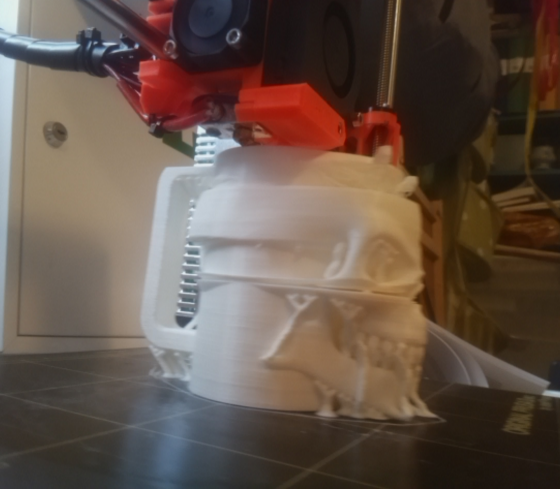 Something went wrong in prusa control i guess when my print turns out like this?
Edit: the same happens in slic3r, must be stl file?


Yes, it's a junk STL. In other words, a non-manifold STL. Slic3r will tell you this (bottom right corner of the Preview screen after slicing). Fix it in the source file or go at it with MeshMixer or similar program.
I think it is a bug in PrusaControl that it does not tell the user this. It's a basic feature I expect from the Analysis feature. In the logs I see many errors similar to
['Unable', 'to', 'close', 'this', 'loop', 'having', '266', 'points'] ['Unable', 'to', 'close', 'this', 'loop', 'having', '4', 'points'] ['Unable', 'to', 'close', 'this', 'loop', 'having', '1', 'points'] ['Unable', 'to', 'close', 'this', 'loop', 'having', '254', 'points'] ['Unable', 'to', 'close', 'this', 'loop', 'having', '4', 'points']
I recommend that the title of this bug is changed to "Analysis should warn if an object is non-manifold"

Definitely its not a software bug, but I agree with need of new analysis for consistent of model.

Funny thing is that it slices just fine in Cura and i was able to print it that way.