

 prscX
prscX
iOS Error: Invariant Violation: requireNativeComponent: "RNSiriWaveView" was not found in the UIManager.
I have to use yarn instead of npm.
Here is command follow
- yarn add react-native-siri-wave-view
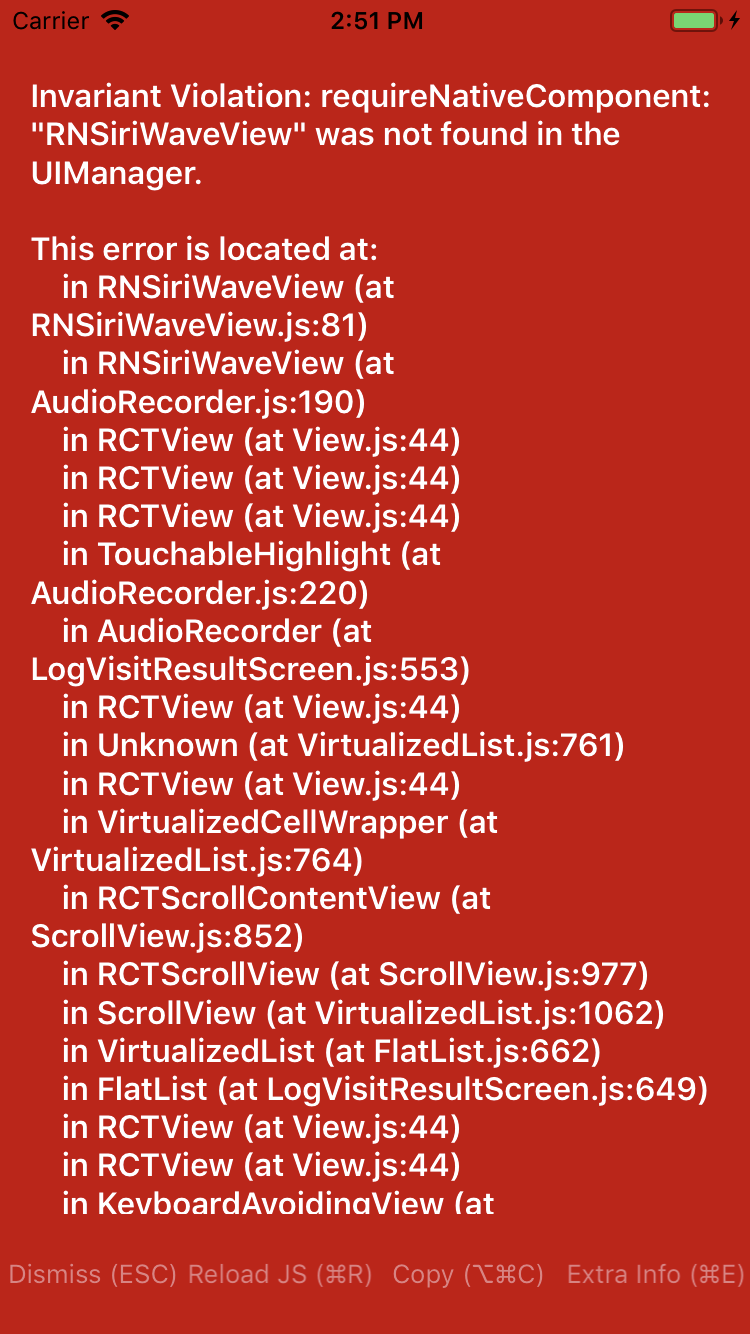
@prscX Please provide your needful help. Thanks in advance.

Hi,
faced the same issue to. Solved by:
1.) Ensure the siri-wave-view project is correctly linked in your project. If no arrow is on the left side of the project icon or the project icon has some alpha transparency, then it's not. Select it, remove it (Remove References, NOT Move to Trash). Add it again by right clicking the Library Folder and then "Add Files to {YOUR_PROJECT_NAME}". Browse to node_modules/react-native-siri-wave-view/ios and select RNSiriWaveView.xcodeproj, NOT the .xcworkspace file.
2.) Select the RNSiriWaveView.xcodeproj in the left pane, then select the Build Settings tab, search for "Header Search Paths" and add in both, Debug and Release a new line with the following:
"${PODS_ROOT}/../../../../ios/Pods/Headers"
Build and run should now work

Hi,
faced the same issue to. Solved by:
1.) Ensure the siri-wave-view project is correctly linked in your project. If no arrow is on the left side of the project icon or the project icon has some alpha transparency, then it's not. Select it, remove it (Remove References, NOT Move to Trash). Add it again by right clicking the Library Folder and then "Add Files to {YOUR_PROJECT_NAME}". Browse to node_modules/react-native-siri-wave-view/ios and select RNSiriWaveView.xcodeproj, NOT the .xcworkspace file.
2.) Select the RNSiriWaveView.xcodeproj in the left pane, then select the Build Settings tab, search for "Header Search Paths" and add in both, Debug and Release a new line with the following:
"${PODS_ROOT}/../../../../ios/Pods/Headers"
Build and run should now work
I tried this, but it still gives me same error. "requireNativeComponent: "RNSiriWaveView" was not found in the UIManager."


@prscX Its not working for IOS. Getting same error. Can you please guide proper implementation for IOS.

