

 projectblacklight
Respect EXIF metadata when processing images in Add items, Upload item workflow
Could be related to #1883, though I'm not familiar enough with the image upload process to know whether the goal of this ticket is actually feasible.
If a user uploads an image as an exhibit item (using the Curation > Add items, Upload item approach, as opposed to using the uploaded item row widget), and that item was originally captured in an orientation that was later changed (on the capture device or in a software app, I assume) so that the image EXIF metadata includes rotation info, that rotation info does not appear to be respected during the uploaded item process.
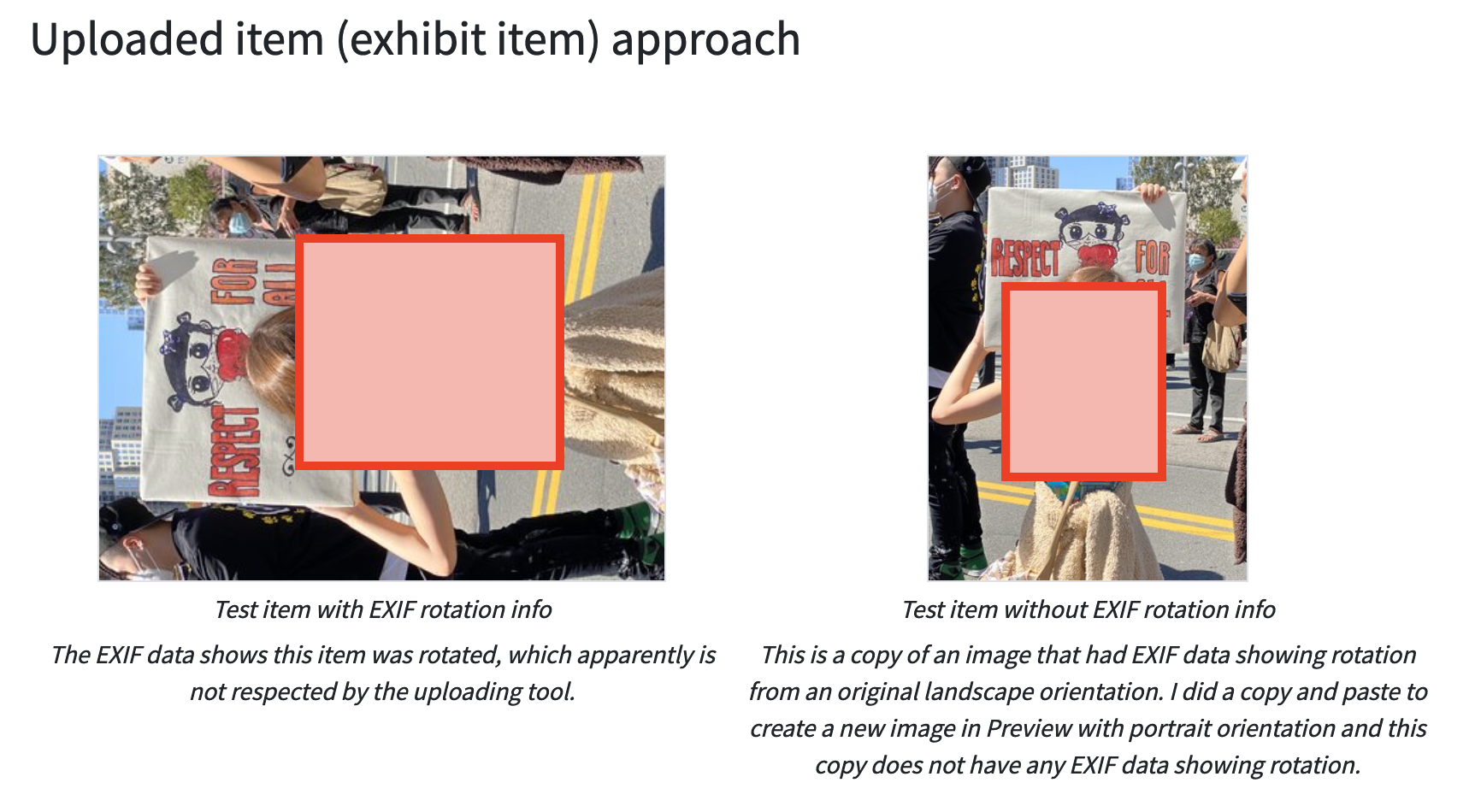
For example, the source image shown on the left below includes this metadata:
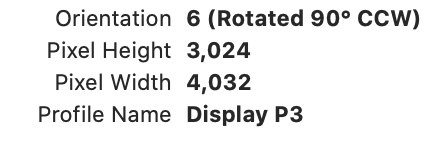
which shows is wider than it is tall, but should be rotated 90 degrees so it is displayed with the long side vertical (which it is when you open it in Preview, for example). On the right, I copied the image as it displayed in Preview (which respected the 90 degree rotation metadata) and pasted it in a new file. But most users that have an image with this underlying scenario won't know why their image isn't uploading in the same orientation they see it in their other applications, and won't know how to fix it by making a copy like I did.
In case it helps, note that when the original image is uploaded to the Uploaded item row widget directly (rather than added as an exhibit item), it displays as expected. So it seems there is some difference in the image upload process between the two approaches, with the process used in the Uploaded item row widget doing what we want for uploaded exhibit items.
