projectblacklight
Add new “Add tag” feature to the Tags admin page
Because we expect that when the proposed bulk actions feature is implemented we’ll see an increase in the use of exhibit item tags, we should make the current Curation > Tags admin page more useful. Although it isn’t necessary for an ordinary tagging workflow, this ticket suggests adding an “Add tag” feature to the Tags admin page so that a curator can add a tag without having to assign it to a specific exhibit item. This might be handy for a curator defining a set of tags they want co-curators to use when assigning tags, or for a future bulk update via spreadsheet option, where the spreadsheet would include defined tags as column headers.
Add new “Add tag” section
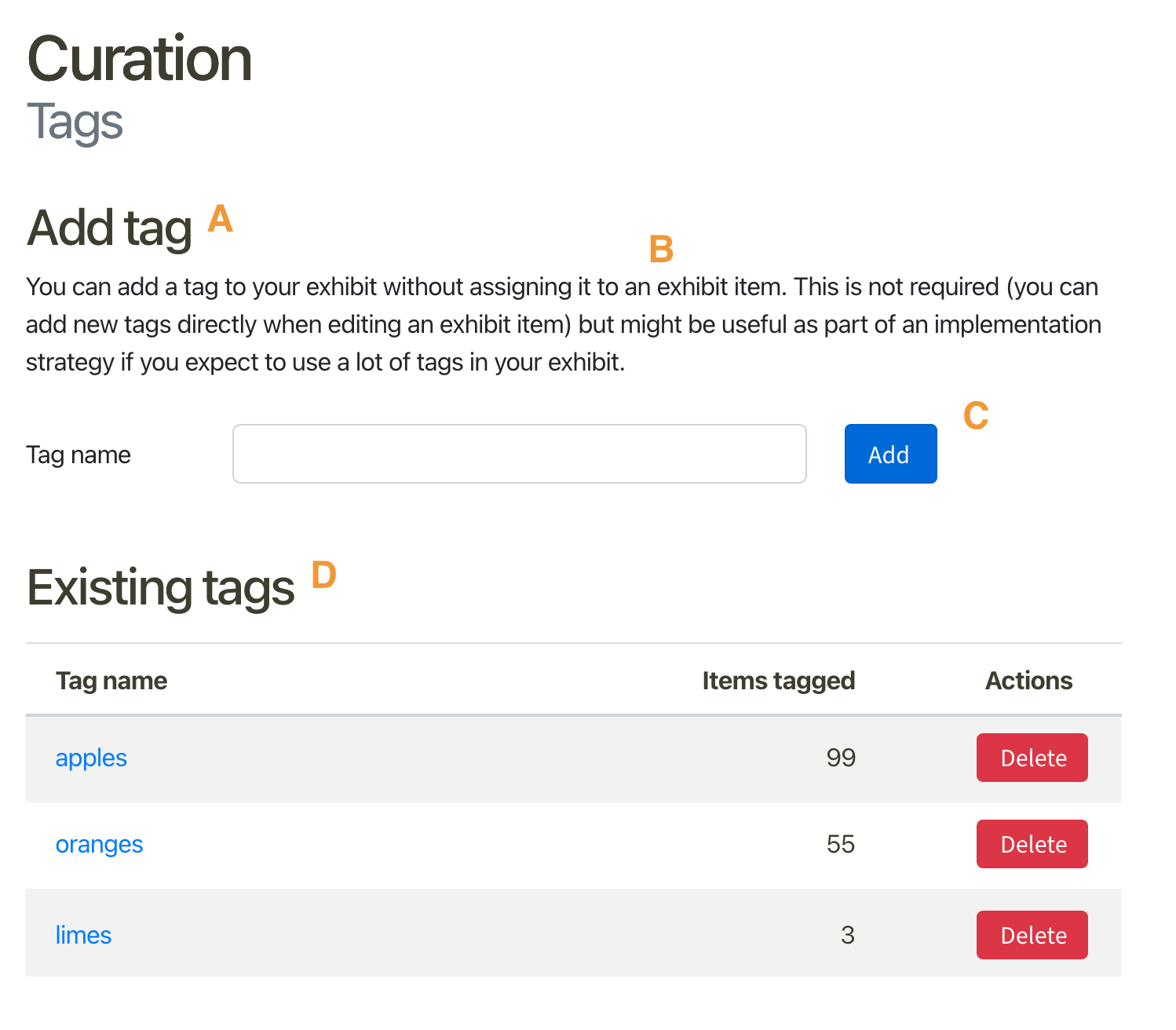
- [ ] A: Heading
h2with label:Add tag. - [ ] B: Paragraph
p.instructionswith text:You can add a tag to your exhibit without assigning it to an exhibit item. This is not required (you can add new tags directly when editing an exhibit item) but might be useful as part of an implementation strategy if you expect to use a lot of tags in your exhibit. - [ ] C: Input for adding a new tag. Follow same approach as in other admin pages with inputs, such as Configuration > General, but rather than Cancel and Save changes buttons at the bottom of the page, use an “Add” button next to the input.
- [ ] D: Because we now have two distinct sections on the page, also add an
h2with labelExisting tagspreceding the tags table.
After curator adds a tag
If the curator submits a new tag using the Add button:
- [ ] Clear the input
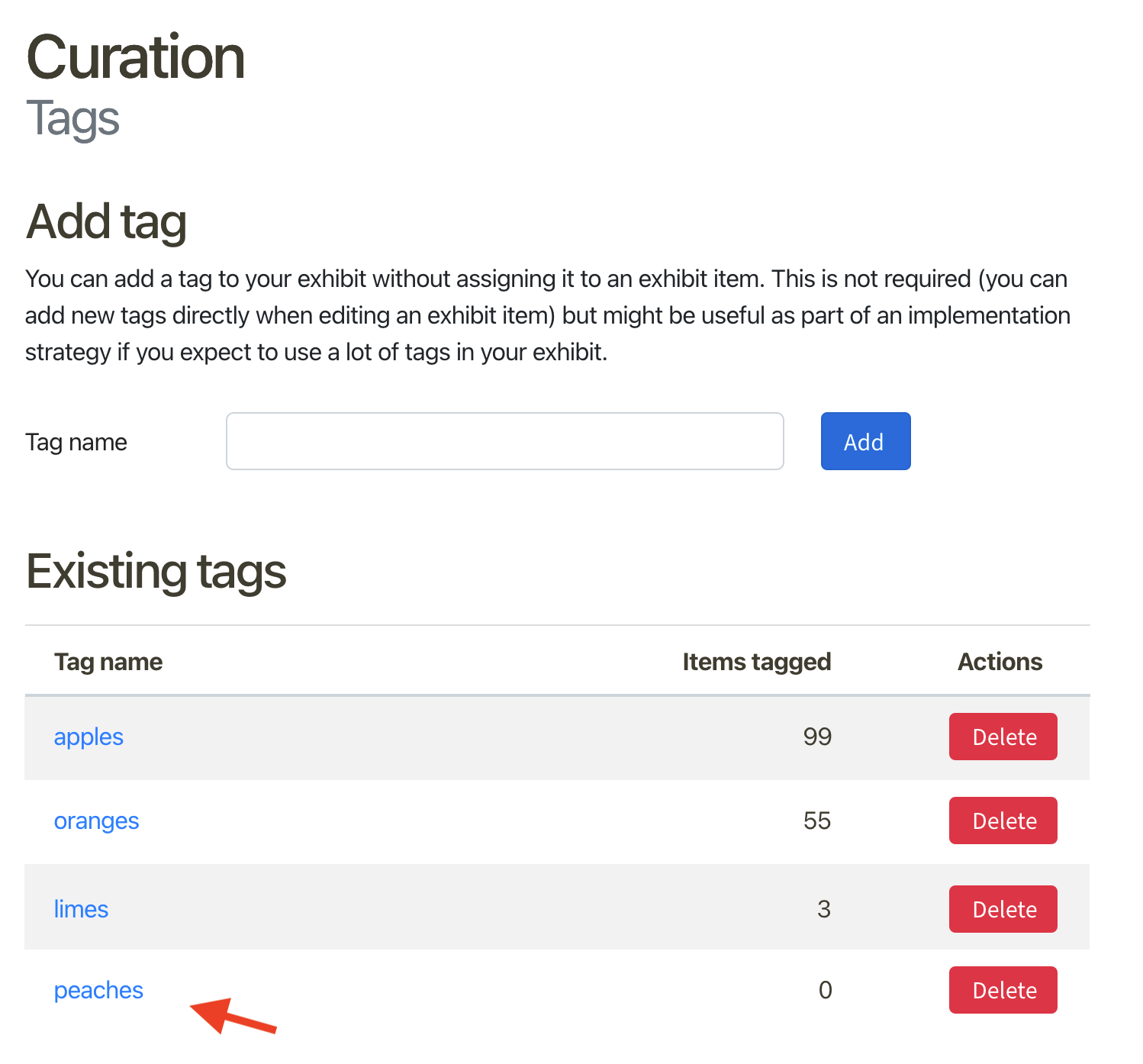
- [ ] Add a new row to the Existing tags table with the newly-added tag
For example, assume the curator added a new tag with the label "peaches" and selected Add: