

 probberechts
Add 404 Page Generating Support
As #290 mentioned, theme-cactus lacks support for generating a 404 page, which is not visitor-friendly. I added a simple 404-page generating feature that only shows visitors a customized title and description text.

I copied your branch into the blog (into /themes/cactus/)
When serving the blog locally it did not display any 404 page:
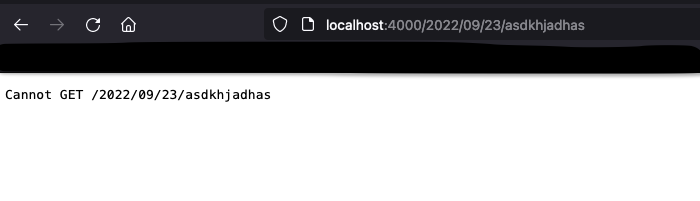
After that I generated a page named 404 via hexo new page 404, but the behaviour did not change:
Am I doing something wrong?

@metters
hexo serverdoes not implement the 404 router logic, which means it can not redirect the nonexistent pathlocalhost:4000/2022/09/23/asdkhjadhasto the 404 pagelocalhost:4000/404.html. You can see the 404 page locally only by typinglocalhost:4000/404.htmlin your browser.- But your static web hosting service implements this logic, like GitHub pages, Vercel, etc. So what you should do is,
- First, check if there was a 404.html in your hexo public folder and if you can visit
localhost:4000/404.htmlproperly. - After that, you can deploy your blog to GitHub pages and test it using a nonexistent path, like
your.blog.domain/savsvddsv. It should redirect toyour.blog.domain/404.html.
- First, check if there was a 404.html in your hexo public folder and if you can visit
- As for the
hexo new page 404question, it only generates 404.html under the 404 folder, likeyour.blog.domain/404/404.html, and your static web hosting service will never redirect to this page unless you implement the router by yourself.
@veraposeidon , thanks for the instructions. I am going to test this within the next few days. Maybe even today.
your.blog.domain/404.html works.
As for random URLs on my domain, I have to configure my router. Will test this within the next two weeks.
So far I would say this works. Great job and thanks for your patience!
Is there any way to use self-configured 404 page? I've placed 404.md under source folder. It supposed to generate configured 404.html in the public folder but it turns out to be empty. It seems that you can only generate 404.html by editing variables in the theme _config.yml.
# Customize the 404 page
# Options:
#   - enabled: whether to enable the 404 page (404.html).
error_404:
  enabled: false
  title:
  description:
I disabled this option and tried placing 404.md or 404.html under source folder. It doesn't work.
Thanks for answering!

Yes there is. However, this requires you to use Caddy as web server. Instead of configuring this in the them, I relied on the routing of the web server. I documented this on a blog post.
I am quite sure the same approach is possible with any other usual web server.

Yes there is. However, this requires you to use Caddy as web server. Instead of configuring this in the them, I relied on the routing of the web server. I documented this on a blog post.
I am quite sure the same approach is possible with any other usual web server.
Thanks! I am trying to refer that! Registering a route for that may be a good idea.
I found the best way for that is to edit cactus/layout/404.ejs. I can directly change HTML code of 404 page in this part of settings. I think this is much easier than setting a route in the web server.