

 primefaces
border-round-<side> with border-round-xl rounds the opposite side
See https://www.primefaces.org/primeflex/borderradius DOM inspect a div of the first example and add border-round-xl, for example:
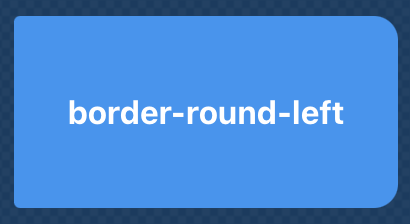
<div class="border-round-left border-round-xl w-12rem h-6rem m-2 bg-blue-500 text-white font-bold flex align-items-center justify-content-center">border-round-left</div>
This results in

Hi Jepsar.
I review this, and I think is working as expect, border-round-xl adds a border-radius to all side of the element of 0.75rem whereas the border-round-left adds a border-top-left-radius and border-bottom-left-radius of 6px to the element. As You can see, the element in the picture actually has a border-left, it just has a lower number value.

I would expect a large radius on the left side and no radius on the right side. That would the most sense if one would try to set the border radius using classes.