

 prb28
prb28
UAE Debugger Crashing on Debug Launch
Using: Windows workspace ( vscode-amiga-vbcc-example-windows_x64) Win 10, Amiga Assembly v0.16.0.
On launching debug; fs-uae opens but UAE Debugger Crashesm, error #8000000B.
The program proceeds to run okay, but it's not actually debugging it. I've tried everything I can think of to formulate a reason/solution but alas it's not got anywhere, is this possibly a bug?
I remember seeing that error before on genuine amiga's relating to setpatch/fpu requirements/memory issues.
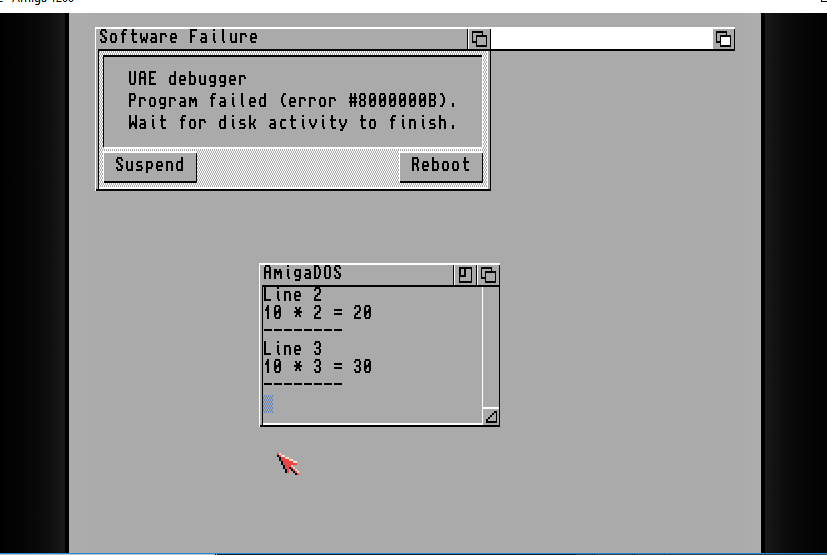
(I've tried both the AROS roms and the KICK31)

To debug C code you need the 0.17 preview: https://github.com/prb28/vscode-amiga-assembly/releases/tag/0.17.0-b4 I’ll try to release it this weekend.
To test this exception, could you send me the workspace or an example ? I have to debug fs-uae to see if it’s a bug I can fix.

Sorry, I was not available at the weekend to update this ticket.
I see that 0.17 has now been released, though the same problem still occurs when running in debug mode.
I also ensured windows firewall was off, as i presume from the settings it's setting up a webservice/socket to get the debug data.
I have linked to a file with a screen recording (flv) which may hopefully help?
vscode-amiga-vbcc-example-windows_x6420190610.zip
I've the same behavior.
But you can still debug a program: for the debug, the executable is injected during the fs-uae startup. The startup sequence is useful only for the 'Run' command (it's executed a second type when you end the debug). If you toggle a breakpoint in the code and launch the debug, you'll see it stepping before fs-uae starts showing the cli interface (you'll have a gray screen). The weird thing is that you won't see the printf commands. I still don't have a clear idea on the startup procedure of fs-uae.. Need more work to understand!
And last, maybe the hello.c program is not the best example :-).
Hi Paul, did you ever solve the issue of missing screen output (gray screen) in FS-UAE starting FS-UAE-Debug mode?
