

 prasathmani
can not config $root_path by DIY
#547 when can fix this BUG? https://github.com/prasathmani/tinyfilemanager/issues/547 ??
and Onther bug: if i config like :
// Root path for file manager // use absolute path of directory i.e: '/var/www/folder' or $_SERVER['DOCUMENT_ROOT'].'/folder' $root_path = '/www';
it will display : Root path "/www" not found!
i must set like : $root_path = $_SERVER['DOCUMENT_ROOT'];
why? how can i DIY the path ?

Here is no fix required. This works fine. You can put in whatever you want. Its the root path of your system not the relative path to your working directory.
The $_SERVER['DOCUMENT_ROOT'] should help you to find your relative path
As mentioned you should set to smth. like this: $root_path = $_SERVER['DOCUMENT_ROOT'].'/www';
-- Please think about how you write. Here you have a problem, not this shiny piece of code. To write/act like you => Please ASAP get some knowledge. THANKS A LOT!

thank you for reply! but i remember that i have setting like $_SERVER['DOCUMENT_ROOT'].'/www'; and it is not work,but i will have one or more try about it until it wotks fine 。if any question ,i will ask on here again!
Here is no fix required. This works fine. You can put in whatever you want. Its the root path of your system not the relative path to your working directory.
The $_SERVER['DOCUMENT_ROOT'] should help you to find your relative path
As mentioned you should set to smth. like this: $root_path = $_SERVER['DOCUMENT_ROOT'].'/www';
-- Please think about how you write. Here you have a problem, not this shiny piece of code. To write/act like you => Please ASAP get some knowledge. THANKS A LOT!
https://github.com/prasathmani/tinyfilemanager/issues/547
and can be fix this issus ?we want use the function of search file ,but it dos not work,it's a big trouble for me,hope to fix it ASAP ,thanks a lot !!!
Hi, get the same problem and fixed it! first, do you use config.php ? (you have to change the name, by removing 'sample') If you look carefully, both files tinyfilemanager.php and config.php contain users, passwords and somes variables.
The file config.php bypass tinyfilemanager.php, so be shure of wich file you have to setup. You can change both of them.
Eric.

Hi, get the same problem and fixed it! first, do you use config.php ? (you have to change the name, by removing 'sample') If you look carefully, both files tinyfilemanager.php and config.php contain users, passwords and somes variables.
The file config.php bypass tinyfilemanager.php, so be shure of wich file you have to setup. You can change both of them.
Eric.
I'm sorry but Do You Fixed it this time or early ?
i sure tinyfilemanager.php and config.php is both OK.
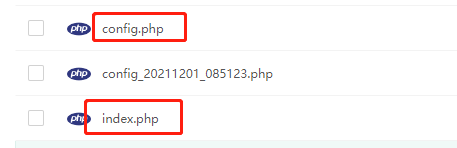
and i sure users, passwords and somes variables is both OK.
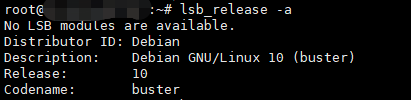
My Environment is : Debian 10
Other:Nginx 1.20.1 + MySQL 5.6.50 + PHP 7.3
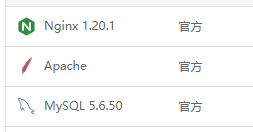
Is it any problem ?
hi, i installed it tow day ago and it work fine. here my advice: do an echo to print the $root_path variable. also, you can force it to the right value at the right line. near the line 354, you can do it and see the result. As it was working, i read previous lines and realized that $root_path value, setup at firsts lines of file, was changed. it was changed by the value setup in the config.php file.
look at my file.
Eric.
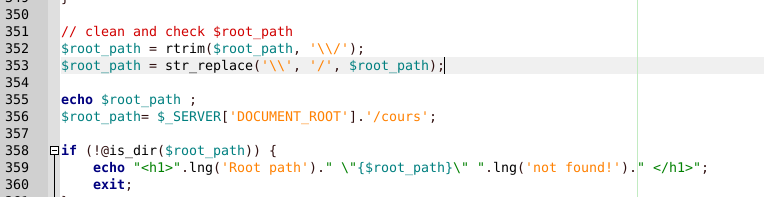
A last information, files are not stored on a personal web serveur. I use free.fr (in france). In your case, i don't know if your configuration is ok, but if you get no errors, i think there is no propblem with your serveur. (the php file pretty simple )
hi, i installed it tow day ago and it work fine. here my advice: do an echo to print the $root_path variable. also, you can force it to the right value at the right line. near the line 354, you can do it and see the result. As it was working, i read previous lines and realized that $root_path value, setup at firsts lines of file, was changed. it was changed by the value setup in the config.php file.
look at my file.
Eric.
Thank you for Reply!! I was tested 1 Minitus ago,there's two image below:
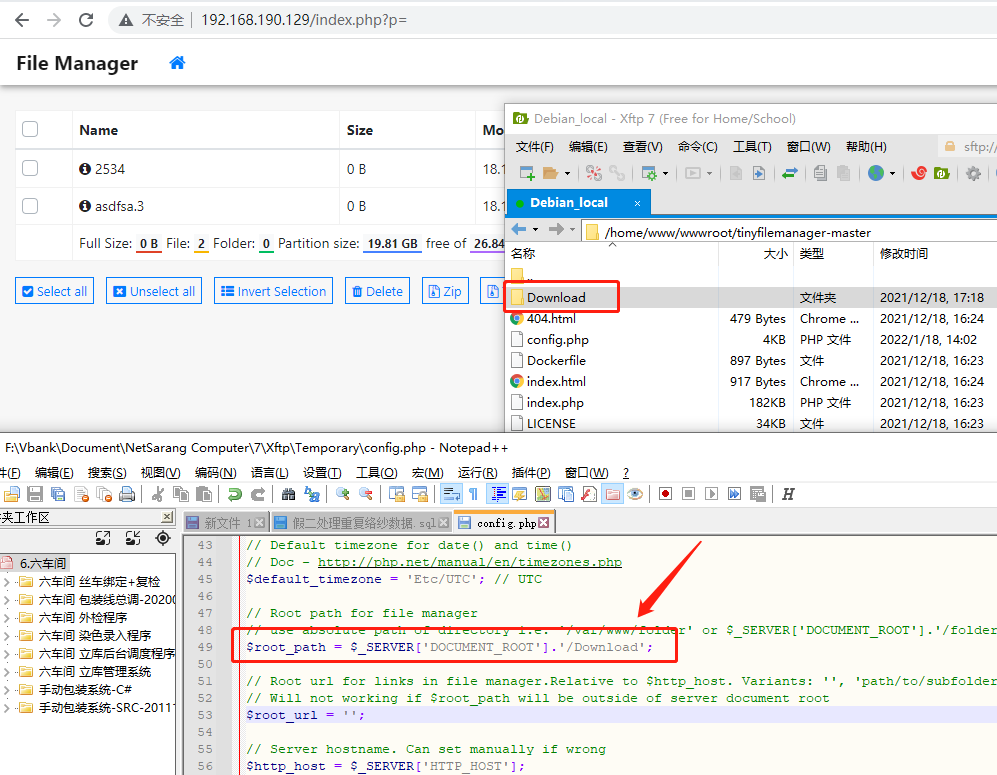
up,if i set root_path to $_SERVER['DOCUMENT_ROOT'].'/Download' .. it is work fine !
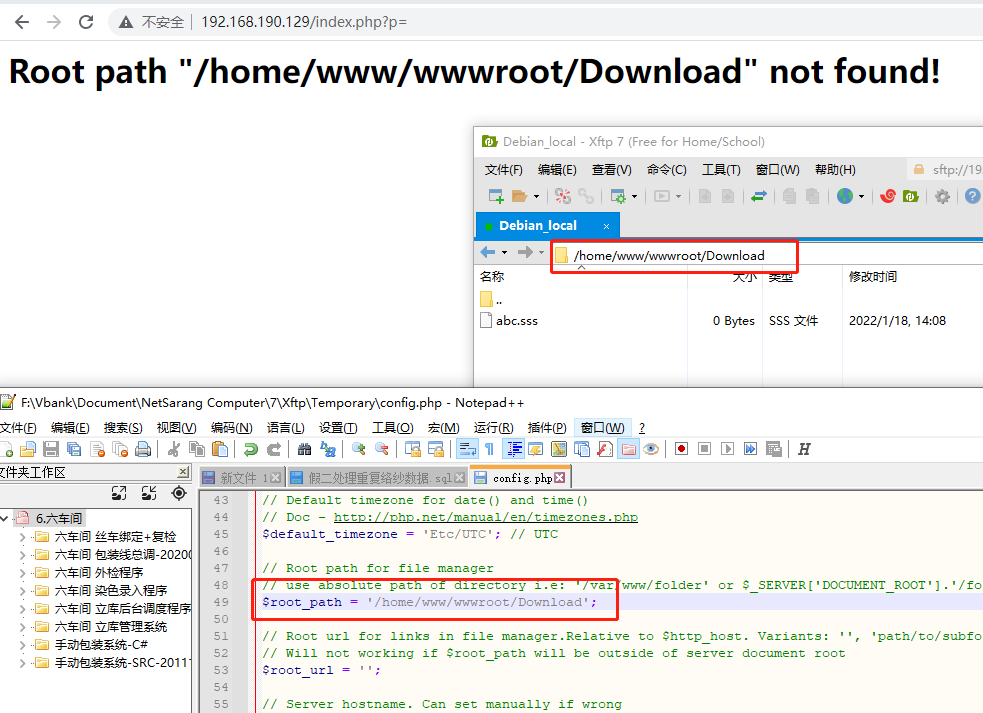
up,if i set root_path to '/home/www/wwwroot/Download' (the path is exsts) ,and it give me a error .
And .... the version is 2.4.6 ...see the image below :
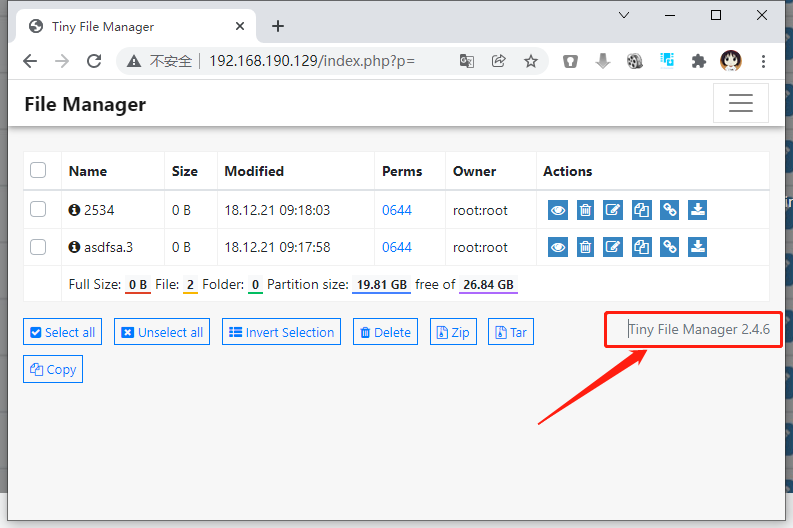
can you fix this ?