

 ppy
ppy
Circles increasingly off-beat
Moved from osu! Help forums Player Name: Jazzieee https://osu.ppy.sh/community/forums/topics/1006609
Problem details: Whenever I play a map (any map), the song starts out with the circles in sync with the song, but by the end of the map, the notes are very out of sync. It sounds like I need to change my offset, but in order to combat the problem, I would have to KEEP changing the offset as the song plays. This problem has started rather recently, within the last month or so, since I haven't played in roughly a month until now when I noticed the problem.
I recorded a video of what I'm talking about. The map starts out fine. Around 2:28 you can see that the problem is getting a bit bad. It's at this point that I can't play a regular map. But since I was using the Relax mod, I was able to keep going. 3:53 is another good example of how out of time the circles have become.
Has anybody ever run into this issue before or know how to fix it? Please help! Thank you :)
Video or screenshot showing the problem: https://youtu.be/yyP5F87mke0
osu! version: Stable 20200104.8 (latest)

It seems to be an issue with the new Bass DLL files. Replacing them with Bass DLL files from 2016 fixed this issue entirely.
Please do NOT manually replace DLL files. It will result in more issues than you think. Please turn on audio compatibility mode if anything.
Also can you explain the deleted post on the forums which says you fixed the issue? Did it "un-fix" itself?
Could you provide more details on your hardware, and whether you've tested on a different audio output device?

I had thought that the issue was with conflicting audio drivers, so I tried disabling all but one audio driver. I started testing a few maps, and they played fine, that was when I posted about it being fixed. Unfortunately, I was wrong, and the few maps I played were only the beginning of the desync, so I didn't notice it until after I made the post. I didn't want to cause more confusion, so I deleted the post.
I am also one who made the post about Audio Compatibility mode causing freezing and stuttering, so that unfortunately does not solve the issue either (issue https://github.com/ppy/osu-stable-issues/issues/318)
I have tried multiple headphones, earbuds, and a speaker system from different audio jacks on my PC, but the problem has persisted. For hardware ---
Processor: Intel(R) Core(TM) i7-8700K CPU @ 3.70GHz GPU: NVIDIA GeForce GTX 1070 Motherboard: ASUS ROG STRIX Z370-E GAMING 16GB RAM
Do you have a usb headset or something which is actually a different audio output device?
Could you please list the audio hardware you're using? The specs you gave do not include the audio device. It will be Realtek xxx or something.
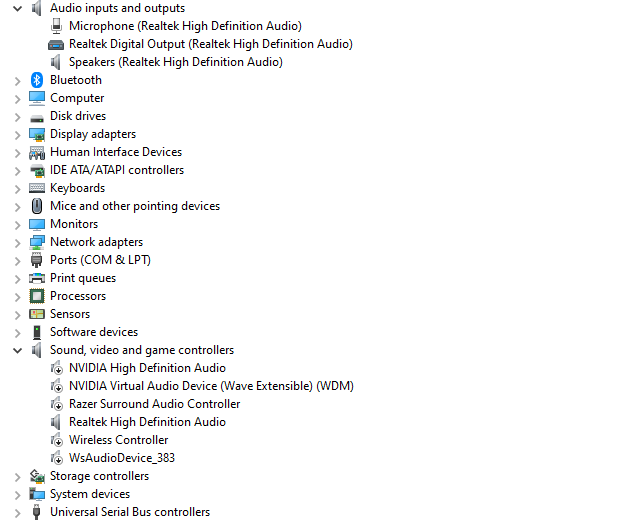
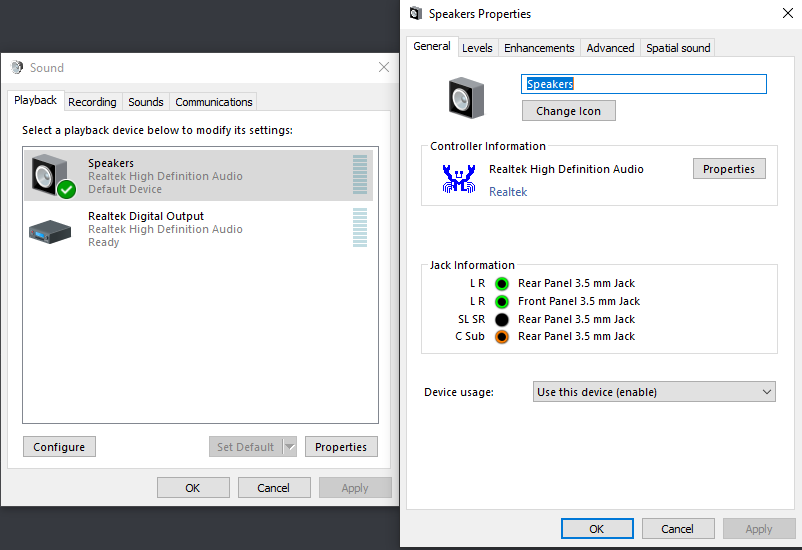
I attached an image my audio outputs and drivers. The output that I use mainly is Speakers (Realtek High Definition Audio) and the only driver enabled is the Realtek High Definition Audio driver. I have tried swapping my playback device to Realtek Digital Output already, but there was no change.
My headset plugs directly into the green line-out audio jack. I have tried unplugging them, and using earbuds that plug into the same one but got no change. I also tried a speaker. Then I plugged each of those into the front audio jack on my pc but still got no change for each of them.
If you need the actual name of the headset/speakers/earbuds I am using, please let me know.
Do you have a razer headset per chance (based on the listing it looks like you may). If so, could you give that a try via USB connection?
I do not have a Razer headset. This is my hardware: Headset: SENNHEISER PC360 3.5mm Connector Circumaural Headset Earbuds: Sony MDRXB50AP Extra Bass Earbud Headset Speakers: Razer Nommo 2.0 Gaming Speakers
Unfortunately, none of them have a USB connection.
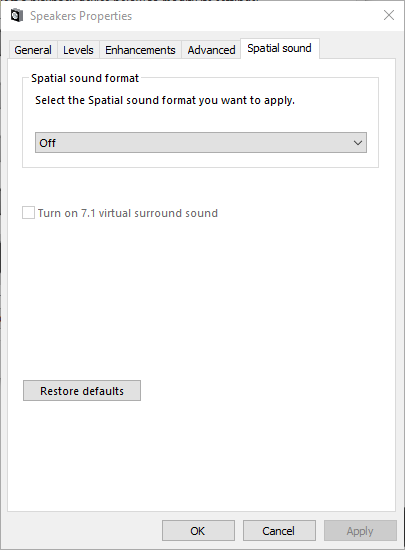
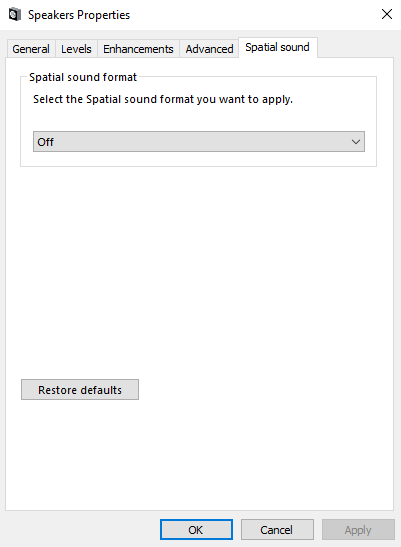
Do the razer speakers have a configuration app? Could you please open it and disable any enhancements of special features? Can you ensure windows spatial audio is off?
The Razer sound app that I have is the Razer Surround Sound app. It is disabled. Windows spatial audio is also disabled. Realtek sound is set to Stereo.
I will test the default skin now.
https://dl.dropboxusercontent.com/s/7vmt48mq22fqido/Audio%20delayAD2_Trim_Trim.mp4
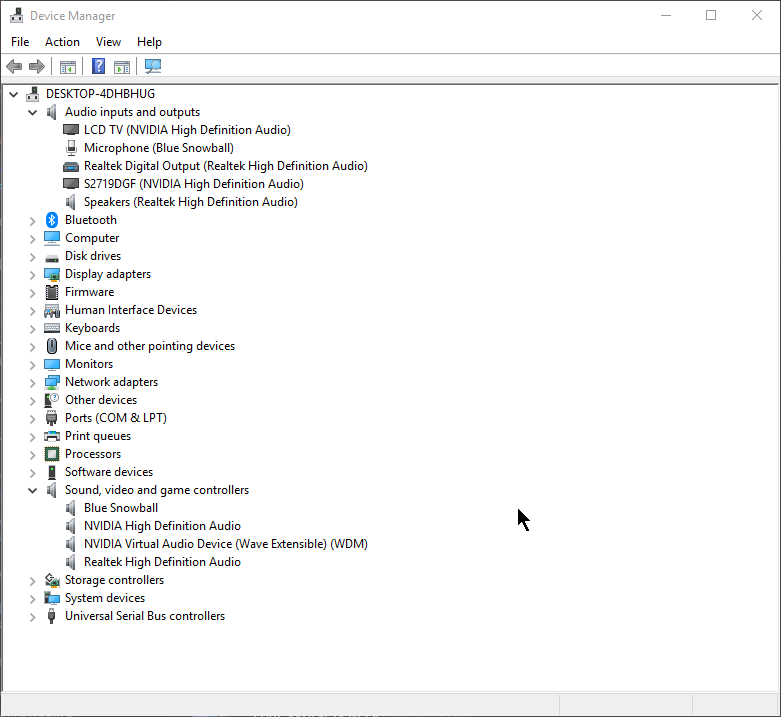

Could you please try lazer and see if the same thing happens? This may help us understand better where the issue is occurring.
Yep, same thing.
https://dl.dropboxusercontent.com/s/iqi0o77x6g7le3e/2020-01-10%2005-51-59.mp4
We need to figure out why this is occurring.
Can both of you do the following:
- Start > Run >
mmsys.cpl - Double click your output device under the Playback tab
- Screenshot each tab of the dialog that appears
Hopefully there are some hints there

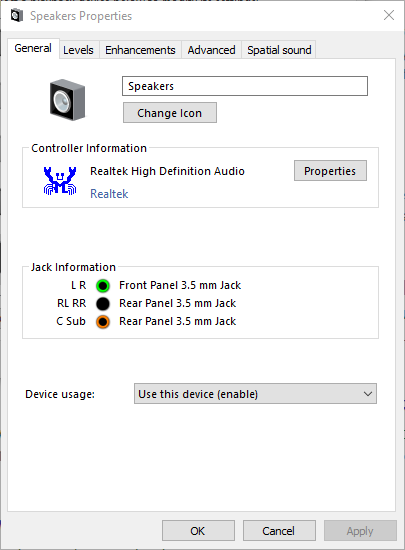
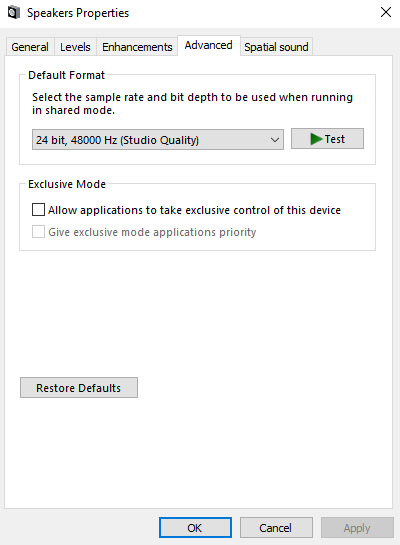
Yes, but I'm also interested in the Levels / Enhancements / Advanced / Spatial Sound content.
Also it looks like you have other system output devices. Could you test output via your LCD TV of HDMI monitor and see if the same issue occurs?
LCD is just my secondary monitor though I've tried playing without it with no change. Edit: I can't get audio to play out of it, never mind headphone jack is just janky for some reason. Only get audio from one side of the plug if its a specific way.


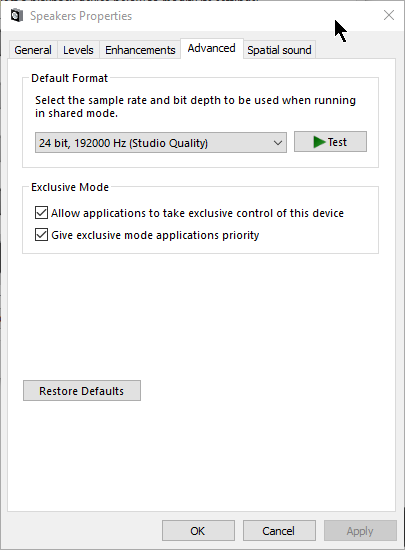
can you try changing the "default format" to 44100 / 16bit and see if anything changes?

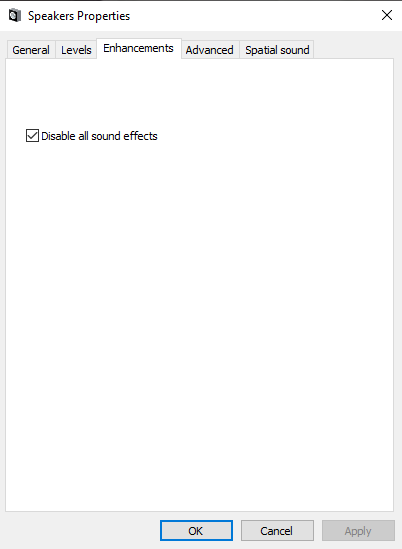
I also found out that for me, if I pause the game, the circles and song re-sync (before desyncing like they have been once again).
hello, ive been pointed in the direction of this forum as i have the same issues as described by you guys, but i also noticed that there is no solution as of yet, or at least for me. i started having this problem almost 3 months ago. Death from osu gave me some advicetelling me that if i removed the osu database file it could be fixed but it was only temporary. is this chat still active?

Can you confirm that deleting your database does help first of all? Does it fix it every time? If so, it sounds like an issue with the per-beatmap offset.
it did help at first like a month ago when i first tried it, but recently its only helped for about 15 minutes or so