

 postmanlabs
Failure to execute pre-request script that uses cookieJar.clear()
When running a simple collection that contains a single request with a pre-request script via Newman, the pre-request script fails to execute if attempting to clear cookies for the domain from CookieJar. Issue is not present when running within Postman application.
- Newman Version (can be found via
newman -v): 5.3.2 - OS details (type, version, and architecture): Windows 10 - WSL2 Ubuntu 18.04
- Are you using Newman as a library, or via the CLI? CLI
- Did you encounter this recently, or has this bug always been there: Recently
- Expected behaviour: Execute pre-request script that contains call to
cookieJar.clear() - Command / script used to run Newman:
newman run https://api.getpostman.com/collections/XXXX-XXXXXX-XXXXX-XXXX?apikey=PMAK-XXXX-XXXX-XXXXXXX-XXXX -x -r cli --insecure - Sample collection, and auxiliary files (minus the sensitive details):
console.log("Setting dog breed environment variable...")
pm.environment.set("Breed", "Lurcher")

//COMMENT THESE LINES OUT TO RESOLVE ISSUE
const cookieJar = pm.cookies.jar()
cookieJar.clear("dog.ceo")
//

let req = {
    method: 'GET',
    url: "https://dog.ceo/api/breeds/list/all"
}

console.log("Sending request...")

pm.sendRequest(req, (err, response) => {
    console.log("Obtaining Buhund Sub-Breed List...")
    let jsonResponse = response.json()
    let buhund = jsonResponse.message["buhund"][0]

    console.log(buhund)
    pm.environment.set('buhundsub', buhund);
})
- Screenshots (if applicable):
Pre-Request script fails to execute
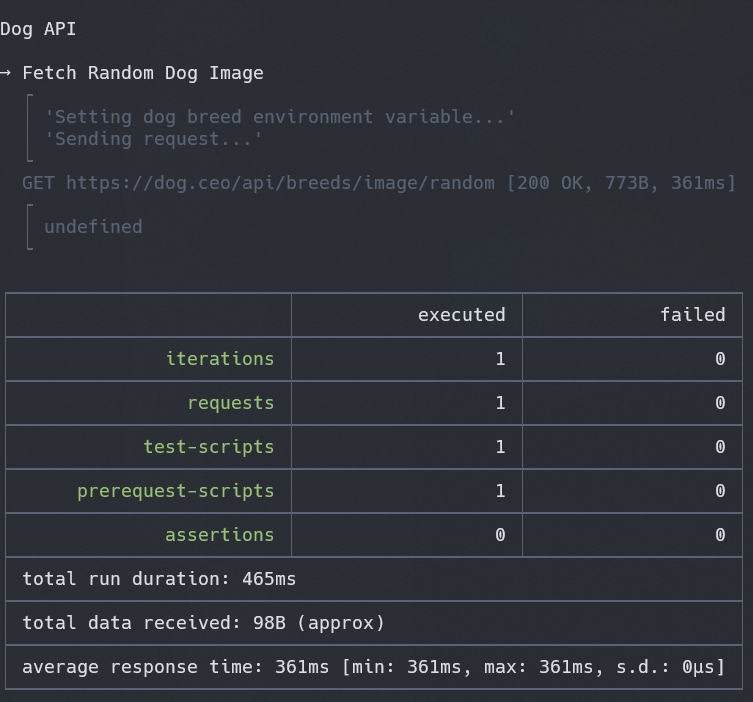
CookieJar lines commented out, Pre-Request script executes

Steps to replicate:
- Create new request - GET https://dog.ceo/api/breeds/image/random
- Add pre-request script above
- Run in Postman application. Confirm that pre-request script executes.
- Run via Newman CLI. Note that pre-request script does not execute in full.
- Comment out
cookieJarlines. - Run via Newman CLI. Pre-request script executes in full.
Do I need to specify a specific file to newman via the cookie-jar flag? If so what format should be expected? I have attempted to pass a simple .json file using the following contents.
{
    "name": "session",
    "value": "x",
    "domain": "dog.ceo",
    "path": "/",
    "expires": 1677666564,
    "httpOnly": false,
    "secure": false
}
However in this case newman returns an error advising that error: the file at files/jar.json does not contain valid JSON data. Although the dataset above appears to be passing when tested with an external JSON validator.

a bit late but maybe better than never, the json looks as follows:
{
  "version": "[email protected]",
  "storeType": "MemoryCookieStore",
  "rejectPublicSuffixes": false,
  "enableLooseMode": true,
  "allowSpecialUseDomain": true,
  "prefixSecurity": "silent",
  "cookies": [
    {
      "key": "cookieName",
      "value": "Value",
      "expires": "2025-02-27T10:47:50.000Z",
      "maxAge": 2419200,
      "domain": "example.com",
      "path": "/",
      "secure": true,
      "httpOnly": true,
      "hostOnly": true,
      "creation": "2025-01-30T10:47:51.029Z",
      "lastAccessed": "2025-01-30T11:17:56.447Z"
    }
  ]
}
