

 postmanlabs
request: support /dev/stdout as valid target for `--export-*` options
Currently newman can export certain values to user-provided file-paths, but it'd be useful to write this output to stdout (for use in scripts which may combine a newman invocation with something like jq).
Assume the following is in google.postman_collection.json:
{
	"info": {
		"_postman_id": "95efecc4-8d68-4b6b-b425-66d48dc8620b",
		"name": "google",
		"schema": "https://schema.getpostman.com/json/collection/v2.1.0/collection.json"
	},
	"item": [
		{
			"name": "get",
			"request": {
				"method": "GET",
				"header": [],
				"url": {
					"raw": "https://google.com",
					"protocol": "https",
					"host": [
						"google",
						"com"
					]
				}
			},
			"response": []
		}
	],
	"protocolProfileBehavior": {}
}
Executing the following:
$ newman run google.postman_collection.json --export-environment /dev/stdout
Results in the following being printed:
error: ENXIO: no such device or address, write
I definitely have /dev/stdout, but perhaps I am attempting to use it incorrectly:
$ l /dev/stdout
lr-xr-xr-x 0 root 31 Dec  1969 /dev/stdout -> fd/1
Ideally I'd be able to execute:
$ newman run google.postman_collection.json --export-environment /dev/stdout | jq
With the result being a pretty-printed (via jq) JSON representation of the final environment.

@DannyDainton This feature is already there. @phrohdoh It has to do something with local configuration because I passed it locally and it works fine.

I appreciate the pings in all the issues 😄 but you really should be directing the questions to @vvs11 - I previously mentioned that in a different issue 😄
Although you may see me doing things in the repo, it's more on the general admin side, than the implementation of any of the features in the product. 😄

@DannyDainton Sorry for this, I just thought this issue had to be closed. So I tagged you.. I remember your previous advice and will never tag you in that kind of discussion. 😅✌
@adityaofficial10 can you post a gif or screenshot demonstrating that this is working? (Take care to not accidentally post sensitive info.)
Using that we can close the issue. Also, if you know the possible causes for this (I'm guessing it's the permission that the Linux user under whose scope Newman is running or permission to access stdout) - then when other users face same issue and reach here from Google, they can try your recommended workaround instead of filing a new issue.
And... thank you for the contributions. Keep your streak going.

@shamasis It's mostly the permission issue. I'll share the screenshot shortly. Its my pleasure, working with you fine people and learning everyday.
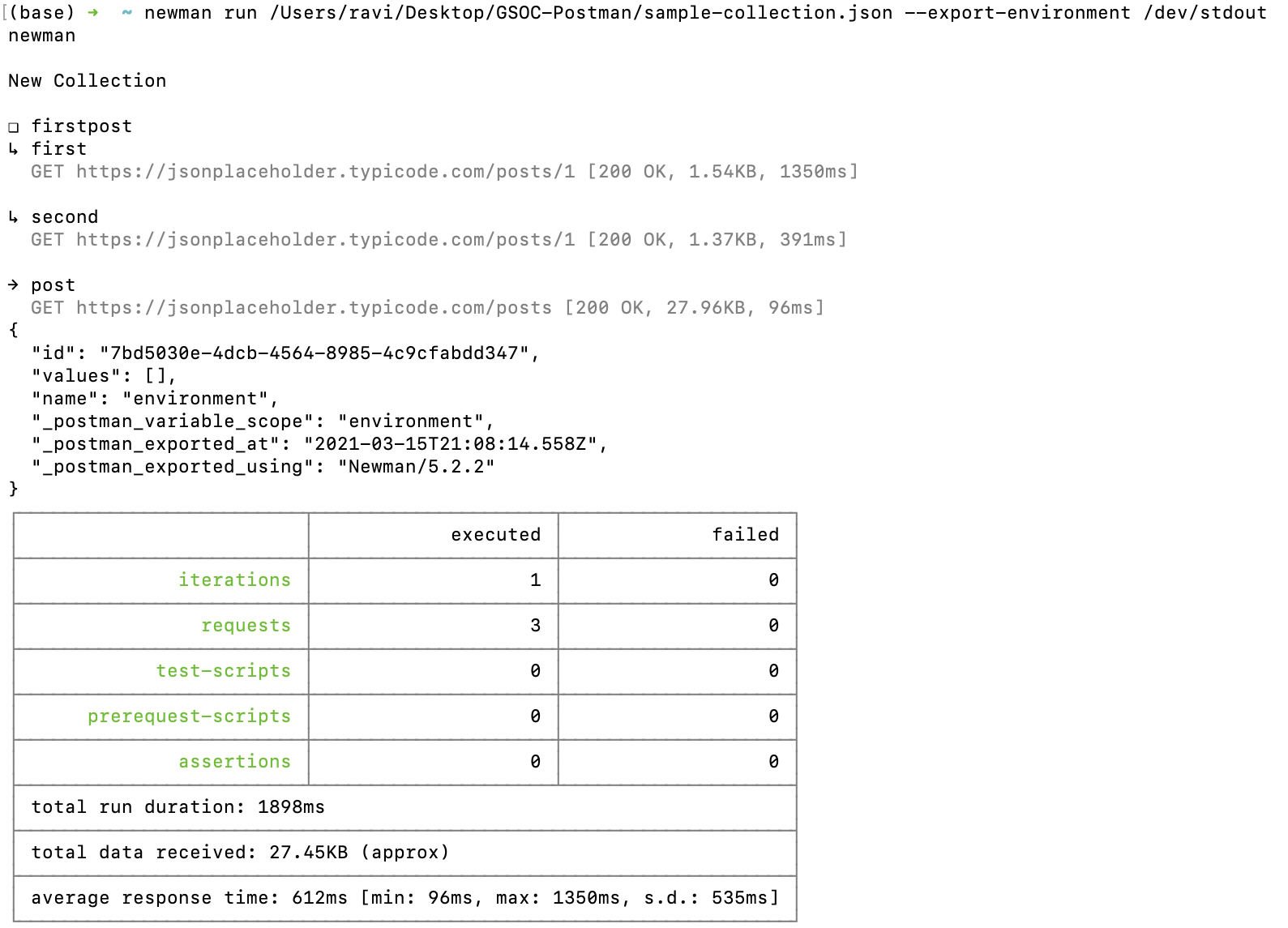
regarding
Using that we can close the issue. Also, if you know the possible causes for this (I'm guessing it's the permission that the Linux user under whose scope Newman is running or permission to access stdout) - then when other users face same issue and reach here from Google, they can try your recommended workaround instead of filing a new issue.
FWIW this was reported after attempting this on a 2018 MacBook Pro. I have not tried this under GNU/Linux.