

 portapps
Android Studio don't start
Behaviour
Steps to reproduce this issue
- Installed portable version on an Windows without any restrictions (same path of the target device: C:\PortableApps\PortableApps
- Start android the first time on the device without any restriction
- Copy the folder to the target-device
- Cannot start Android on the target device with the following error (translated from German with google translate): The specified device, path, or file cannot be accessed. You may not have sufficient permissions to access the item.
German: Auf das angegebene Gerät, den Pfad oder die angegebene Datei kann nicht zugreifen werden. Sie verfügen ggf. nicht über ausreichende Berechtigungen, um auf das Element zugreifen zu können.
Expected behaviour
It is possible to start IntelliJ IDEA Ultimate with the procedure as described above.
Actual behaviour
Get the error message above.
It is not possible to install Android Studio direct on the target device because of the restriction. It is not possible to start the setup. Same problem with IntelliJ but the workaround works with IntellJ
Configuration
App release / arch (ex. 1.0.0-2 win64) : Latest version.
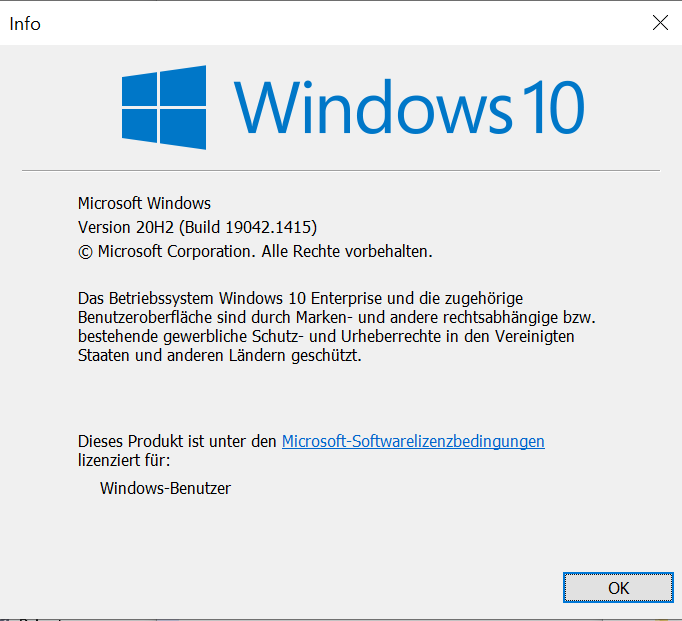
Operating system (ex. Windows 10 Pro 64 bits) : Windows 10 Enterprise
Winver screenshot :
Screenshots
If applicable, add screenshots to help explain your problem.
