

 portainer
Unable to build image | API 500 Internal Error
Bug description* Unable to build my own image.

Expected behavior Build my own image
Portainer Logs Nothing in logs (portainer or edge); Seems to be related to an API problem.
Steps to reproduce the issue:
- Go to "images"
- Follow parameters in capture above
- Click on '"Build the image"
- See error
Technical details:
- Portainer version: Business Edition 2.14.0
- Docker version (managed by Portainer): 20.10.17
- Platform (windows/linux): Centos 7.9
- Command used to start Portainer :
docker run -d -p 8000:8000 -p 9000:9000 -p 9443:9443 --name portainer --restart=always -v /var/run/docker.sock:/var/run/docker.sock -v portainer_data:/data portainer/portainer-ee:latest - Browser: Chrome Lastest
- Use Case (delete as appropriate): Using Portainer in home infra environment.
- Have you reviewed our technical documentation and knowledge base? Yes

Can you expand the output in the browser console? It may have some clues there.

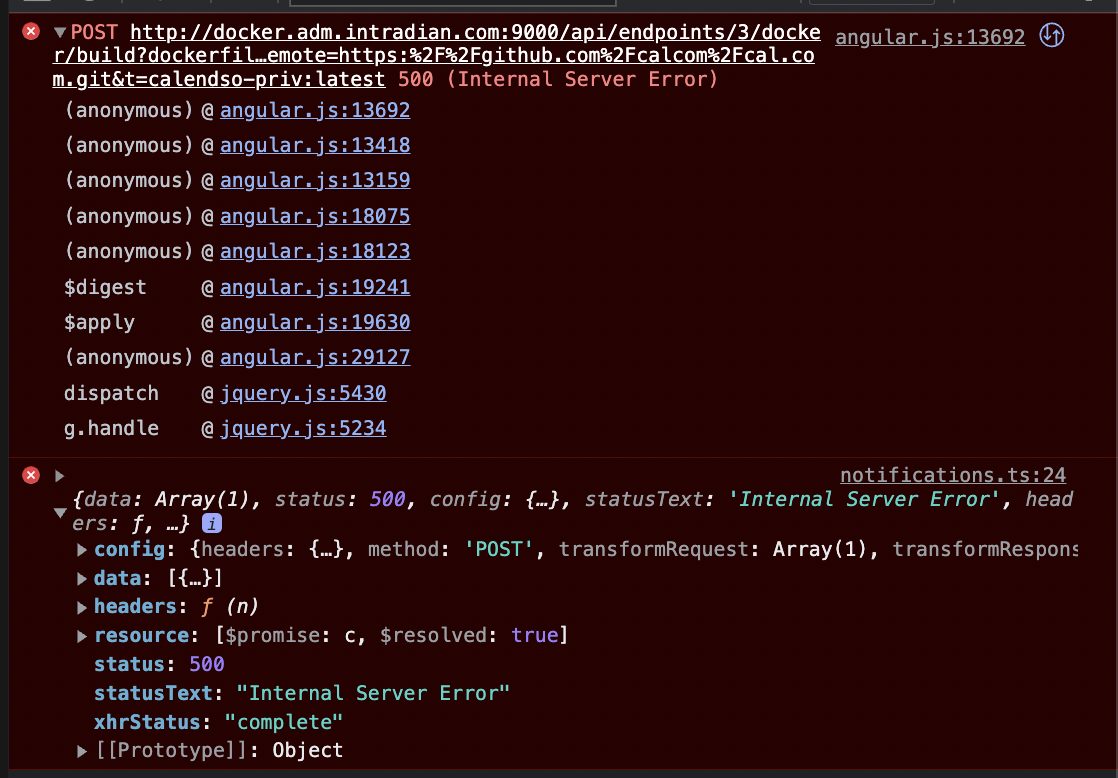

In the second error in your console (the one from notifications.js) can you expand the data key? Within there you should find the error message.
I've just tried with this repo on my local environment and hit the same error - expanding the data field gives me this in the message:
"error initializing submodules: Submodule 'calcom' (https://github.com/calcom/cal.com.git) registered for path 'calcom'
Cloning into '/var/lib/docker/tmp/docker-build-git575656814/calcom'...
From https://github.com/calcom/cal.com
 * branch            6b0ac96b38b0dbd78809a73e19010192f31cc769 -> FETCH_HEAD
Submodule path 'calcom': checked out '6b0ac96b38b0dbd78809a73e19010192f31cc769'
Submodule 'apps/api' (https://github.com/calcom/api.git) registered for path 'calcom/apps/api'
Submodule 'apps/console' (https://github.com/calcom/console.git) registered for path 'calcom/apps/console'
Submodule 'apps/website' (https://github.com/calcom/website.git) registered for path 'calcom/apps/website'
Cloning into '/var/lib/docker/tmp/docker-build-git575656814/calcom/apps/api'...
fatal: could not read Username for 'https://github.com': No such device or address
fatal: clone of 'https://github.com/calcom/api.git' into submodule path '/var/lib/docker/tmp/docker-build-git575656814/calcom/apps/api' failed
Failed to clone 'apps/api'. Retry scheduled
Cloning into '/var/lib/docker/tmp/docker-build-git575656814/calcom/apps/console'...
fatal: could not read Username for 'https://github.com': No such device or address
fatal: clone of 'https://github.com/calcom/console.git' into submodule path '/var/lib/docker/tmp/docker-build-git575656814/calcom/apps/console' failed
Failed to clone 'apps/console'. Retry scheduled
Cloning into '/var/lib/docker/tmp/docker-build-git575656814/calcom/apps/website'...
fatal: could not read Username for 'https://github.com': No such device or address
fatal: clone of 'https://github.com/calcom/website.git' into submodule path '/var/lib/docker/tmp/docker-build-git575656814/calcom/apps/website' failed
Failed to clone 'apps/website'. Retry scheduled
Cloning into '/var/lib/docker/tmp/docker-build-git575656814/calcom/apps/api'...
fatal: could not read Username for 'https://github.com': No such device or address
fatal: clone of 'https://github.com/calcom/api.git' into submodule path '/var/lib/docker/tmp/docker-build-git575656814/calcom/apps/api' failed
Failed to clone 'apps/api' a second time, aborting
Failed to recurse into submodule path 'calcom'
: exit status 1"
At present, we don't support the use of submodules in Git repositories. If you like I can convert this into a feature request to add that functionality.
Message are the same as above.
    "data": [
        {
            **"message": "failed to init repo at /var/lib/docker/tmp/docker-build-git3484959128: : exec: \"git\": executable file not found in $PATH"**
        }
    ],
    "status": 500,
    "config": {
        "headers": {
            "Content-Type": "application/x-tar",
            "Accept": "application/json, text/plain, */*",
            "Authorization": "Bearer eyJhbGciOiJIUzI1NiIsInR5cCI6IkpXVCJ9.eyJpZCI6MiwidXNlcm5hbWUiOiJzLmRqZWxsYWxpQGN5YmVyZGlhbi5mciIsInJvbGUiOjEsInNjb3BlIjoiZGVmYXVsdCIsImZvcmNlQ2hhbmdlUGFzc3dvcmQiOmZhbHNlLCJleHAiOjE2NTgxMjU0NzAsImlhdCI6MTY1NzUyMDY3MH0.u3jnOq-y-3qMmL9ov08xnE5fpn0gIDIGiCpCcR1BM5Y",
            "X-PortainerAgent-Target": "docker-prd"
        },
        "method": "POST",
        "transformRequest": [
            null
        ],
        "jsonpCallbackParam": "callback",
        "ignoreLoadingBar": true,
        "data": {},
        "url": "api/endpoints/7/docker/build",
        "params": {
            "t": [
                "calenso-github:latest"
            ],
            "remote": "https://github.com/calcom/docker.git",
            "dockerfile": "Dockerfile"
        }
    },
    "statusText": "Internal Server Error",
    "xhrStatus": "complete",
    "resource": []
}
I try with another project https://github.com/alpinelinux/docker-alpine; i have the same error message.

The alpine repo you linked builds without issue for me, so there must be an issue with your setup.
Out of curiosity, do you have git installed on the host machine?
eeeeeeh .... I thought git was installed on portainer container not on the host....
Edit : I have install git on the host "sudo yum install git" ==> Same error message as above.
Git shouldn't need to be on the host but I wanted to see if that would change the outcome in any case.
Can you confirm you're using the most recent version of Portainer? I would suggest doing the following:
docker stop portainer
docker rm portainer
docker pull portainer/portainer-ee:latest
docker run -d -p 8000:8000 -p 9000:9000 -p 9443:9443 --name portainer --restart=always -v /var/run/docker.sock:/var/run/docker.sock -v portainer_data:/data portainer/portainer-ee:latest
to make sure you're running the most recent version. You won't lose any data doing this as the portainer_data volume stays intact.
It's already what i did but i did it again

[root@docker-prd xxxxx-admin]# docker stop portainer
portainer
[root@docker-prd xxxxx-admin]# docker rm portainer
portainer
[root@docker-prd xxxxx-admin]# docker pull portainer/portainer-ee:latest
latest: Pulling from portainer/portainer-ee
772227786281: Already exists
96fd13befc87: Already exists
01519bb303e1: Pull complete
Digest: sha256:57e215f67a9efa27ed431c81e78eeb939b9bdf9c6901d3836415670f49e532f8
Status: Downloaded newer image for portainer/portainer-ee:latest
docker.io/portainer/portainer-ee:latest
[root@docker-prd xxxxx-admin]# docker run -d -p 8000:8000 -p 9000:9000 -p 9443:9443 --name portainer --restart=always -v /var/run/docker.sock:/var/run/docker.sock -v portainer_data:/data portainer/portainer-ee:latest
69e3a81107e5906f938e9ae8bb9dd9b626c924ee806507e2b790111e0f693699
Same error

As I haven't been able to replicate your issue here it's hard for me to point you towards a solution. Is there anything special about your setup? I do wonder if it's a CentOS issue but I would say that's incredibly unlikely...
Mmmh weird indeed, i have a portainer install on a host and 3 edge installed on the host where is install the portainer, plus 2 more hosts.
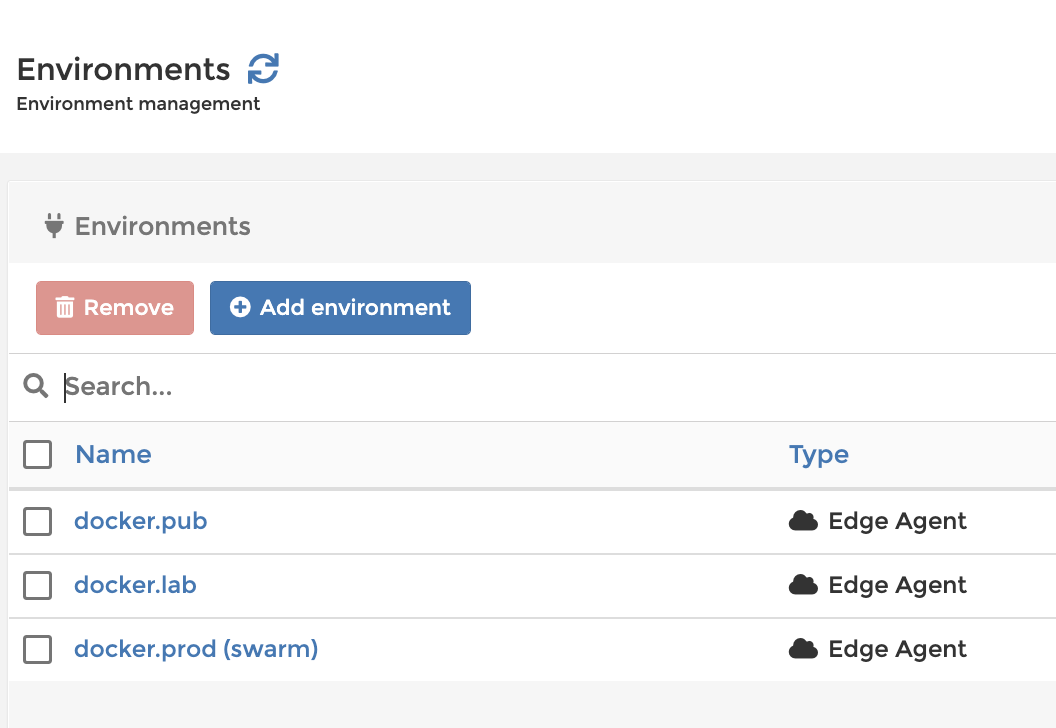
I'm a bit confused by your setup - are you running the 3 Edge Agents on the same server as the Portainer Server? Why?
Do you have the issue on all your environments or just some?
Apologies for my English Of course no 😆😅, I have :
- 1 server with portainer container and edge agent (swarm)
- 2 others servers with edge agents (standalone)
Is your server with Portainer an actual Docker Swarm cluster, and was Portainer installed on it using the Portainer Swarm deployment method? The standard install doesn't use the Edge Agent and provides the full functionality you would need without needing to install it, so I'm not sure why you're set up the way you are.
As before, do you run into the same git errors when deploying on all of your environments, or just on some?
I did the configuration as expected in documentation with the same result... Docker compose
version: '3.2'

services:
  agent:
    image: portainer/agent:2.14.1
    volumes:
      - /var/run/docker.sock:/var/run/docker.sock
      - /var/lib/docker/volumes:/var/lib/docker/volumes
    networks:
      - agent_network
    deploy:
      mode: global
      placement:
        constraints: [node.platform.os == linux]

  portainer:
    image: portainer/portainer-ee:2.14.1
    command: -H tcp://tasks.agent:9001 --tlsskipverify
    ports:
      - "9443:9443"
      - "9000:9000"
      - "8000:8000"
    volumes:
      - data:/data
    networks:
      - agent_network
    deploy:
      mode: replicated
      replicas: 1
      placement:
        constraints: [node.role == manager]

networks:
  agent_network:
    driver: overlay
    attachable: true

volumes:
  data:
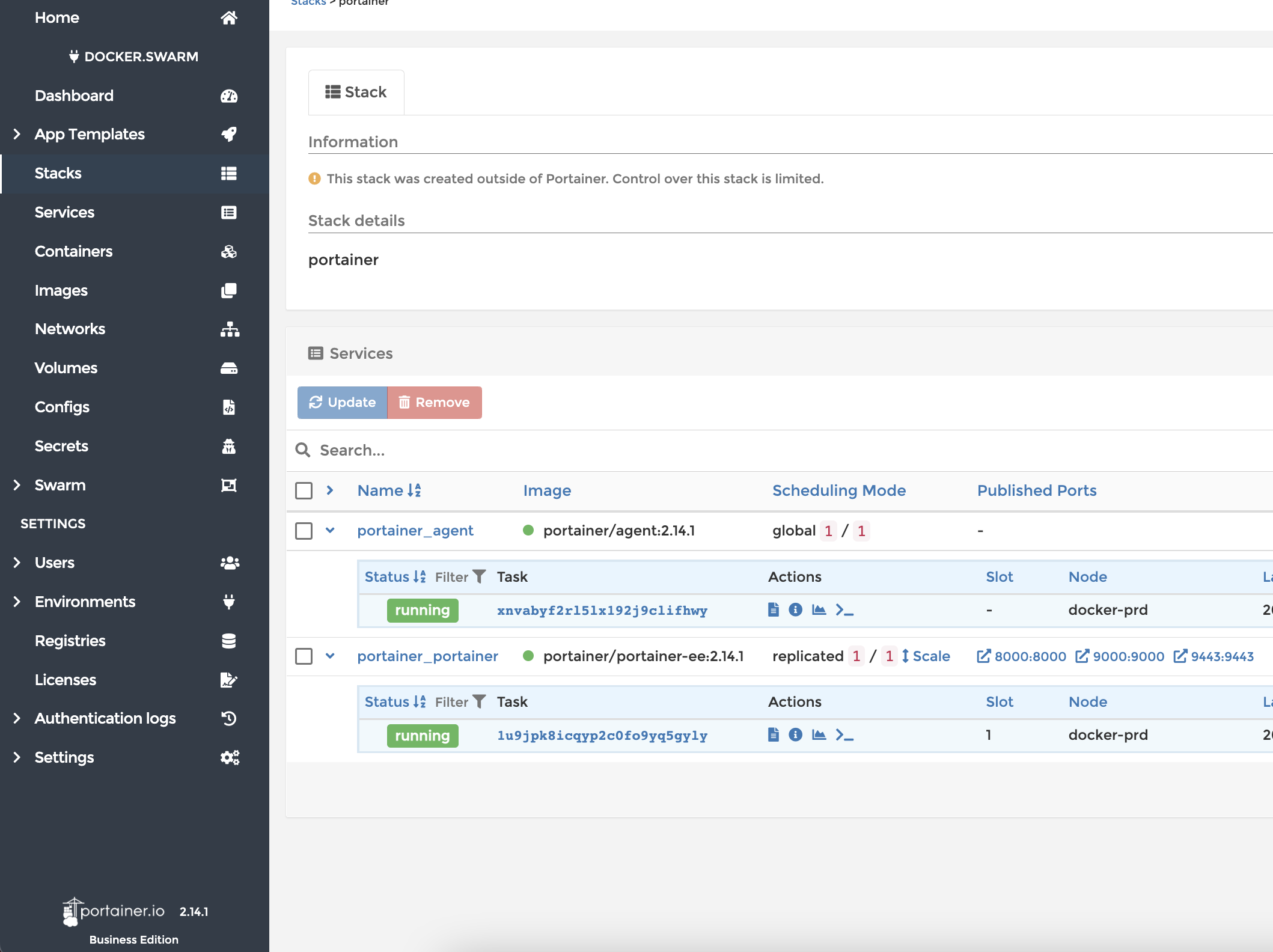

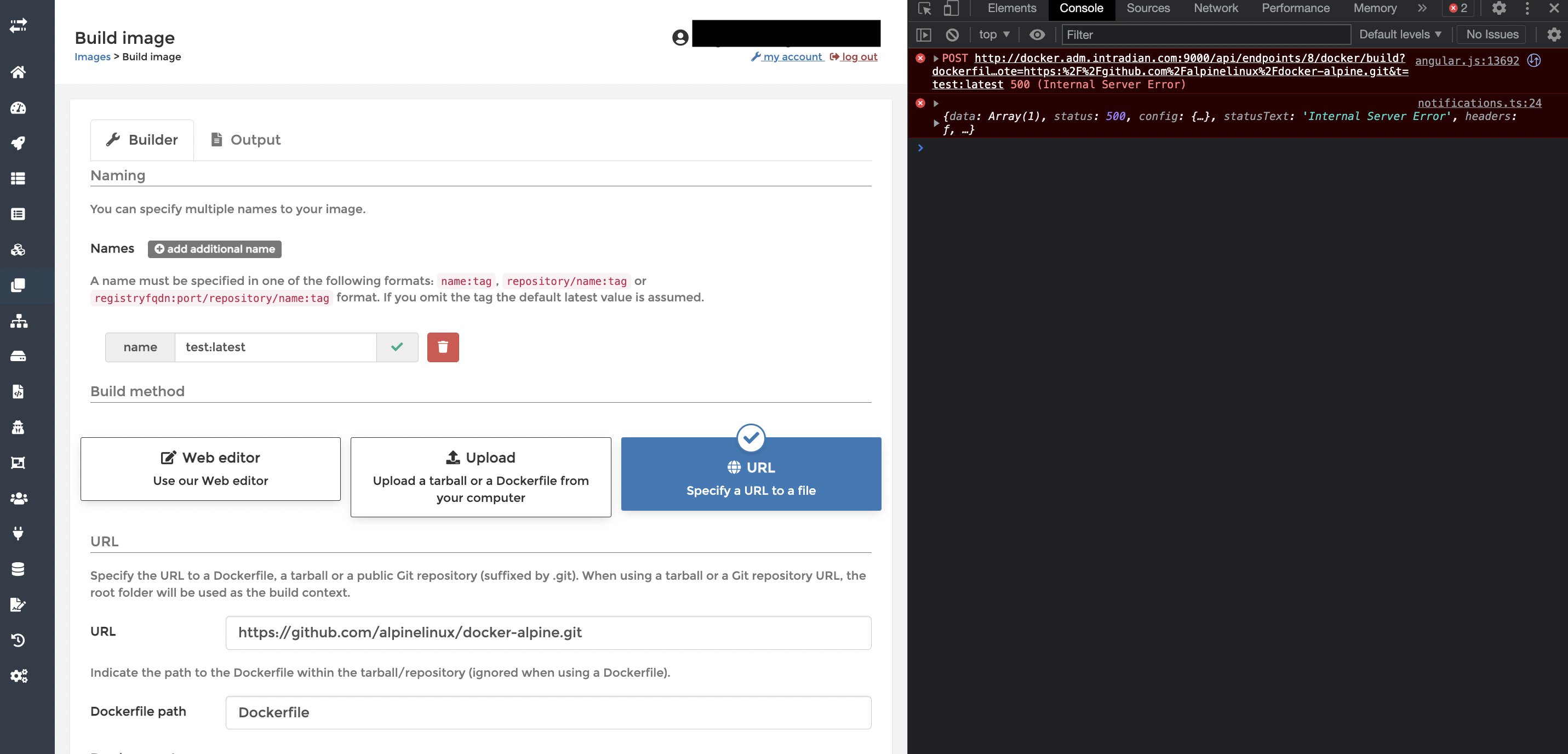
Error in console logs : failed to init repo at /var/lib/docker/tmp/docker-build-git2874326167: : exec: "git": executable file not found in $PATH
Any update or clue here ? much appreciate. I do upgrade to 2.15.0 new error but same behavior
As above, we haven't been able to replicate this which makes it very hard for us to find a fix.
Do you have the issue on all your environments or just some?
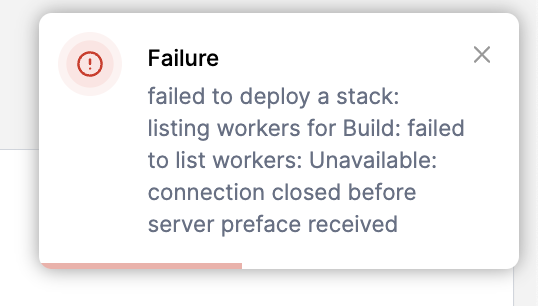
I am noticing the same issue on my server with portainer/agent:latest and portainer/portainer-ce:latest. I am trying to add a stack from a git repo, which fails with the error "failed to deploy a stack: listing workers for Build: failed to list workers: Unavailable: connection closed before server preface received". At the same time, I am seeing errors in the log of the Portainer Agent:
agent_1_f281e785d8d0 | 2023/01/16 01:27:31 http: TLS handshake error from 172.147.6.2:57966: EOF
agent_1_f281e785d8d0 | 2023/01/16 01:27:31 http: TLS handshake error from 172.147.6.2:57968: read tcp 172.147.6.3:9001->172.147.6.2:57968: read: connection reset by peer
The stack I am trying to deploy requires 1 container to be built from a Dockerfile, the rest of the services in the stack are just images from docker hub.

I am noticing the same issue on my server with
portainer/agent:latestandportainer/portainer-ce:latest. I am trying to add a stack from a git repo, which fails with the error "failed to deploy a stack: listing workers for Build: failed to list workers: Unavailable: connection closed before server preface received". At the same time, I am seeing errors in the log of the Portainer Agent:agent_1_f281e785d8d0 | 2023/01/16 01:27:31 http: TLS handshake error from 172.147.6.2:57966: EOF agent_1_f281e785d8d0 | 2023/01/16 01:27:31 http: TLS handshake error from 172.147.6.2:57968: read tcp 172.147.6.3:9001->172.147.6.2:57968: read: connection reset by peerThe stack I am trying to deploy requires 1 container to be built from a Dockerfile, the rest of the services in the stack are just images from docker hub.
Same here. Using Portainer Agent 2.16.1 and Portainer 2.16.1
Agent is running on an Alpine LXC. Using git and Docker Compose on the container manually works fine

@siddjellali
I wanted to follow up on this request. I am able to successfully build images via the URL option in 2.17.1. Have you been able to move forward? Is this still an issue on your end?
@tyleraharrison @Pwuts
The failed to deploy a stack: listing workers for Build: failed to list workers: should be resolved by upgrading to 2.17 BE and utilizing relative paths.
You can review more here: https://github.com/portainer/portainer/issues/6390#issuecomment-1439583605
Thanks!

This issue has been marked as stale as it has not had recent activity, it will be closed if no further activity occurs in the next 7 days. If you believe that it has been incorrectly labelled as stale, leave a comment and the label will be removed.
![github-actions[bot] avatar](https://avatars.githubusercontent.com/in/15368?v=4 "Published by a pub.dev verified publisher")
Since no further activity has appeared on this issue it will be closed. If you believe that it has been incorrectly closed, leave a comment mentioning portainer/support and one of our staff will then review the issue. Note - If it is an old bug report, make sure that it is reproduceable in the latest version of Portainer as it may have already been fixed.