
TvheadendMobileUI
 TvheadendMobileUI copied to clipboard
 polini
Tvheadend mobile web interface
TvheadendMobileUI
Tvheadend mobile web interface
Introduction
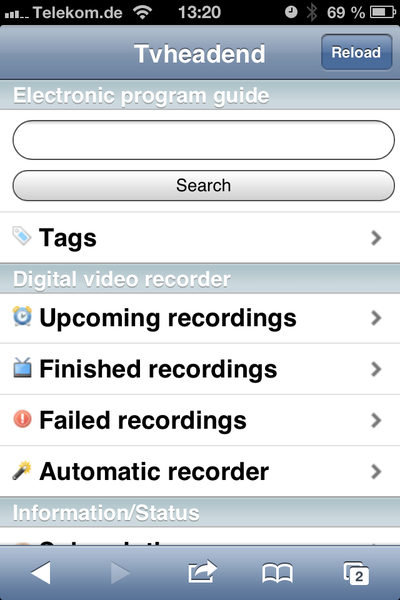
This is a mobile web interface for the Tvheadend streaming/recording server {https://www.lonelycoder.com/tvheadend/}. You need a current version of Tvheadend (3.3).
It uses the framework iUI {http://www.iui-js.org/}, which provides an iPhone-like look and feel. It works on different modern browsers
Have a look at the screenshots in the folder "screenshots"!
Features
- Show channels by channel tag
- Show channel epg by channel
- Record/cancel epg entries
- Show upcoming/finished/failed recordings
- Cancel/Delete recording entries
- Show/Editing automatic recorder entries
- Show subscriptions
- Show adapters
- Show about
- Search epg by title
- Suport for different DVR configurations
- Support for different languages
- English
- German
EPG Timeline
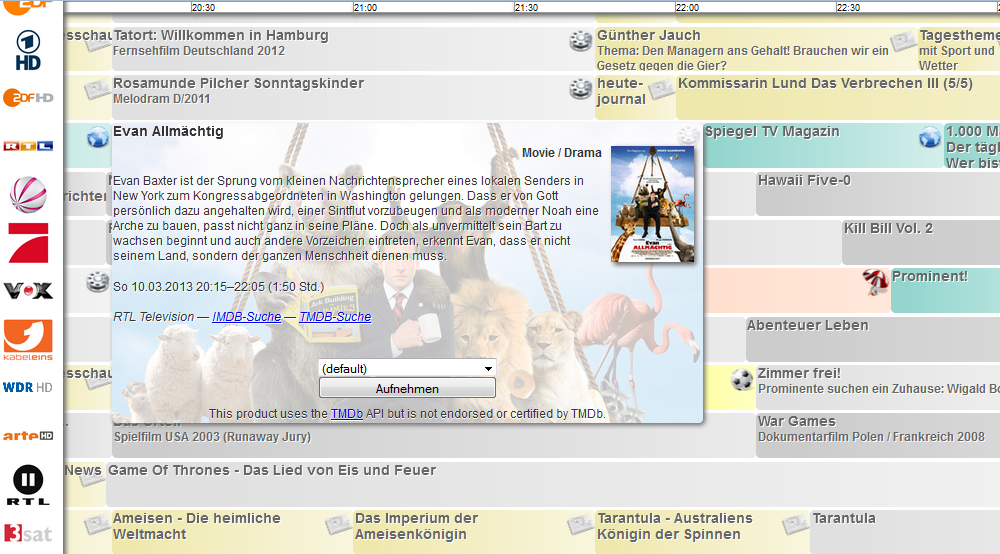
- Also included is a nice EPG timeline (vertical EPG) with the channels on y-axis and time on x-axis. It is possible to schedule and cancel recordings from the timeline. Just click on an entry and you see a detailed entry with buttons.
Listings magazine
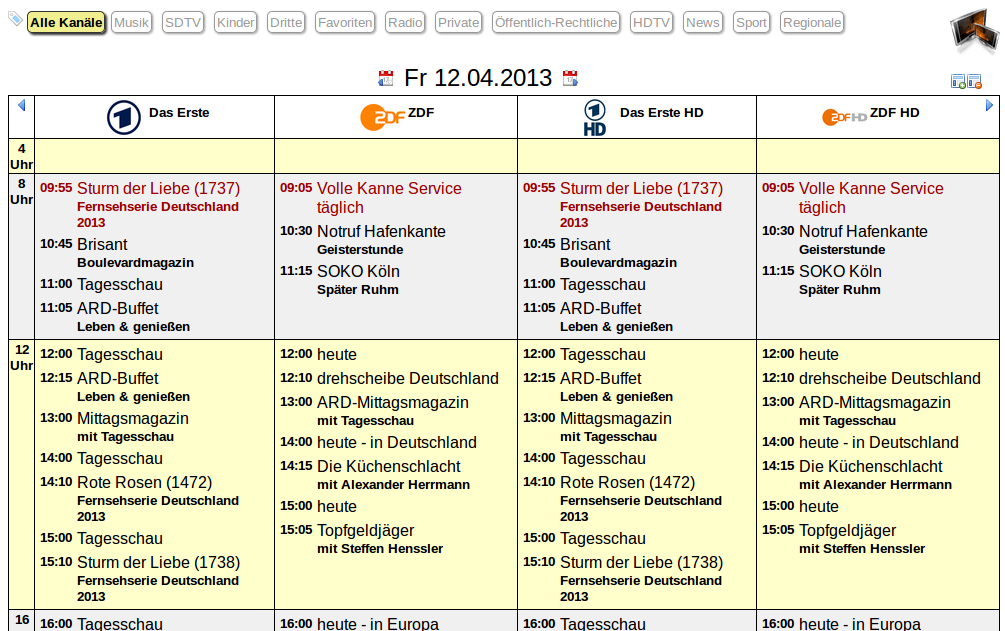
- Also included is a listings magazine with the channels each on a separate column. You can select a tag, skip to the next day or skip to the next page. You can also show and hide columns. It is possible to schedule and recordings from the listing. Just click on a title or subtitle.
Installation
First checkout repository
$ git clone git://github.com/polini/TvheadendMobileUI.git
Then copy directory
$ sudo cp -r TvheadendMobileUI/mobile/ /usr/local/share/tvheadend/src/webui/static/
or create symlink
$ sudo ln -s `pwd`/TvheadendMobileUI/mobile/ /usr/local/share/tvheadend/src/webui/static/mobile
The target directory may vary. It could also be /usr/share/tvheadend/src/webui/static/mobile.
OpenELEC Tvheadend add-on
When you installed Tvheadend as an OpenELEC add-on, you can not use TvheadendMobileUI at the moment, as the static html pages are bundled in the Tvheadend binary.
Usage
- You can now access the web interface: http://ip:9981/static/mobile/index.html
- The mobile page can be accessed via: http://ip:9981/static/mobile/mobile.html
- The EPG timeline can accessed via: http://ip:9981/static/mobile/epg.html
- The listings magazine can be accessed via: http://ip:9981/static/mobile/mag.html
Please notice
- This software has beta status, so be careful. I am not responsible for missed or deleted recordings.
- Please feel free to give feedback or to create issue tickets.
License
Licensed under GPLv3 (see LICENSE)
 polini