

 pnp
pnp
Accordion Site Pages Selection Issue
Disclaimer
Yes
Sample
https://github.com/pnp/sp-dev-fx-webparts/tree/main/samples/react-accordion-dynamic-section
Author(s)
@ejbenke @mikezimm @jyasir @AriGunawan
What happened?
When selecting Site Pages from lists and creating the correct columns according to directions for the accordion, it will not display. Create a list and it will display. Would like to create an accordion based on the Site Pages list.
Steps to reproduce
- Create Columns for Site Pages List (Choice, Body,) Title is already avilable
- Add Accordion to Page
- Select Site Pages
- Select Choice
- Select Title
- Select Body
- Only Choice will be filled
Expected behavior
Expect to see what we see with other lists.
Target SharePoint environment
SharePoint Online
Developer environment
Windows
Browsers
- [ ] Internet Explorer
- [X] Microsoft Edge
- [X] Google Chrome
- [ ] FireFox
- [ ] Safari
- [ ] mobile (iOS/iPadOS)
- [ ] mobile (Android)
- [ ] not applicable
- [ ] other (enter in the "Additional environment details" area below)
Paste the results of SPFx doctor
Build actually completes, but we see in debugging on the tenant possible API issues.
Additional environment details
No response

Thank you for reporting this issue. We will be triaging your incoming issue as soon as possible.

Hi @Goonie78,
I've just tried to select the Site Pages as the list source (after creating Category choice column on the Site Pages list).
It works as expected on showing columns on the web part configuration panel and also showing the correct value based on the field value on the list. I'm using Title as title and content on the accordion.
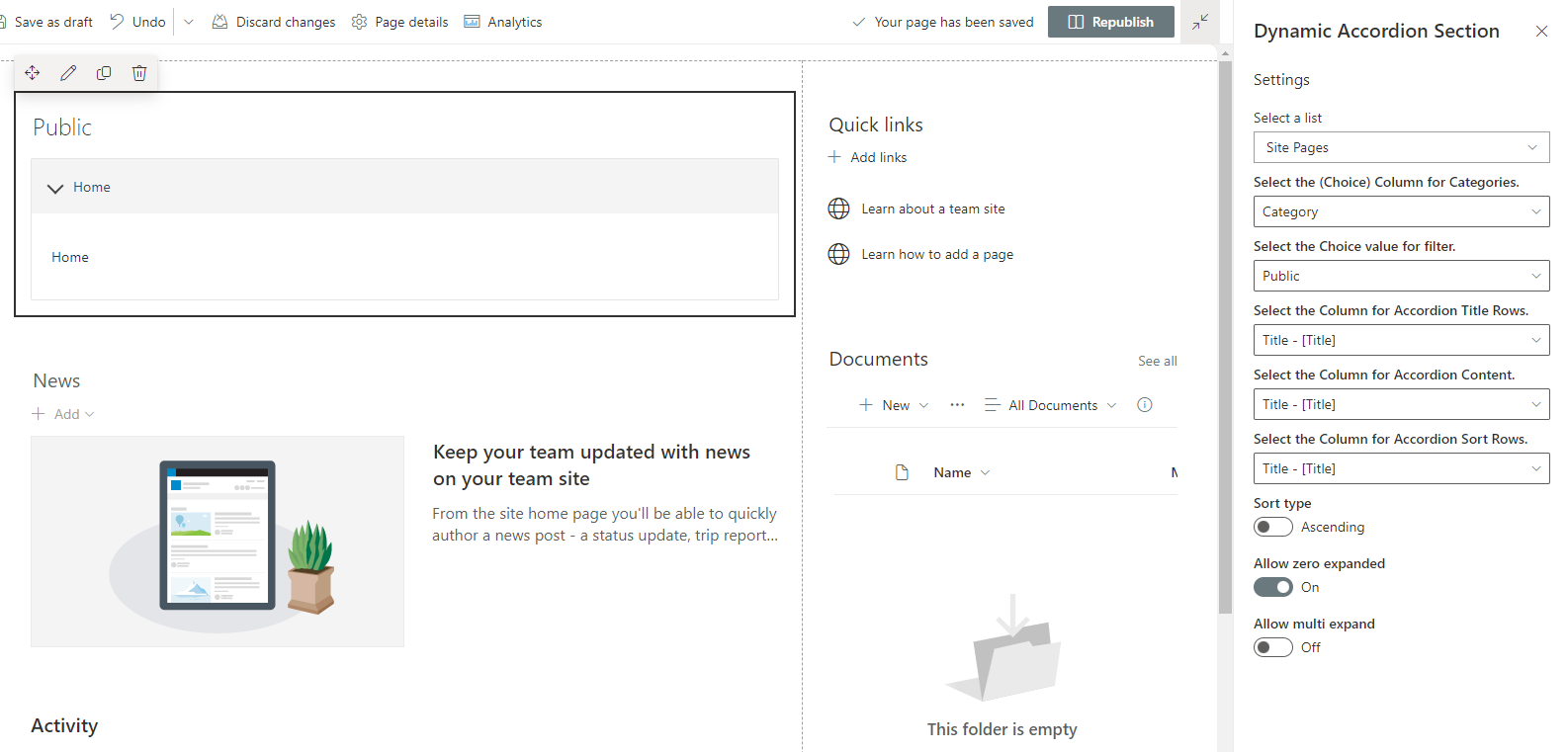 Are you having an issue on showing the options on the web part configuration panel? Or the value from the list doesn't show up?

This issue has been marked as stale due to no progress in over 90 days. If you are still experiencing this issue, please provide additional information so we can help you resolve it.
![github-actions[bot] avatar](https://avatars.githubusercontent.com/in/15368?v=4 "Published by a pub.dev verified publisher")
Closing this issue due to lack of activity. If you are still encountering this issue, please do not hesitate to open a new issue. Make sure to follow the guidance on how to create good issues to increase your chances of getting the help you deserve.