

 pnp
pnp
[BUG] Sync-PnPSharePointUserProfilesFromAzureActiveDirectory - Azure Automation - Error - NoError
Reporting an Issue or Missing Feature
When running PowerShell script in Azure Automation to support SharePoint Online Bulk User Profile update leveraging this cmdlet:
Sync-PnPSharePointUserProfilesFromAzureActiveDirectory
The error stream receives Error: NoError
This is valid/documented for job that completes without error. However it is written to the error stream in Azure Automation.
Expected behavior
This should not be written to error stream since its not an error.
Actual behavior
Error : NoError
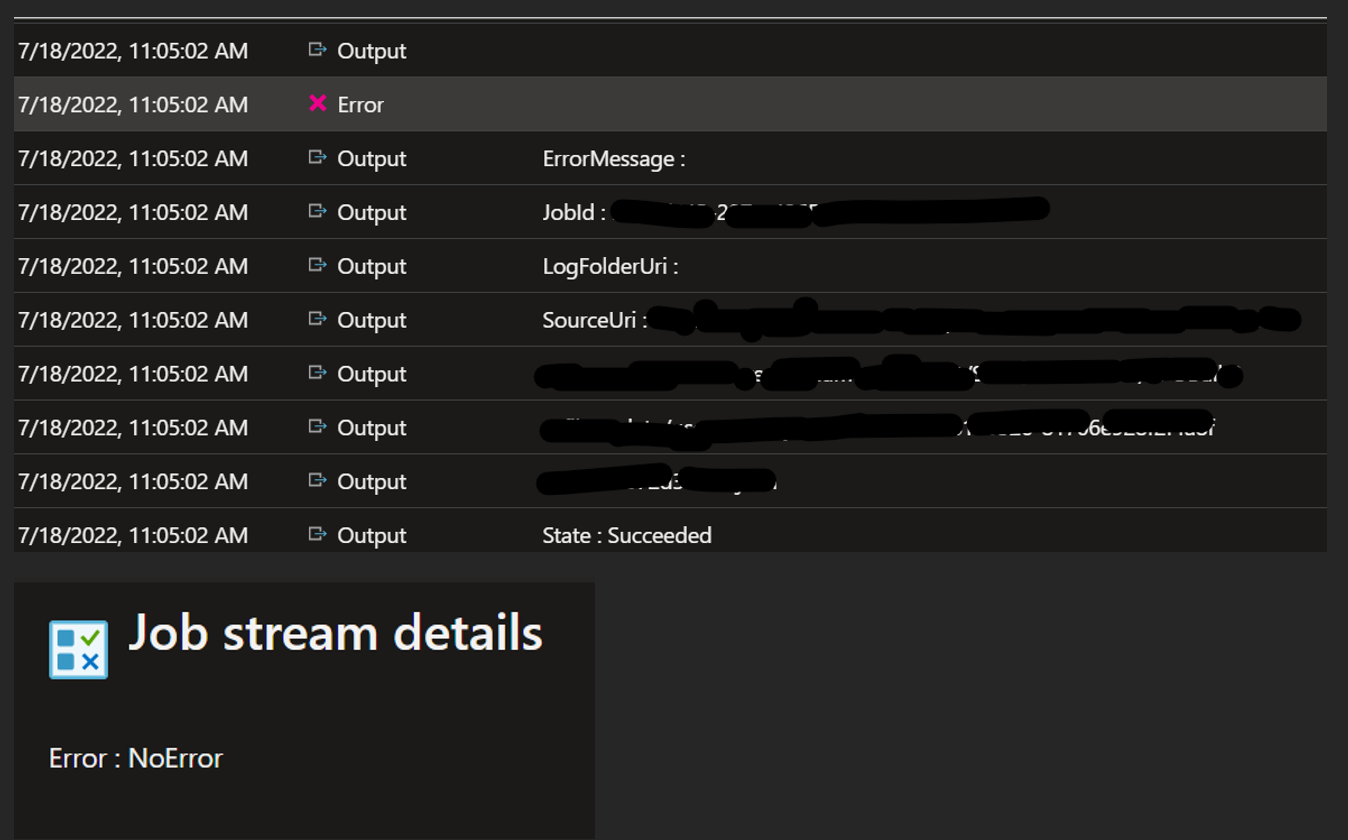
Steps to reproduce behavior
$argsPnpUser = @{ Select = "mobilePhone", "streetAddress", "faxNumber", "state", "postalCode" Filter = "onPremisesSyncEnabled eq true and AccountEnabled eq true" StartIndex = "0" EndIndex = "10000" }
$users = Get-PnPAzureADUser @argsPnpUser
$argsUserProfileSync = @{ UserProfilePropertyMapping = @{ "Cell" = "mobilePhone" "streetAddress" = "streetAddress" "Fax" = "faxNumber" "state" = "state" "zip" = "postalCode" } Users = $users Folder = "Shared Documents/SPO" Wait = $true Verbose = $true ErrorAction = "Stop" }
try { Sync-PnPSharePointUserProfilesFromAzureActiveDirectory @argsUserProfileSync } catch { Write-Error $($.Exception.GetType().FullName) Write-Error $($.Exception.Message) Break }
What is the version of the Cmdlet module you are running?
Pnp.PowerShell 1.11.0 Running on PowerShell 7
Which operating system/environment are you running PnP PowerShell on?
- [ ] Windows
- [ ] Linux
- [ ] MacOS
- [ ] Azure Cloud Shell
- [ ] Azure Functions
- [X ] Other : Azure Automation (PS7)


Might be worth trying PS 7.0, I recently tried PnP.PowerShell with PS Core 7.2 and I couldn't get it to work, others have reported similar.
Unfortunately, this is an issue with Azure automation itself and not with PnP PowerShell.
Please store the output of the cmdlet in a variable like this:
try {
$job = Sync-PnPSharePointUserProfilesFromAzureActiveDirectory @argsUserProfileSync
}
catch {
Write-Error .Exception.GetType().FullName)
Write-Error .Exception.Message)
Break
}
After that, the output will not be written in the error stream.
