

 pnp
pnp
Update Request-PnPSyntexClassifyAndExtract.md
Type
- [ ] Bug Fix
- [ ] New Feature
- [ ] Sample
- [x] Link to published version
Related Issues?
N/A
What is in this Pull Request ?
- Link to published version
- Something went wrong with Batching image and link to the article. I haven't found a doc where both the image and the article link work. There is https://pnp.github.io/powershell/cmdlets/Invoke-PnPBatch.html where the image works and https://pnp.github.io/powershell/cmdlets/Remove-PnPListItem.html where the link works.
The markdown in https://pnp.github.io/powershell/cmdlets/Remove-PnPListItem.html looks correct, not sure why it's not showing the image, so I am trying a different approach here. This approach worked for me in my github.io https://powershellscripts.github.io/articles/English/SharePointOnline/test/ , but if you know a sure-fire, then feel free to correct and then I will update the rest of the docs.

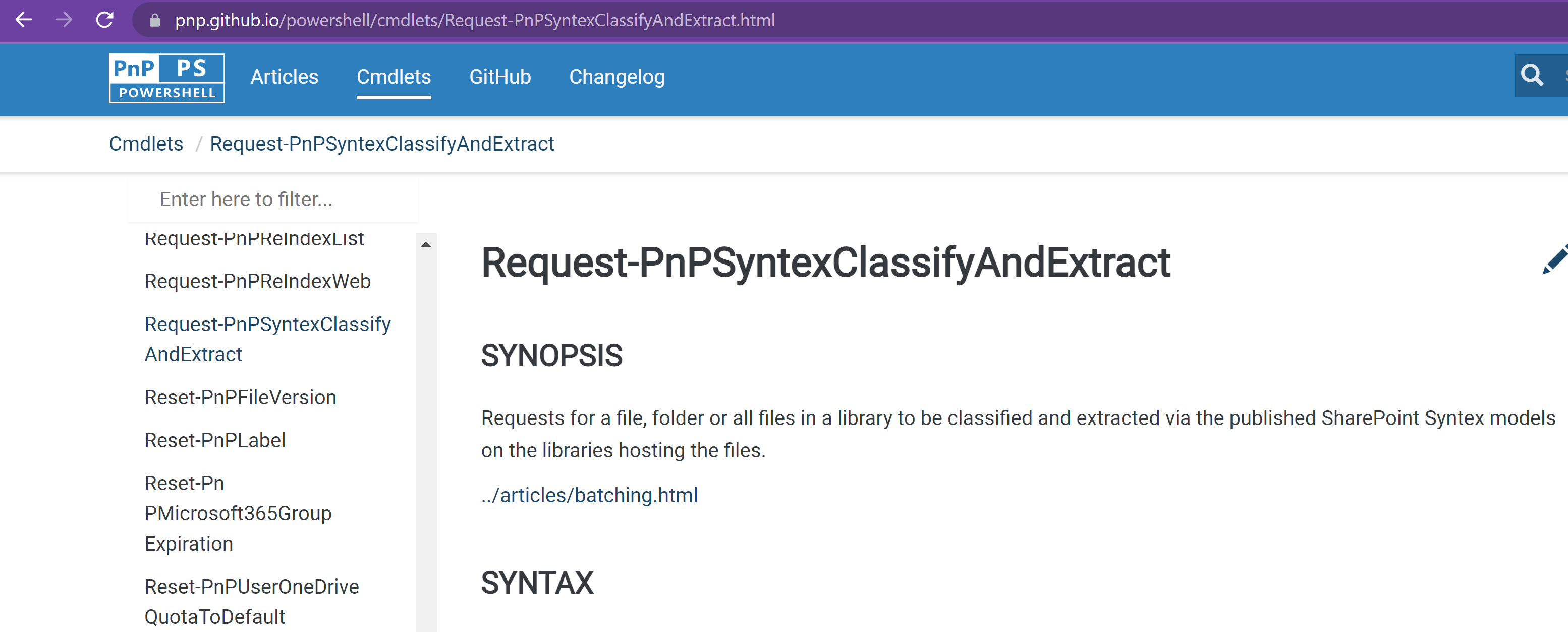
@LeonArmston Do you see the same results after your commit? I think you may need a relative url. What do you think of the way suggested here?
@LeonArmston Do you see the same results after your commit? I think you may need a relative url. What do you think of the way suggested here?
Hi @PowershellScripts
I've had a look into this and this is because of the changes i.e. moving folders/files around into the root of the gh-pages branch. This is so DocFX can be used to convert all the various folder/files from Markdown into web pages. Docfx will fix relative links as it converts the pages from markdown to html
I believe to be safe you may need to direct link with the full path to: https://raw.githubusercontent.com/pnp/powershell/gh-pages/images/batching/Batching.png
So as follows
<a href="https://pnp.github.io/powershell/articles/batching.html" rel="Supports Batching"></a>
In action

Have created a pull request to try this fix for Add-PnPListItem #2245
Hopefully we can get this sorted. The other approach could be is dropping the Batching.png in the documentation folder then we can link with to just "Batching.png" from the command files.

Hi @PowershellScripts
I have figured this out with full html required for both image and link
<a href="https://pnp.github.io/powershell/articles/batching.html">
<img src="https://raw.githubusercontent.com/pnp/powershell/gh-pages/images/batching/Batching.png" alt="Supports Batching">
</a>
I have applied the changes to all the batching pages so this pull request can now be closed.
Thanks
Leon
Closing this as @LeonArmston already updated this via https://github.com/pnp/powershell/pull/2327
