

 pnp
pnp
SPFx web parts no longer in tool box after upgrading from SPFx 1.11 to 1.14
Description
I attempted to upgrade 3 web parts from v1.11 to 1.14 recently.
In all 3 cases, after I installed the v1.14 version into the app catalog, I could add to a site through site contents but could not add it to a page.
NOTE: Two were fairly complex real projects, one was a Hello World just to make sure it was not my projects.
Steps to reproduce
I took note of each step and have a lot of screenshots so I will do all that in a reply to keep it clean.
I also documented the original 1.11 hello-world and tracked the upgrade to v1.14 in this repo: https://github.com/mikezimm/native1.11
This branch was the initial v1.11 build
https://github.com/mikezimm/native1.11/tree/v1.14-cli-upgrade-suggestions
- It includes the upgrade report md and also code tour.
- I tested via gulp and then deployed the package.
- I added it to a site and page to confirm it worked as expected.
This branch was the same web part upgraded to v1.14 using the CLI:
https://github.com/mikezimm/native1.11/tree/v1.14-execute-cli-upgrade-instructions
- I tested via gulp and then deployed the package.
- I was never able to add it to a page though because it was not in the toolbox after installing on the page.
Expected results
In the past, whenever I upgraded web parts (mostly just internal versions, not SPFx versions), I just:
added to app catalog waited a couple hours web parts were automatically updated wherever I went.
There was never any issues or hassles, was very dependable
I just want to know what I did wrong or what I can do to resolve the issue.
Actual results
Sites where the web part was previously installed seemed to upgrade ok.
On new sites, I was able to add the app to Site Contents, but could not add it to a page or SPA.
Diagnostics
No response
CLI for Microsoft 365 version
"v5.7.0"
nodejs version
v14.17.6
Operating system (environment)
Windows
Shell
cmd
cli doctor
No response
Additional Info
I will attach my install/upgrade notes and screenshots in a reply.
Fix
- [ ] We should add a separate feature for each web part in the project > right now we only add one
- [ ] The ID of the feature should match the component ID of the web part it provisions > right now we use a random ID which leads to errors

I apologize if this is too much detail... but here are my notes:
Part 1: Create initial v1.11 web part from scratch:
Created new github project to
- Build as 1.11 and then upgrade the same as other 2 projects
- https://github.com/mikezimm/native1.11.git
Change to node 10
- nvm use 10.24.1
Create new project
- yo @microsoft/bla bla, used all default settings
- gulped just fine
- installed in app catalog
- installed in site
- https://mcclickster.sharepoint.com/sites/native1.11install/SitePages/Home.aspx
- pushed to master branch in github
Upgrade from v1.11 to v1.14
- Change to node 14: nvm use 14.17.6
- deleted package-lock and node_modules folder
- m365 spfx project upgrade --toVersion 1.14.0 -o tour
- m365 spfx project upgrade --toVersion 1.14.0 --output md > "upgrade-report-toV14.md"
- pushed upgrade files to branch v1.14 upgrade
- pushed branch to master
Additional fixes
- Fixed a couple syntax errors, no comma, extra curly brace
- Error - [tslint] no-use-before-declare is deprecated. Since TypeScript 2.9. Please use the built-in compiler checks instead.
- Just removed that rule per the instructions
Tested
- Success gulp build
- Successfully gulp served
- Added v1.14 note to web part text
- Updated 4 versions to 0.0.2
- gulp clean, build, bundle --ship, package-solution --ship
- failed package-solution because metadata and features were at same level as solution
- Moved metadata and features into soultion object
- gulp clean, build, bundle --ship, package-solution --ship
- Successful package this time
Results and screenshots to follow
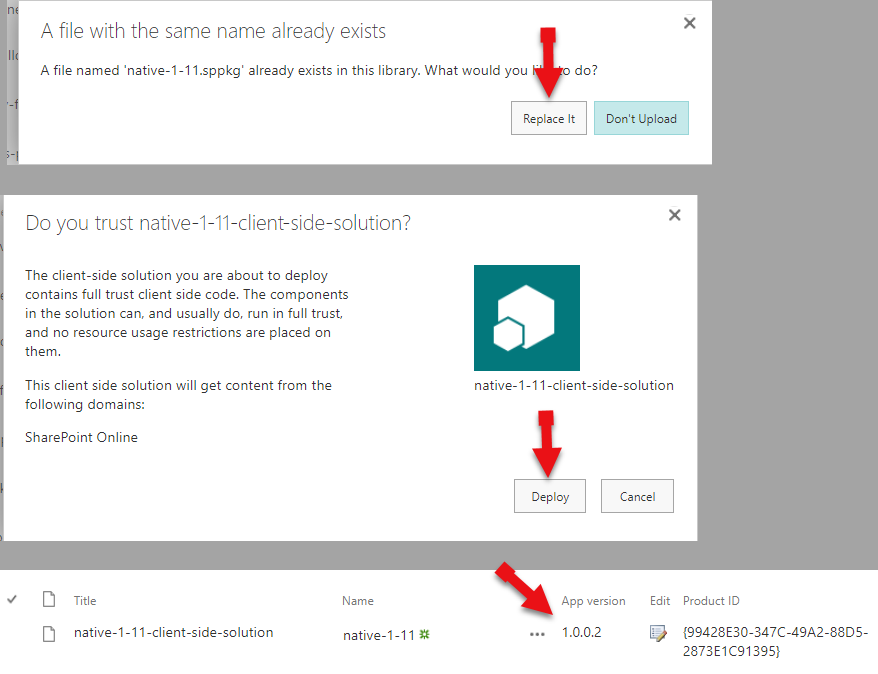
Refreshed previously installed page
No issues, auto-upgraded
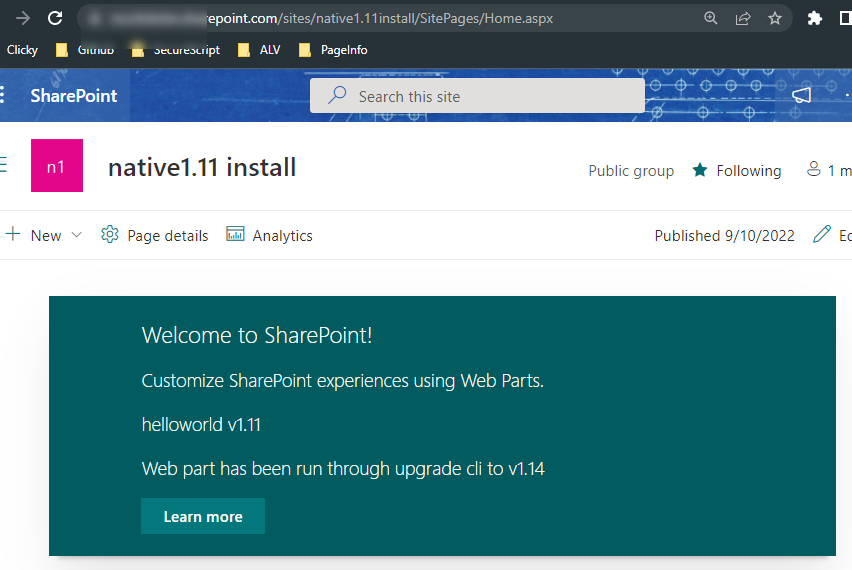
Added to new page in same Site
No issues, also was SPA
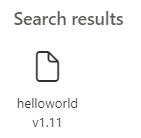
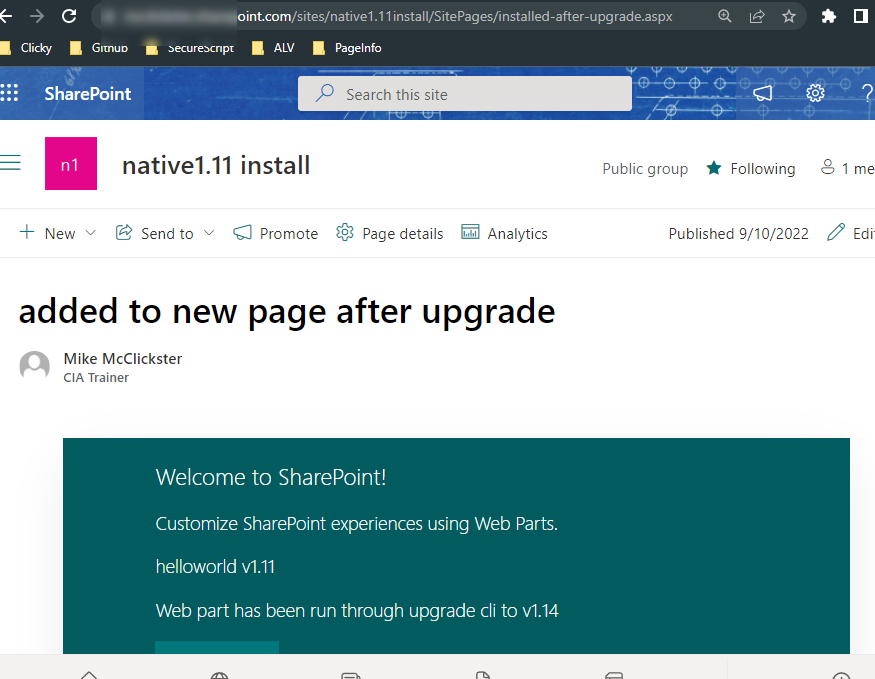
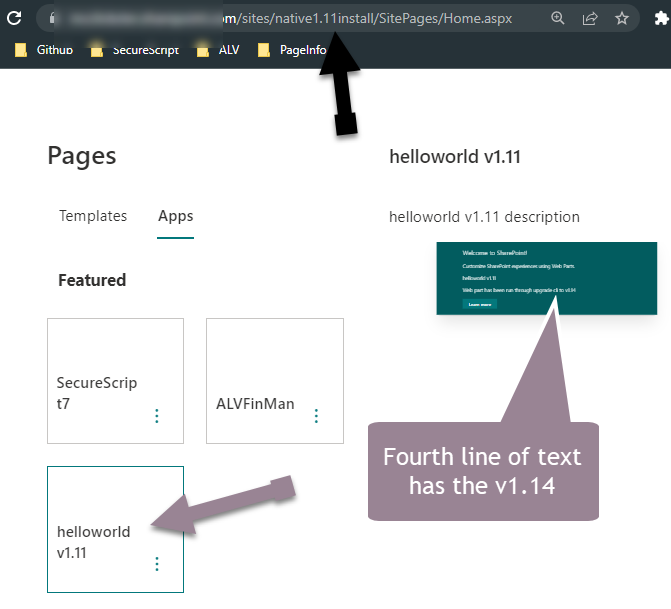
But when adding to NEW Site
Added to contents
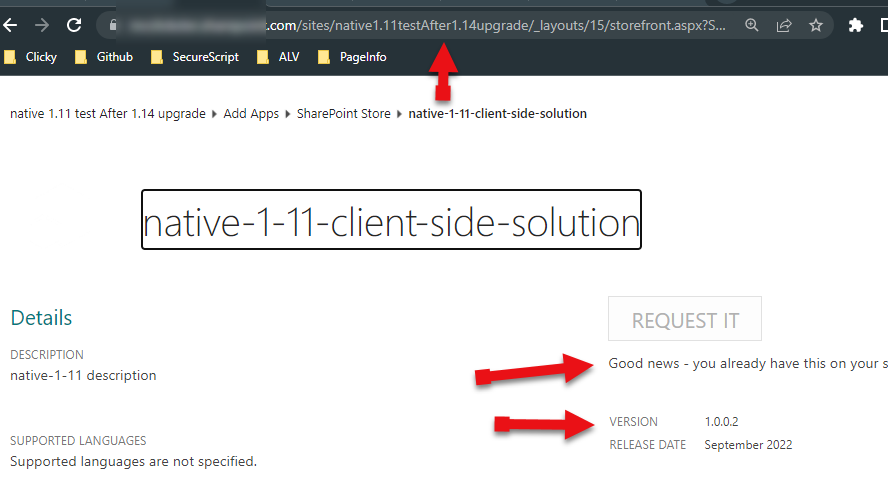
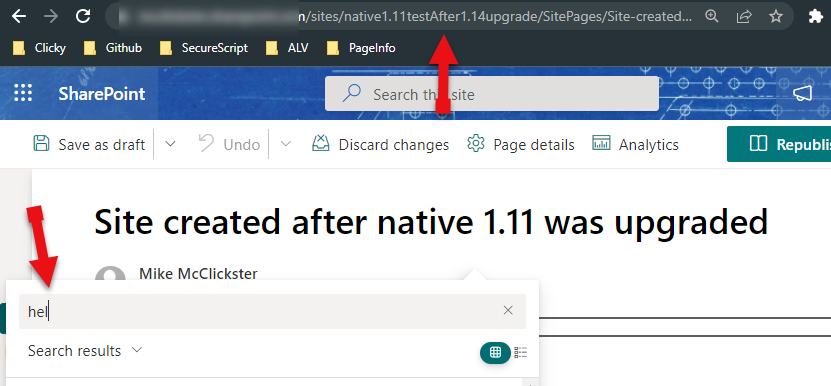
Not found in the toolbox in newly installed site
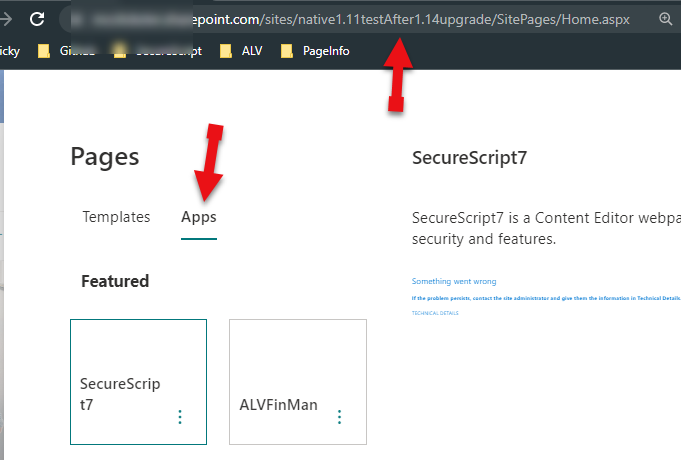
NOT visible as SPA in newly installed site
NOTE that all of the above was done on my dev tenant.
For my two production web parts, I didn't take any notes because I never had issues like this... but this is roughly what happened:
Did the upgrade using same CLI and from SPFx v1.11 to SPFx 1.14.
- But I also updated 100's of files and made a lot of other changes so it was a lot messier.
After doing the minimal upgrades plus the other changes
- I fully tested via gulp with no errors.
- I deployed in my dev tenant, and all seemed ok but to be honest, I didn't try installing on a new site because it was never an issue in the past.
After deploying to Production tenant,
- I tried to add to a new site because I needed to use the recent changes in production.
- But was not able to find the web part in the toolbox.
- I did confirm it was installed in the site contents though.
- I tried uninstalling and reinstalling but no success.
It gets worse from here...
Because this was on production tenant, I looked for some help from google.
Outside of references to the spfx web part setting 'hiddenFromToolbox', which was not set to true,
I only found one other suggestion:
- Delete from App Catalog,
- Delete from First and Second Stage recycle bins
- Re-deploy the package to the app catalog.
I tried those steps but waited couple hours between 2 and 3.
This was the result:
- I was NOT able to see the web part ANYwhere, even where it was installed and working before.
- I was NOT able to see the web part in the toolbox (even where it was installed).
After a few hours' time (in case the app catalog just needed time)
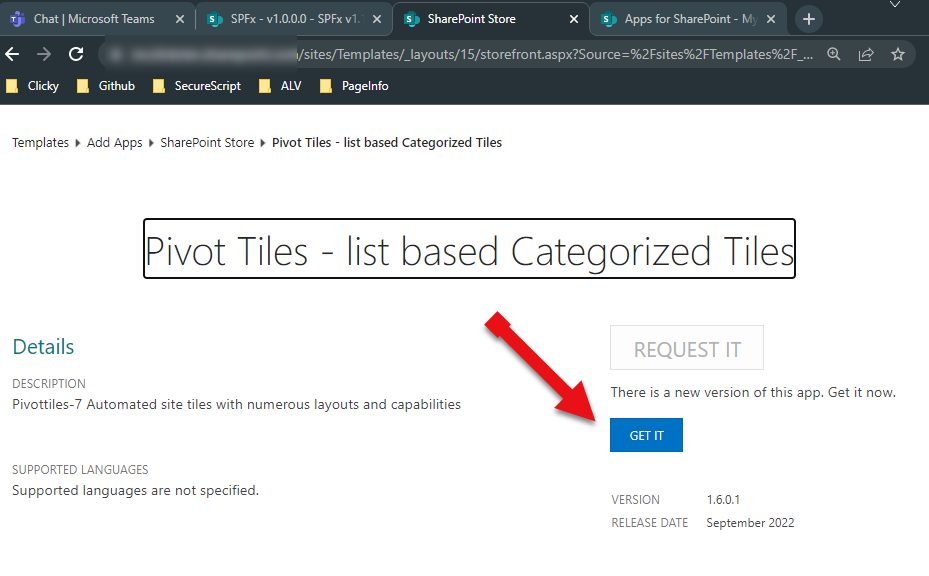
I went into the numerous site contents web part 'details' and found the 'Get it' button to get the upgrade. As soon as I 'Got it', The web parts loaded the latest version.
But I had to physically go to EVERY site and manually upgrade the web part :(
Final thoughts - possibly a bug with the feature id?
I'm wondering if it has something to do with the new 'feature' id in the package-solution.json. The CLI recommended adding the 'feature' section with an id which was not in my 1.11 projects. Does this feature id have anything to do with adding the solution/web part to new sites?
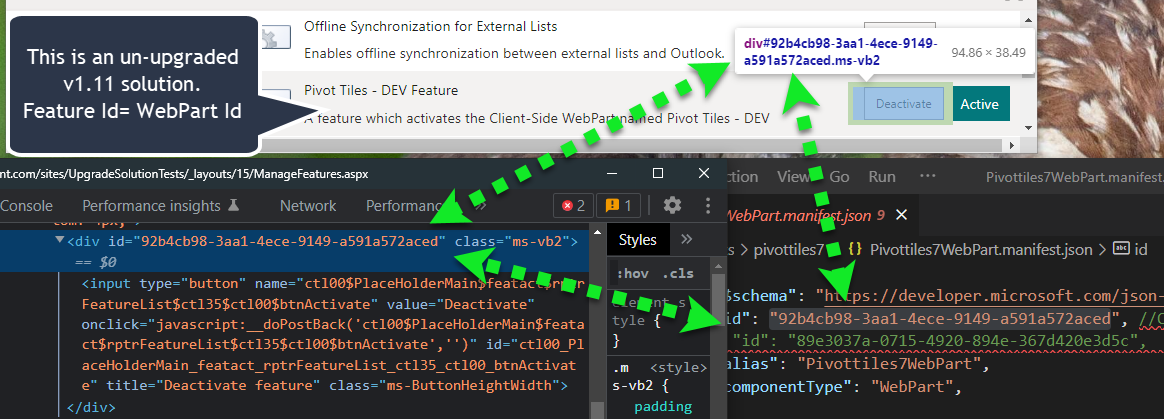
What is strange is that when I look at the site features page for a 1.11 project (shown below), the webpart id found in the webpart.manifest.json was the 'feature' id as shown on the site features page.
This is a screenshot from my production 1.11 web part that was not upgraded
This is a screenshot from my Test webpart mentioned in the 'Reproduce section above'
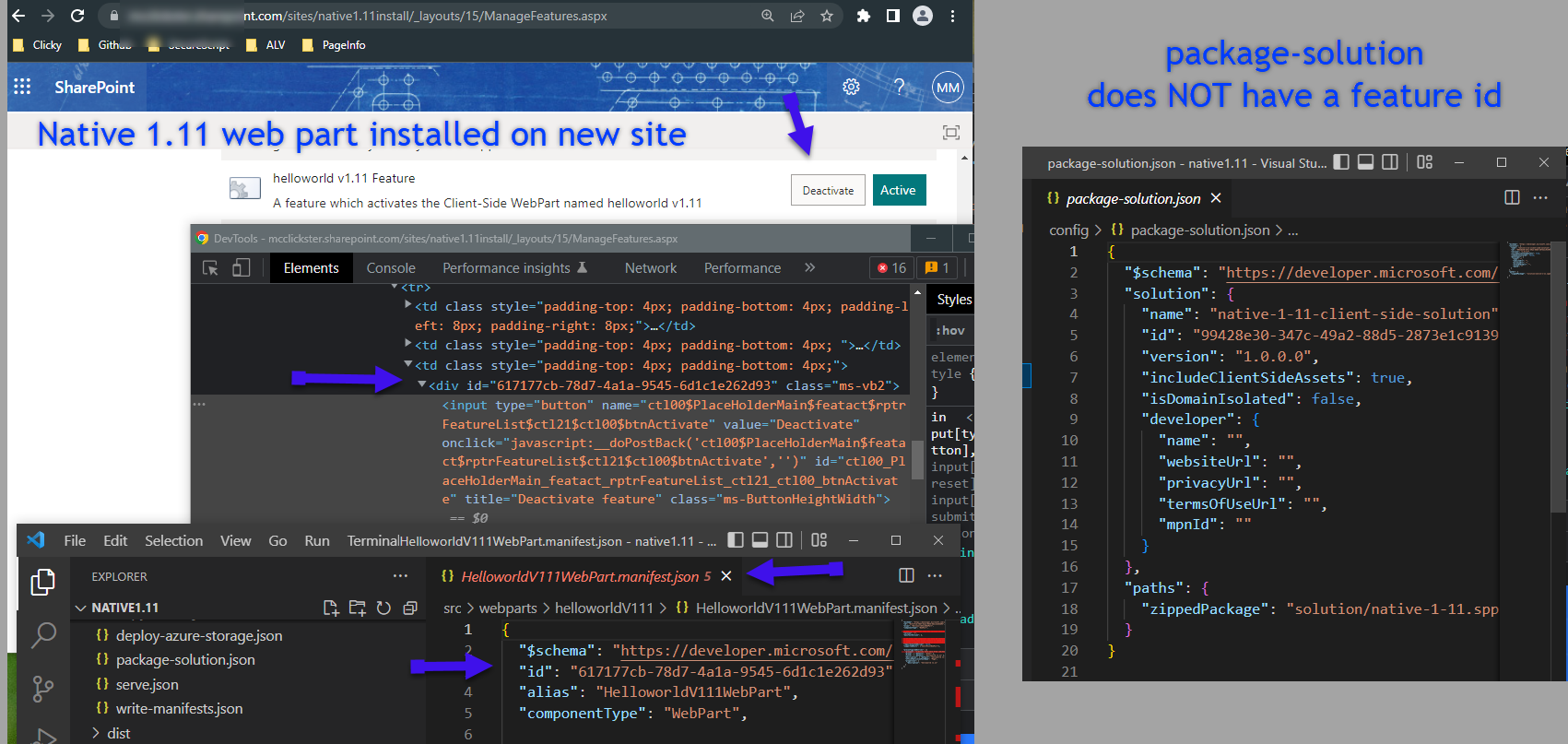
BUT in a brand new built from scratch 1.14 web part, the 'id' on the site features page is the Id from the package-solution.json feature Id, NOT the web part id.
Hopefully someone who is a lot smarter can figure it out :)
Thanks you for all the information! I'm sure it will help us figure out what's wrong. Give us a couple of days to repro and we'll get back to you as soon as we know more.

@waldekmastykarz , Thanks for looking into it.
I did some additional testing and have something new to report that might help.
On a separate 3rd production web part that I have been upgrading ... I tried the following in my dev tenant:
Note: This web part's last deployment to app catalog was SPFx v1.11... I had not deployed and retracted it before.
For this test, I commented out the features array from the package-solution.json. Then packaged and deployed (for me v1.6.0.1).
Immediately upon refreshing an existing page, that part of the page went blank.
I checked site contents and saw that it gave me the 'Get it' upgrade button, but I did NOT click it. I waited about 10 minutes CTRL-refreshing every so often to try and clear any caching. Still blank web part.
Then I reverted the package version in the app catalog to the prior version. Immediately upon refreshing my test page, the web part came back.
Then, I updated the package-solution to include the features array that I commented out. Then upgraded the version number to 1.6.0.2, repackaged and deployed to app catalog.
After waiting about 20 seconds, I refreshed the page again, and it was showing the latest version. I also went to another page that had the same web part installed (but I had not opened today) it also had the latest version.
I'm cautiously optimistic that might be a work around, but SharePoint caching is really flakey. I refreshed the page about 10 times in a row and one time it reverted back to the previous version of the web part. Heart sank but I may chalk that up to whatever SharePoint does for navigation caching.
Here are some screenshots of the process just for my own sanity:
Added v1.6.0.1 to app catalog
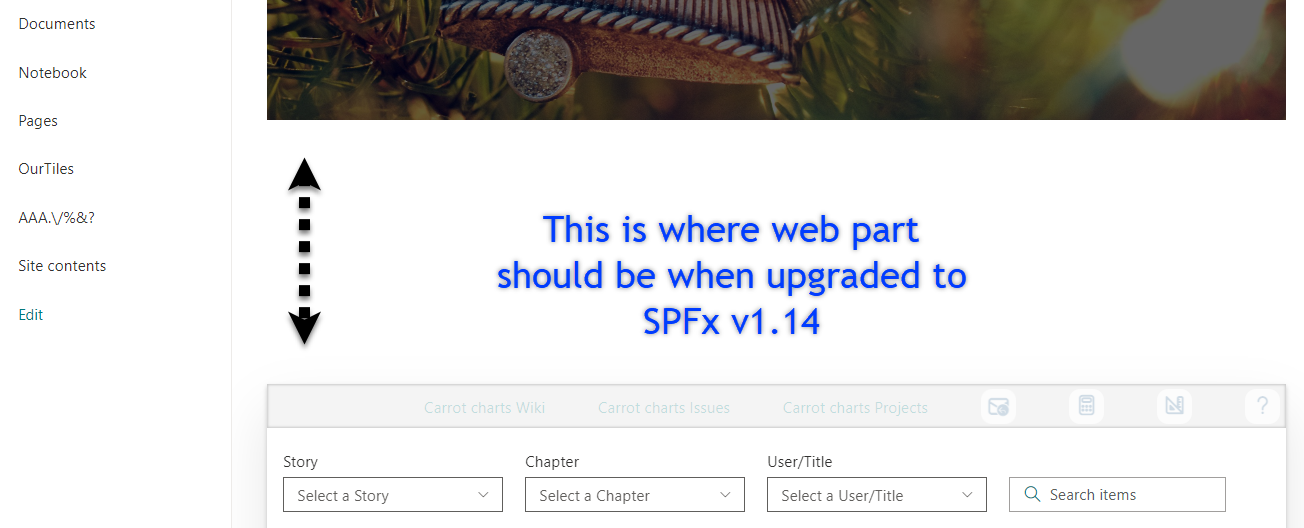
Refreshed the page with web part installed - EMPTY WEB PART
Site Contents shows 'Get it' update button - DID NOT PRESS THOUGH
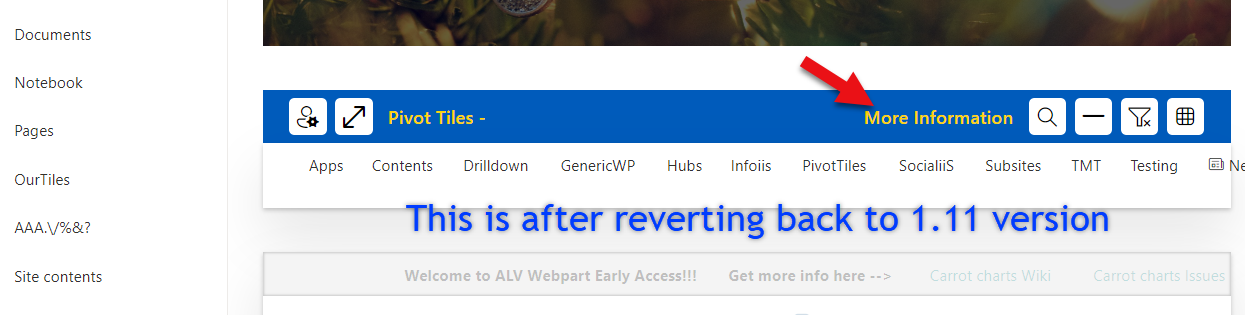
After reverting app catalog to prior version 1.5.2.7
This shows the older version. The banner where the red arrow is was updated and easy to spot.
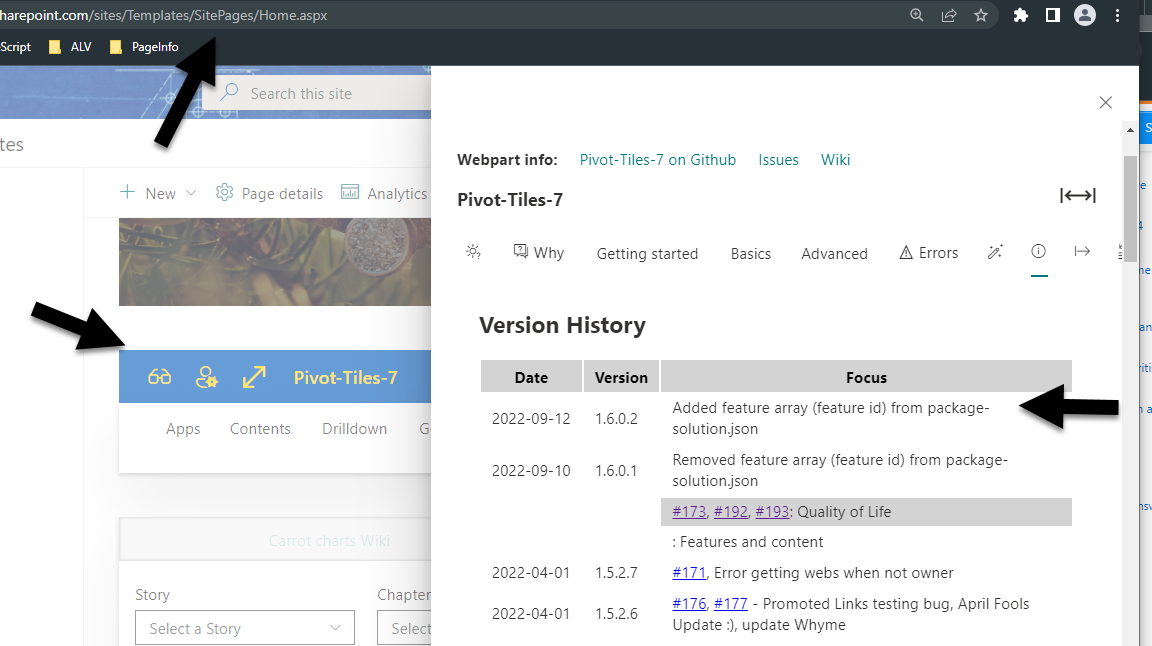
This shows after updating web part to v1.6.0.2
web part visible and banner reflects the updates
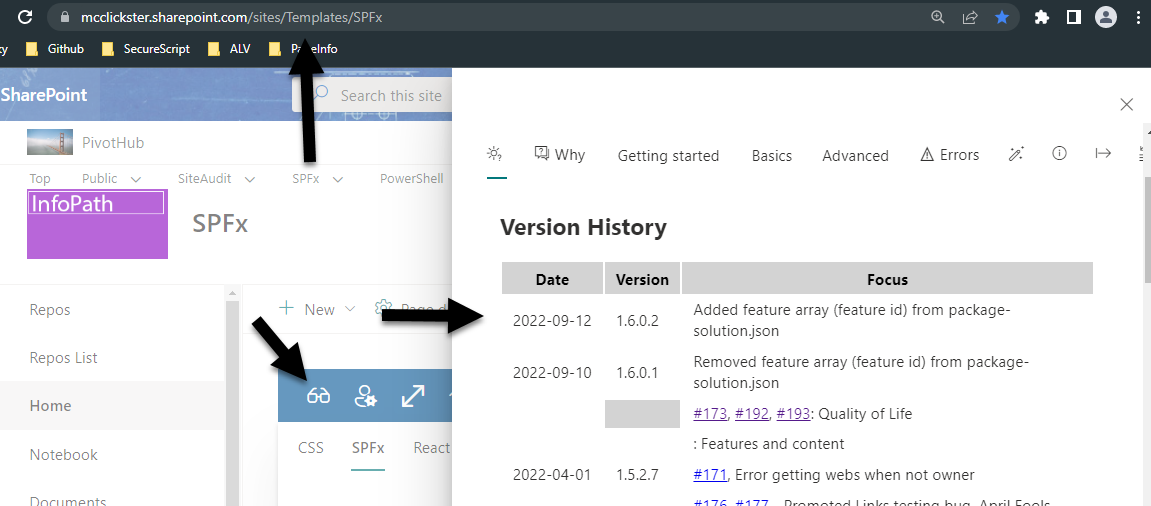
A second site that I had not visited today with the same web part
Shows updated web part
Lastly the version history from app catalog.
v 37 was the latest SPFx v1.11 installation. v 38-39 were the 1.6.0.1 v 40 was v37 rolled back v 41-42 were the 1.6.0.2
One thing I do not understand is why every deployment has 2 versions. But hey I'll take whatever I can get :)
@waldekmastykarz , well my optimism just got a dose of reality. I am able to add the web part to new pages ONLY on sites where it was previously installed.
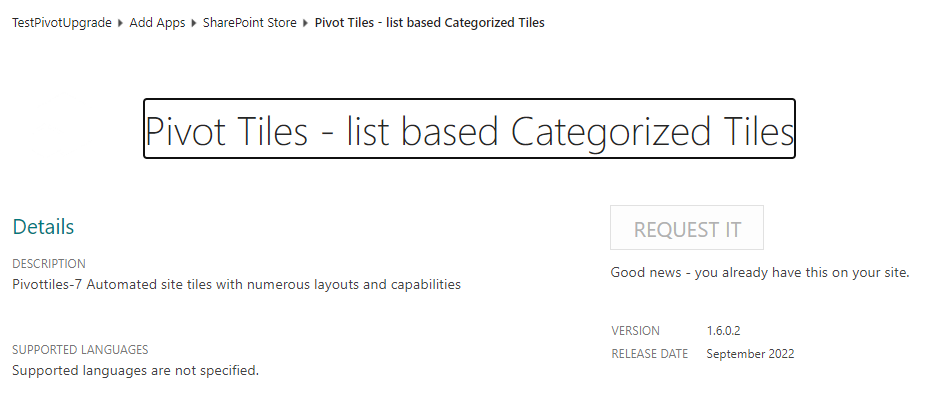
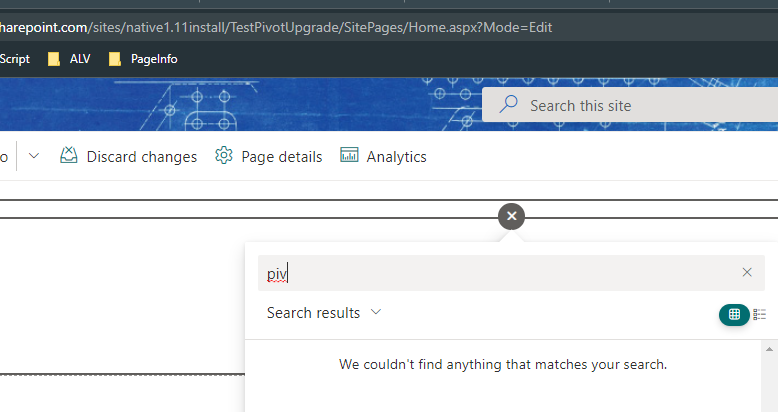
When I add it to a NEW site via Site Contents, Add an app,
- I see it in the Site Contents as the latest version,
- But Can NOT find it in the toolbox :(
- So frustrating
And because I like pain, I also tried the following
- I rolled back the app catalog version one more time
- From the site where I freshly installed the upgraded version (and could not see it on the page)
- Was not able to add to the new site, so I also removed it.
- Still not able to add to page.
- Cleared the recycle bin on the site and 2nd stage collection recycle bin
- Re-added the web part to site contents,
- CTRL-F5 a couple times
- Finally, was able to add back the original SPFx 1.11 version of the web part.
@waldekmastykarz , I got a suggestion from @AJIXuMuK to completely delete the feature object in the package-solution.json per https://github.com/SharePoint/sp-dev-docs/issues/8431#issuecomment-1243778037
This seemed to resolve the issue in my test sample as well as one production web part on my dev tenant.
I hope the other two are salvageable given what I did in the app catalog but I will live with it.
As far as closing the issue, I will ask you the same question I did there:
Where do you think the root cause lies? Is there something in the docs that needs to be adjusted or something in the CLI? Could it be dependent on the version you are upgrading from and to? Or would the solution apply in all cases?
Thanks again for the replies!
@mikezimm thank you for all the extra information and the effort you put into providing us with so much details to help us understand what's going on. We really appreciate it.
If you want to understand if the issue lies with the CLI or SPFx itself, the easiest would be to upgrade your old project based on the instructions provided by the CLI and then compare the web part manifest with a brand new project created the SPFx Yeoman generator that matches the SPFx version to which you're upgrading. If the relevant parts of the manifest are identical (you'll see difference in things like name, or ID) then it would indicate an issue with SPFx and @AJIXuMuK is your best contact to understand what's going on.
@waldekmastykarz , Based on what was mentioned in the other thread, having the features object added once it was already deployed is an issue.
So at the very least:
It would be a good idea for the CLI to at least strongly warn the person NOT to add the features object if the solution has already been deployed.
I still have not received an official answer to: What impact might this 'bandaide' of not adding the features section have down the road... aka might the feature be required in some future upgrade?
Thank you for the additional information and the reference to the other thread. Let me have a look what's the best way to handle upgrade is forward and I'll post here as soon as I know more.
So I clarified the mechanics of SPFx with the PG and we arrived at the following inconsistencies that need to be fixed in the CLI:
- We should add a separate feature for each web part in the project > right now we only add one
- The ID of the feature should match the component ID of the web part it provisions > right now we use a random ID which leads to errors
@mikezimm once again, thank you so much for all the information you've provided us with to help understand what's wrong 👏
After checking the behavior in SPFx v1.15.2, I noticed that the SPFx generator adds only one feature, with a unique ID, even if you added multiple components to the project. I'll very the mechanics with the PG once again just to be sure that we're recommending the right thing.
I've had another look at the SPFx mechanics in different situations, and it turns out, that from migration point of view, we shouldn't suggest adding a feature to package-solution.json. When there's no feature in there, SPFx will default to its original behavior of creating a separate feature for each component.
When you however upgrade your project to v1.15.2 and add a new component, you'll get a feature added to package-solution.json. If you build a new package and use it to upgrade the package previously to your app catalog, you'll no longer see your web parts due to feature ID mismatch. I'll verify with the PG what's the best way to handle that, other than removing the old .sppkg from the app catalog, and uploading the new one as a new package.
@waldekmastykarz , Thanks again for looking into it.
Couple follow-ups:
- I take it we should not even include the features key with an empty array right? Just totally leave it out?
// "features": [],
- Can/Should we include the other parts before the feature that are new?
    "developer": {
      "name": "",
      "websiteUrl": "",
      "privacyUrl": "",
      "termsOfUseUrl": "",
      "mpnId": ""
    },
    "metadata": {
      "shortDescription": {
        "default": "native-1-11 description"
      },
      "longDescription": {
        "default": "native-1-11 description"
      },
      "screenshotPaths": [],
      "videoUrl": "",
      "categories": []
    }
Yes, the easiest way to mitigate it for now is to remove the feature property altogether, because the toolchain doesn't allow an empty array. The developer and metadata properties are good to use and have no impact on the upgrade process.
@waldekmastykarz , on the subject of the developer and metadata properties, do you know where they actually show up to the end user? Or is it only used directly in the package-solution.json?
@mikezimm these properties are required when publishing your solution to the Marketplace. More info @ https://learn.microsoft.com/en-us/sharepoint/dev/spfx/publish-to-marketplace-checklist#solution-package-must-contain-valid-developer-metadata.
@waldekmastykarz , Thanks for the link. Based on that, I won't even worry about those sections since I'm not publishing in the MSFT store.