

 pnp
pnp
Format column as barcode - preferably 2D barcode for my case
@thechriskent
What Kind of Sample (view or column format)
My specific need is for a 2-D barcode, but it would also be useful to display as 1-D barcode as well (if there is a real difference).
Sample Description (what should it do)
Take a Text field and instead of showing text, show 2-D Barcode instead
I'm not sure how it works with fonts... like if 1D and 2D have totally different methods to display...
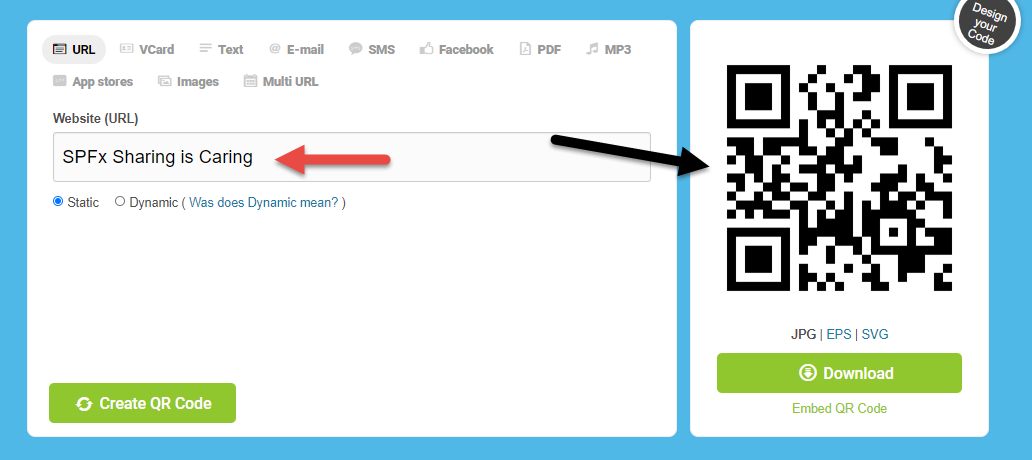
Basically format the list so that if the list has text (red arrow in screenshot), the formatted column would look like a barcode (black arrow in screenshot)
Alternatively if it's not possible in column formatting and someone knows of a way to do it through SPFx webpart or extension, it would also be appreciated!
Are you Willing to Help?
I have not done any column formatting myself so I probably can't offer much.

So far this is what we have done: There are a number of open source barcode libraries that could be run but we opted to try for one we could control internally.
We originally tried https://github.com/metafloor/bwip-js but had a few issues setting it up as a service and didn't want to spend extra time for the proof of concept.
For now we ended up using https://www.nuget.org/packages/ZXing.Net/.
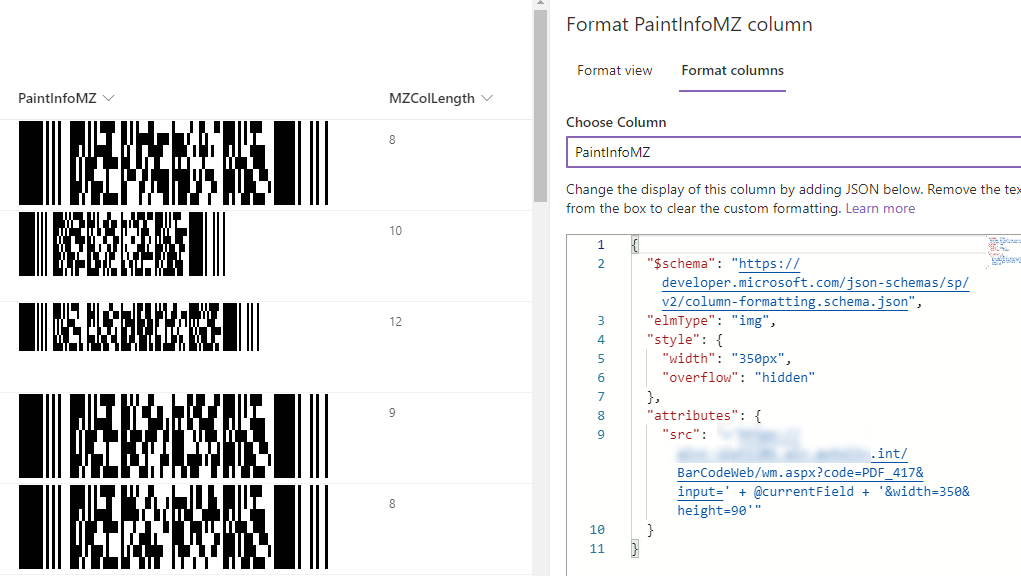
However, the returned barcode size seems a little hard to control per the screenshot:
Sorry for the delay in commenting.
If you want to adjust the size of the image, please try using the max-width or max-height property!
Formatting syntax reference - style
