

 pmndrs
Setting "titleBar.position" to nonzero x or y makes panel jump on click
When I set these options (sorry for ClojureScript syntax):
{:titleBar
   {:drag true
    :position {:x 10 :y 10}}}
Then, whenever I click on the panel, it jumps to those coordinates.
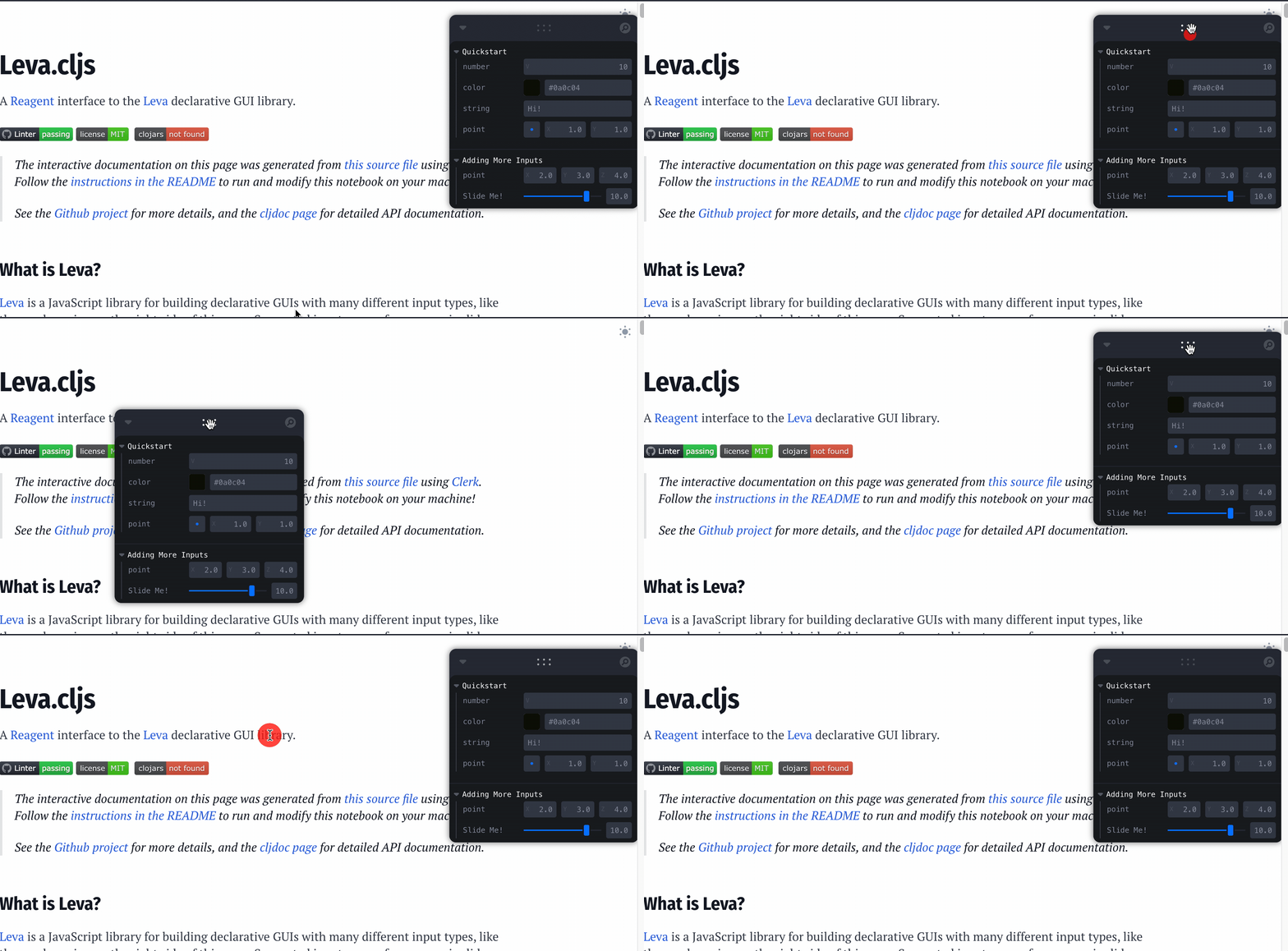
If I only set y to a non-zero position, the panel only jumps to the new y position, same with only setting x.
I don't think that this is related to the options object getting redefined, because the Leva component is not re-rendering on click (I'm pretty sure?)
I wasn't sure where we came out on the Discord discussion, but this behavior definitely seems like a bug.

This also took me by surprise, but the way it currently works is that once you supply a position to Leva, it is then expecting you to control it's position all the time, even during dragging. What this means in practice is that you must supply an onDrag handler as well.
I think that there is probably a more elegant default solution which should be added to Leva, but to get it to work for now:
// in component
const [controllerPosition, setControllerPosition] = useState({ x: 100, y: 100 })

// in return
<Leva
  titleBar={{
    position: controllerPosition,
    onDrag: (position) => setControllerPosition(position),
  }}
/>

Ah, that's great. Yes, I see how to stick with React idioms we'd also want a defaultPosition which would act the way I was hoping.