

 pluginsGLPI
Functionality - Adding a login to the user's surname and first name in the ticket
Unfortunately, with a large user base we have situations where users have the same first and last name - therefore these fields are not considered unique. One such field is the Login. Therefore, the question is whether it is possible to add the Login of the user who has been selected (GLPI Object -> Administration -> Users) to his/her surname and first name when generating a ticket?
E.g. Now SURNAME Name
After the change SURNAME Name (login)
Alternatively, if the proposal does not lend itself to a change in functionality, please suggest where you could possibly make such a change yourself ?

Hi
I guess that the same problem may occur when you assign a user to a computer (for example). It seems that the login does not appears in GLPI.
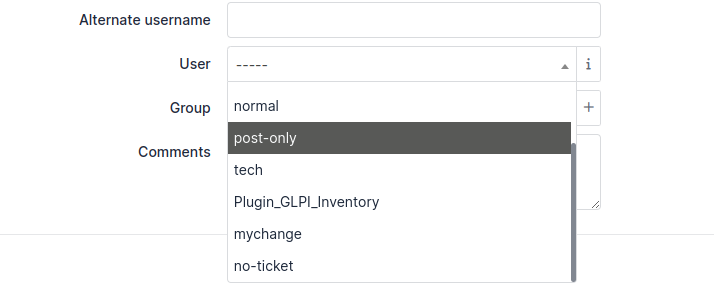
How to you distinguish 2 users with the same first and last name here ?
You may wand to show the ID of items in dropdowns.
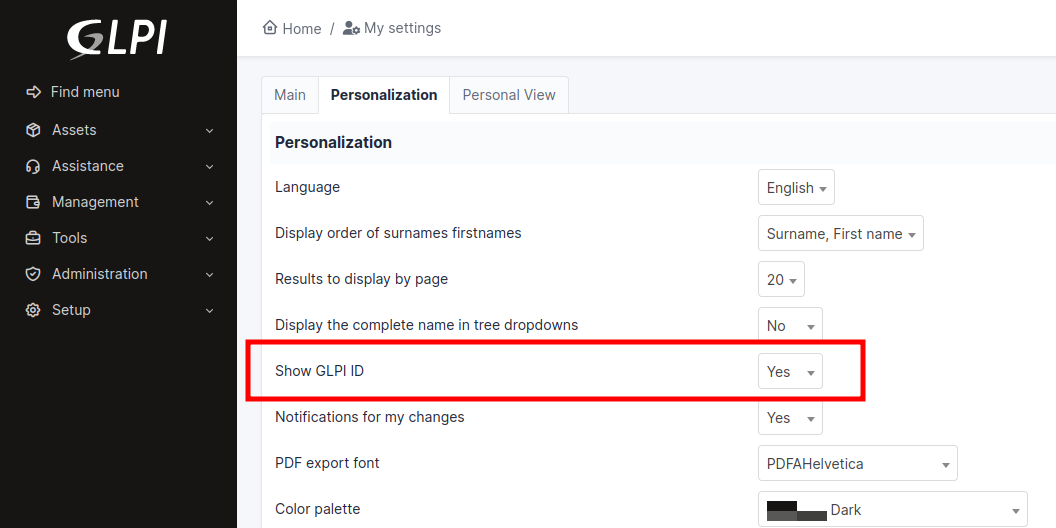
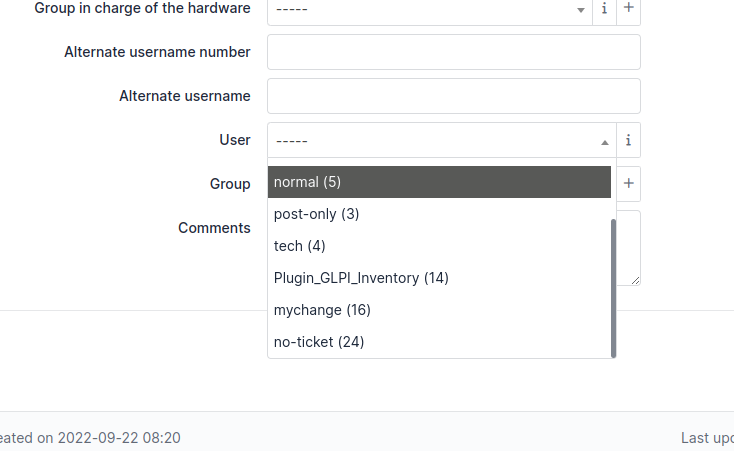
With this option enabled, the ID of users should show.

Hi.
Thanks for replying so quickly.
Yes only here we are talking about the GLPI ID - and this is currently how users are verified. But in other systems, we use the Login (user ID from AD - displayed by hovering over the user when selecting them) so in the case of a request, the technician must manually search for his GLPI ID among the users and copy his user ID
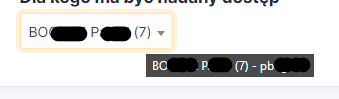
Therefore, adding the Login field from the glpi database next to the surname and first name would make it easier to work with other systems.
adding the Login field from the glpi database next to the surname and first name would make it easier to work with other systems
I understand the need, and having the login visible is a good idea. However, in GLPI the login, alone, is not unique. Let me show you the table definition.
CREATE TABLE `glpi_users` (
  `id` int unsigned NOT NULL AUTO_INCREMENT,
  `name` varchar(255) DEFAULT NULL,
  [...]
    PRIMARY KEY (`id`),
  UNIQUE KEY `unicityloginauth` (`name`,`authtype`,`auths_id`),
  KEY `firstname` (`firstname`),
As you can see, unicity is done on 3 fields : name, authtype and auths_id. Therefore, it is not possible to implement your proposal as it will not fully solve the problem.
This requires deeper research.
And this is where the linking of systems comes into conflict - For GLPI the unique is the ID you mentioned, for AD the unique is in my case the User ID(sAMAccountName) that was assigned to the login in GLPI via ldap.
So as you wrote, while in my case this is a good enough solution - it won't be for everyone.
Potentially Do you have a hint in which file to look for this on your own ?
GLPI may manage users from several LDAP, then it is possible to have several accounts with the same login, but in different domains.
If you want to implement yourself the fix you proposed, which seems sufficient in your particular case, then have a look in inc/field/dropdownfield.class.php method buildParams(). I think that push in the variable $dparams['displaywith'] (an array) the value 'login'. An example in the method should exist to show or not the columns ID or serial.
GLPI may manage users from several LDAP, then it is possible to have several accounts with the same login, but in different domains.
If you want to implement yourself the fix you proposed, which seems sufficient in your particular case, then have a look in inc/field/dropdownfield.class.php method buildParams(). I think that push in the variable
$dparams['displaywith'](an array) the value 'login'. An example in the method should exist to show or not the columns ID or serial.
You mean this method ?
$emptyItem = new $itemtype(); $emptyItem->getEmpty(); if (isset($emptyItem->fields['serial'])) { $dparams['displaywith'][] = 'serial'; } if (isset($emptyItem->fields['otherserial'])) { $dparams['displaywith'][] = 'otherserial'; } if ($itemtype === Ticket::class && !array_search('id', $dparams['displaywith'])) { $dparams['displaywith'][] = 'id'; }
Ok i try to add using this method - push login info to $dparams['displaywith'][] but nothing happened and honestly i try to comment this code for ID / Serial / Oherserial and nothing change in ticket but I only do fast test. So will test this method on Monday 😊
Hi
this method is complex, and the code you showed is only a part of its code. Read it carefully to find the best place to insert your change.