
Bard-Discord-bot
 Bard-Discord-bot copied to clipboard
 plon
plon
Integrate Google Bard into your own discord chatbot
Setup
Prerequisites to install
- run
pip3 install -r requirements.txt
Step 1: Create a Discord bot
-
Go to https://discord.com/developers/applications create an application
-
Build a Discord bot under the application
-
Get the token from bot setting

-
Store the token to
config.iniunderdiscord_bot_token
-
Turn MESSAGE CONTENT INTENT
ON
-
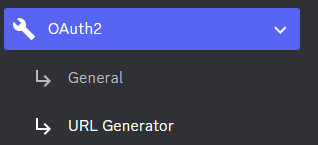
Invite your bot to your server via OAuth2 URL Generator
Authentication
- Visit https://bard.google.com/
- F12 for console
- Session: Application → Cookies → Copy the value of
__Secure-1PSIDcookie.
Step 3: Run the bot on the desktop
-
Open a terminal or command prompt
-
Navigate to the directory where you installed the Bard Discord bot
-
Run
python3 main.pyorpython main.pyto start the bot
Step 4. Invite the bot

Commands
/help: Displays a list of all available commands/chat: Chat with Bard/reset: Reset bot's context/public: Toggle if bot should respond to all messages in chat/private: Toggle if bot should only respond to /chat/images: Toggle if bot should respond with images
Credits
Some of this README.md is from Zero6992
 plon
plon