

 playcanvas
Area Light rendering artifacts on materials
Project https://playcanvas.com/project/1044972/overview/f-playcanvasomnilight
Clear coat and very high Glossiness materials have black outlines with area lights

The disc light has a 'fuzziness' black area when an object is close to it
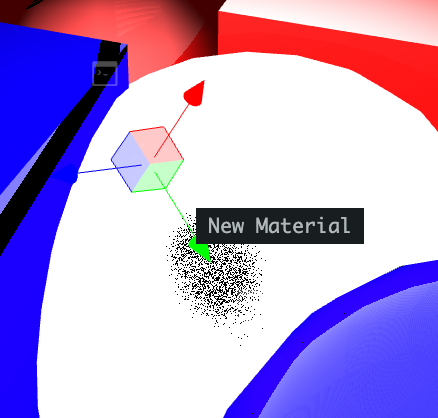
Reported to only happen on Mac and iOS.

Another mention of this: https://forum.playcanvas.com/t/issue-with-area-light-area-lights-creating-a-black-spot-and-black-line/35153
cloned repro project: https://playcanvas.com/project/1197986/overview/area-light-issue-fork

Potentially related:
I noticed this code using vNormalW, which is wrong. https://github.com/playcanvas/engine/blob/main/src/scene/shader-lib/chunks/lit/frag/ltc.js#L106
It should either have worldNormal passed in or it should use litArgs_worldNormal directly.
(vNormalW is the pre-normalised vertex attribute which doesn't include normalmap perturbation etc and isn't normalised).

This is fixed by https://github.com/playcanvas/engine/pull/7015
before:
now