

 playcanvas
Additonal ways to sort scripts loading order
With the new feature that allows to copy-paste the entire framework, a project may quickly gain a lot of scripts. Adjusting the script loading order is hard, given that the only way to do so is by dragging it:
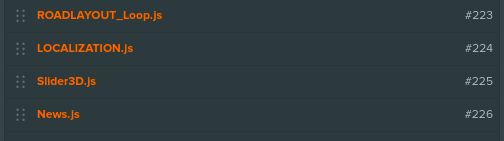
Please, consider adding some other way to quickly change the order of a script, or even groups of scripts.

Multi-select could be an option for this. It would work with similar UX as in tree-view, with Shift and Ctrl buttons. If selection is not sequential (items have non-selected items in between), then after a drag it would combine them in order, here is an example:
- Item 1
- Selected 2
- Item 3
- Selected 4
- Item 5
If you drag selected items above Item 1, then you'll end up with this order:
- Selected 2
- Selected 4
- Item 1
- Item 3
- Item 5
This would allow selecting different combinations, not only in order using Shift + Click, but also Ctrl + Click.

Thinking out loud here. Another option is to use a tree view instead, similar to the scene graph, where a tree could be only one level deep, but would allow to group scripts, move groups by dragging parent, etc.