

 pixie-io
Add a command palette to the UI
Pixie's UI used to have a command card that could be summoned with Ctrl/Cmd + K. It allowed quickly choosing+running PxL scripts and their arguments, without touching the mouse.
It looked like this:
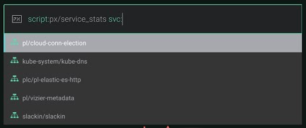
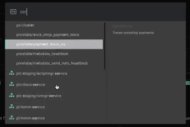
It was disabled last year because we weren't happy with the quality of its suggestions. Now is a good time to restore it.
This will happen in several stages:
-
Restore basic features Example: press a keyboard shortcut, type
script:httpTAB, seescript:px/http_data start_time:-5m, press Enter, and run that script with those arguments. -
Restore advanced features Suggestions for pods, namespaces, and services; pre-filling a command from just a partial argument; tab stops; error hints... Example: type
pod:foo; first suggestion changes toscript:px/pod pod:foo; starts suggesting pods names matchingfoo. -
More kinds of commands After the palette works well enough, add other actions that happen just by pressing Enter on a suggestion. Examples:
light→Set theme to light mode;clusters→Go to clusters tab in Admin page
