

 pikvm
pikvm
uStreamer video stream corruption
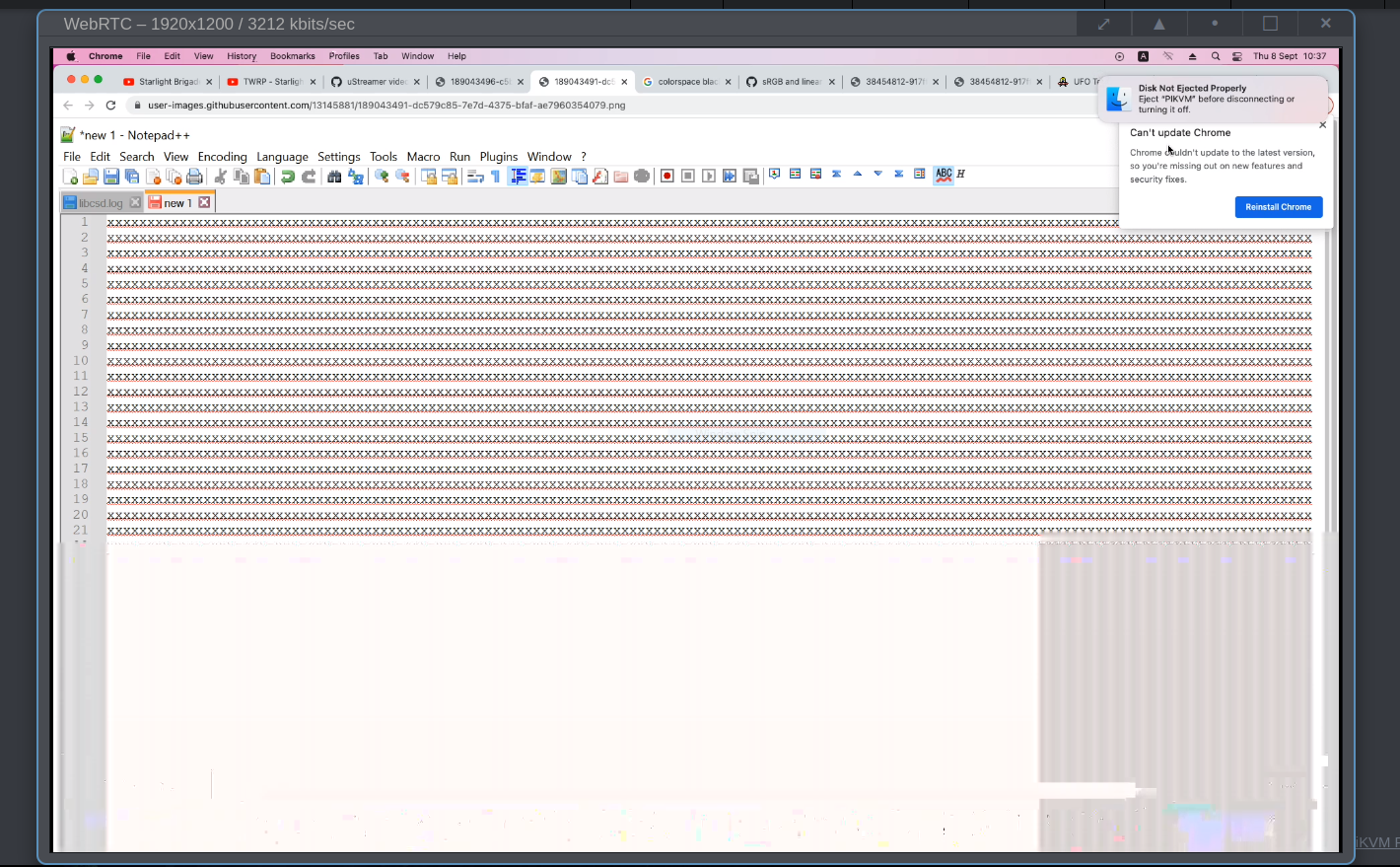
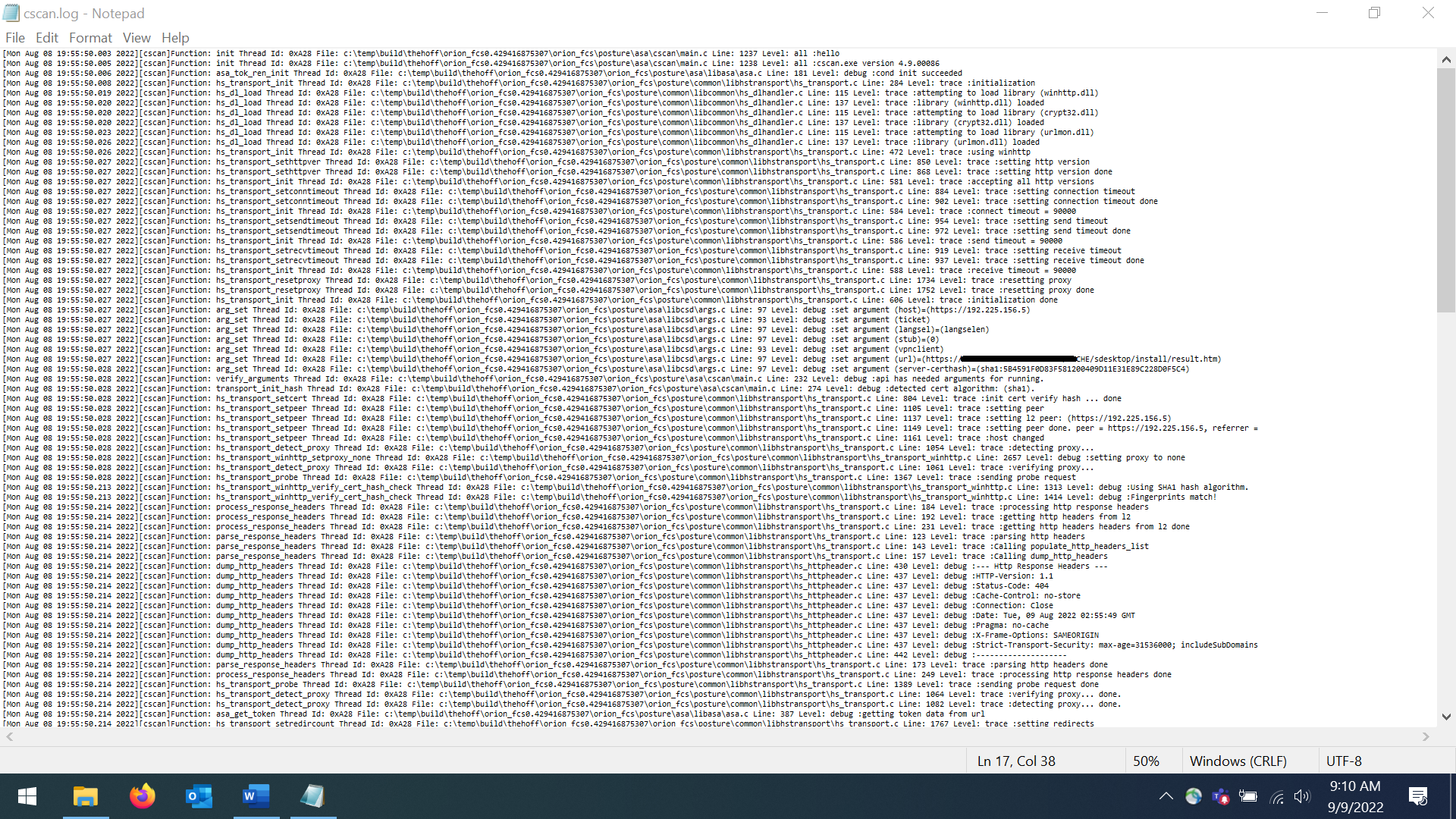
I'm using uStreamer through pikvm (build: 3.143 on PiKVM V3 Pre-Assembled). I recently noticed some screen corruption toward the bottom of the screen while perusing a log file in notepad and began to try to narrow down what caused it.
So far, this is what I know:
- Corruption is only on the stream, NOT seen on remote device hardware itself.
- Screen corruption only seems to appear on WebRTC streams (MJPEG/HTTP does NOT show the issue).
- Only seems to happen under very specific circumstances (like where the screen is at least half full of black text on a white background), but not entirely clear what the cut off is.
- I've rebooted pikvm several times without a change in symptoms. I don't suspect hardware is the issue since the symptoms are so specific and limited, but it could also be that my pikvm hardware is bad if no one else can reproduce...
- It seems possible to reduce the corruption or at least lengthen the time it takes to appear by lowering the MAX FPS and/or reducing stream kbps to a very low number. However, I still see corruption occur after about 3 minutes when setting MAX fps to 1.
My setup:
- PiKVM V3 Pre-Assembled with build 3.143 (CPU temp: 44.79 reported)
- Tested (and saw corruption) on client side, in both Chromium 104.0.5112.81 and Firefox 104.0.1 browsers
- Remote KVM-connected device: Dell Lattitude 5420 running at 1920x1080 w/ Intel Iris Xe Graphics on Core i5-1145G7
- Standard "High speed HDMI with Ethernet" cable used -- No adapters or converters.
Steps to reproduce:
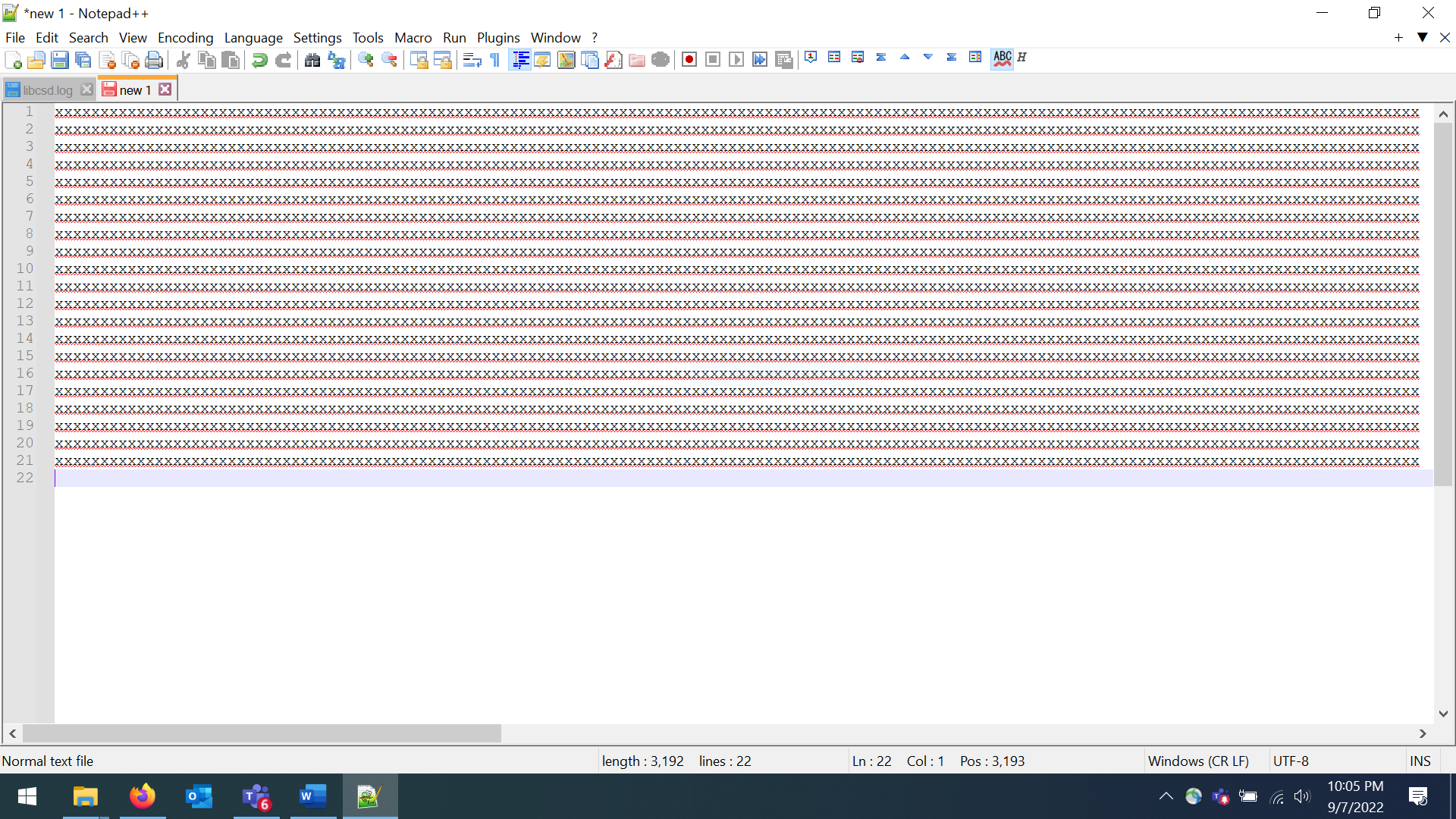
- On a host system with pikvm attached @1920x1080 screen resolution, open the below PNG files one at a time to full screen.
- From the client's browser, open the pikvm stream and switch to WebRTC video mode. Set MAX fps to 30 and Stream kbps to 5000 or above.
- After a few seconds, notice that viewing NORMAL png full screen should NOT create the problem, while viewing CORRUPTS STREAM png causes corruption to the bottom portion of the streamed image.
NORMAL
CORRUPTS STREAM
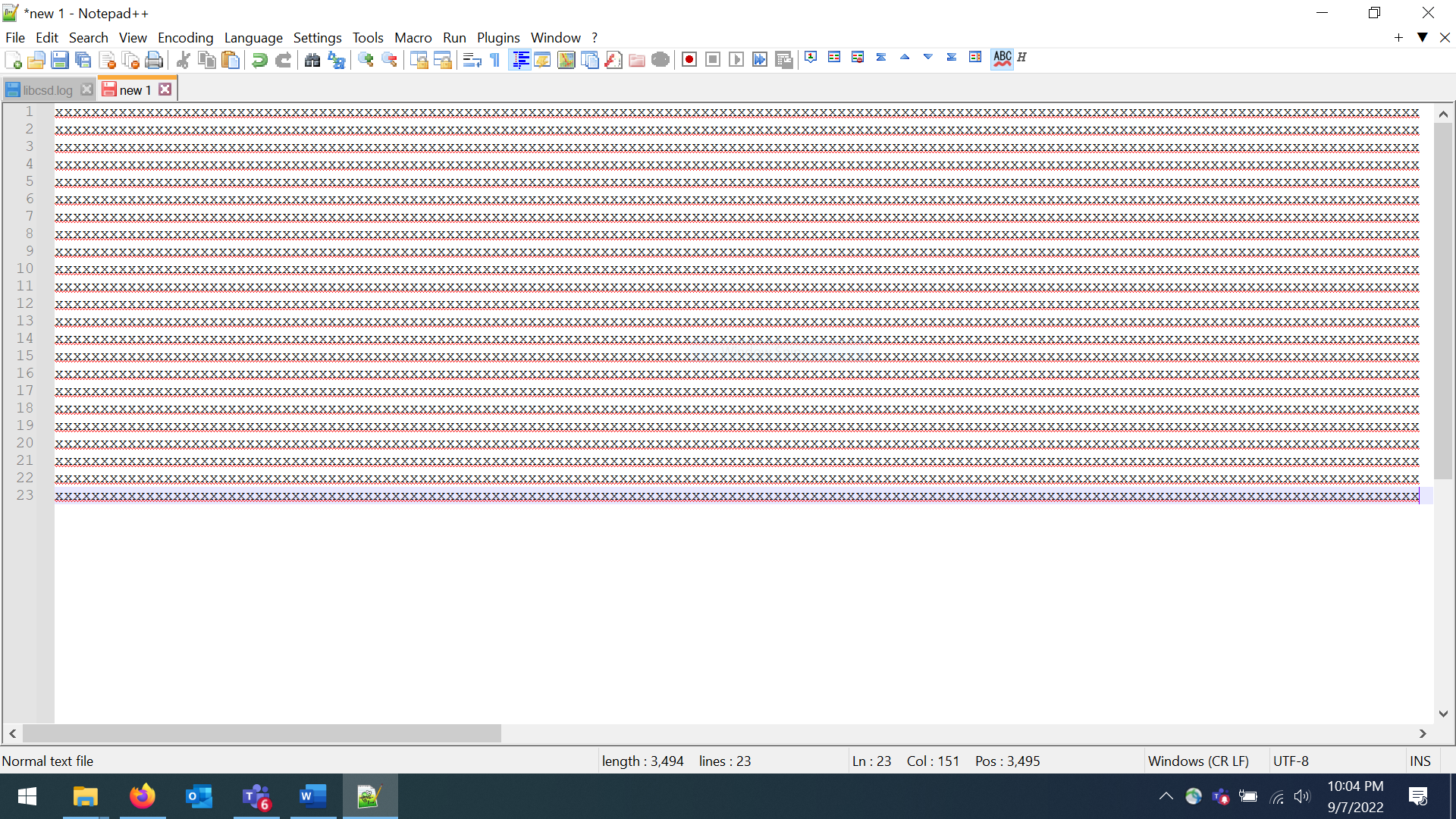

Wow. Interesting. I guess the encoder is going crazy because of a repeating xxx pattern. I'll try to figure aout why it's happens. It's definitely not PiKVM's fault, most likely it's a problem in H264 encoder inside Raspberry's GPU.

OK, so it's not just me(!) It's not relegated to consecutive x's though, that was just my test case. Any (sufficiently complex?) black on white text that takes up a good portion of the screen seems to do it.
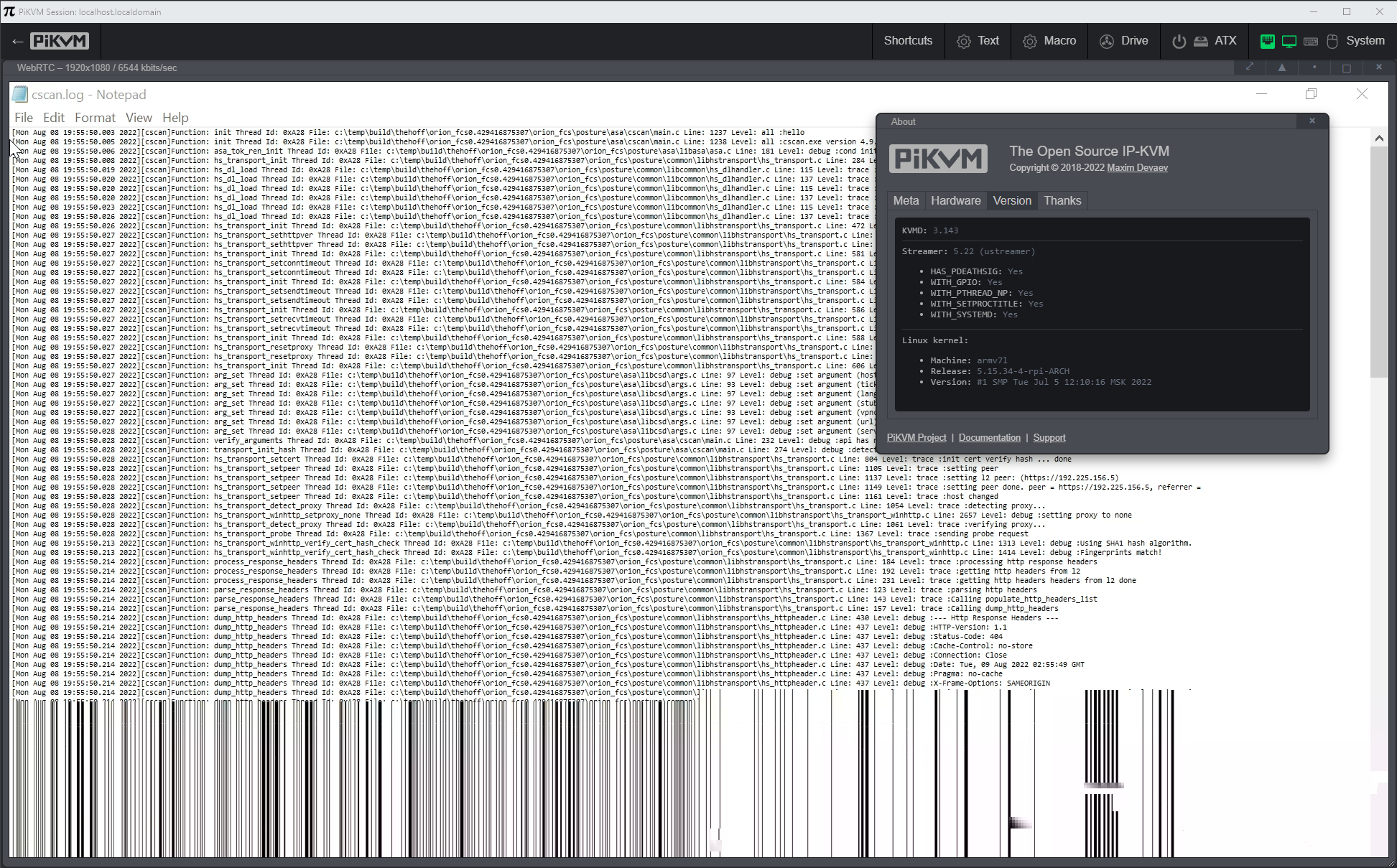
Increasing the QP will degrade the video quality. I'll try to fix it in other way.
I found out it was a kernel bug: https://github.com/pikvm/linux/tree/h264-buf-size
The update for PiKVM will be released today, and I will send a patch to the upstream.
It might be worth making a PR to mainline kernel - long time ago I tested the RPi's encoder against a test card generator and the picture would break - surprisingly ;) - the same way for e.g. moving chroma zone plate (encoders generally struggle with this one, I often use it as a stress test signal)

I made a patch, but they probably won't accept it because they offered me a userspace fix: https://github.com/raspberrypi/linux/pull/5232
In any case, even without the kernel patch, uStreamer will now work fine.