

 philc
philc
How to hide the "open link in current tab" in the lower right corner?
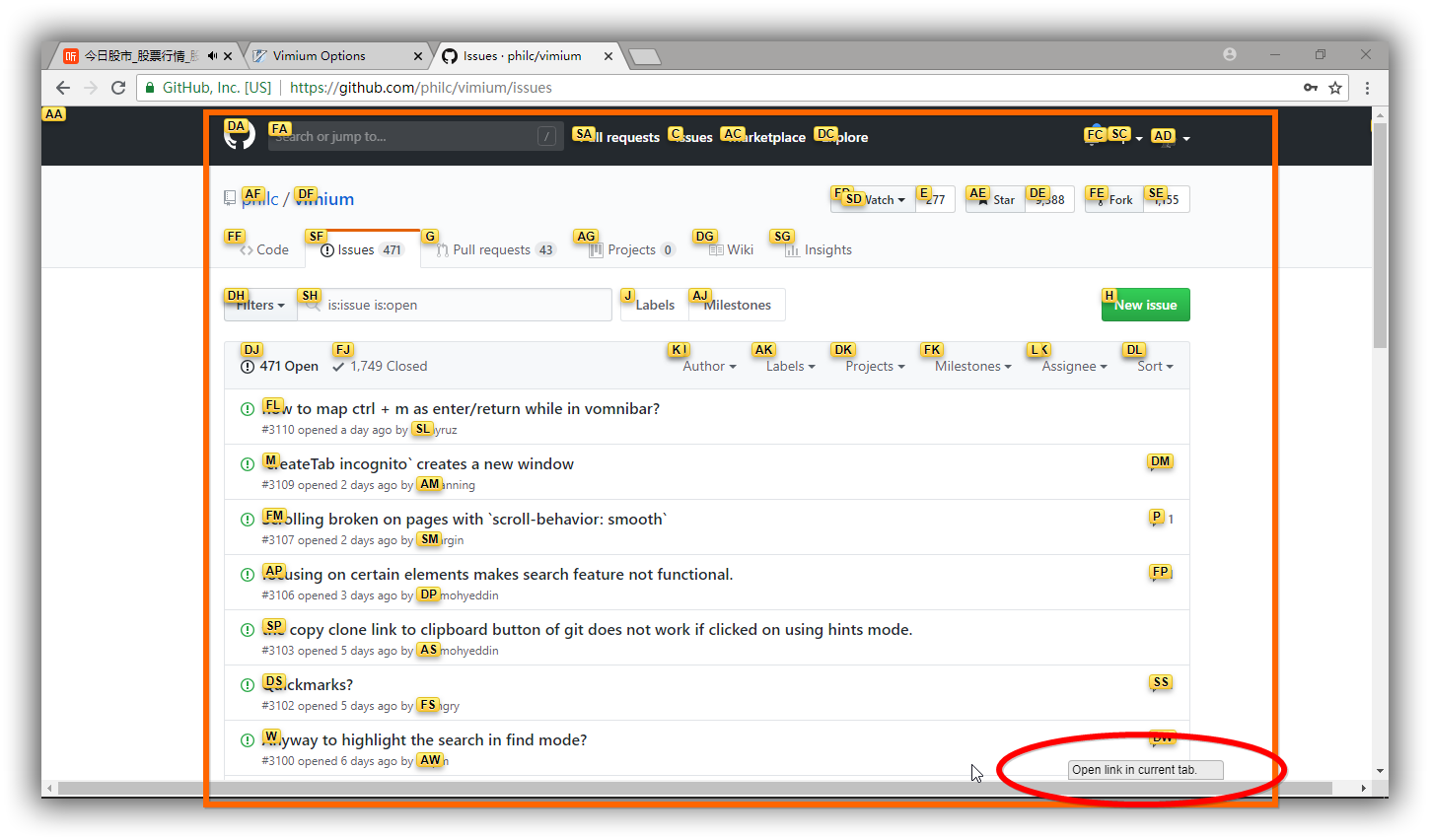

This is not currently possible.
(I guess it would be possible to extend the existing hideHUD option to this an similar cases.)

Does anyone have a workaround suggestion for this problem? The pagination links on the tool I use the most are under this overlay!

Does anyone have a workaround suggestion for this problem? The pagination links on the tool I use the most are under this overlay!
@lornajane Since in your case your goal seems to be to be able to see the link hints that appear below that hud mode indicator, a suitable workaround could be to lower the mode indicator's opacity:
div#hud-container {
  opacity: 0.2;
}
That way you can still have the mode indicator visible, but you should also be able to read the link hints that are rendered behind it.
A warning though: this will affect all mode indicators of the HUD, not just the link hint mode.
