

 pharo-spec
Raw is not kept as selection when going over a different item on the first list
- I have a list of blocks which contains instructions.
- I click on the first block
- I click on the raw pain of the block pane
- Now when I click on the second item of the list blocks, the raw (previous selection) is not kept but the first tab is shown instead.

the problem with this is then I will have always the raw selection (and not the default) see, if inspect a class I see this:
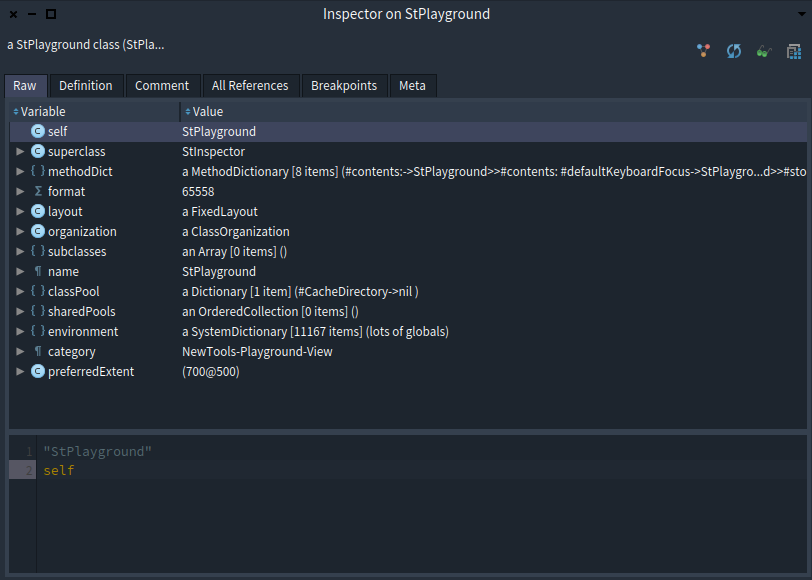
then I want to click in "methodDict", and what I should see immediately is:
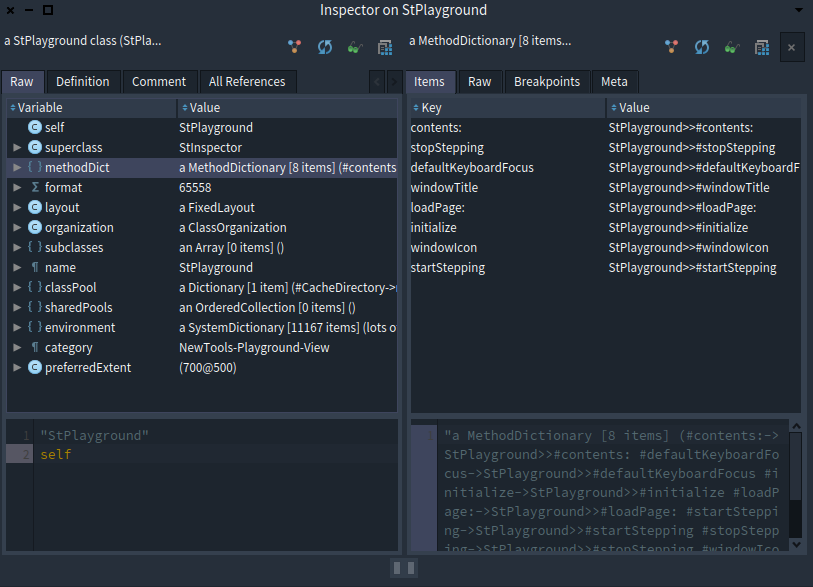
and well... is hard to do it since I look for "similar names of the last selected tab except if that tab is Raw"

Yes for class I can understand. I was talking about browsing a list of the same elements. When I click the next elements of the list, it refers to the same class, I had to systematically reclick and click and click on raw.
So I do not get how the example on browsing a class is relevant. I do not see why when you browse the same kind of object than the previous one we cannot simply keep the previous selected pane.
I will show you in person, is hard to explain by a github mail thread :) (anyway I am not saying this is not solvable, I was just explained the problem I encounter today while trying to fix it) On Apr 23 2021, at 9:20 pm, StéphaneDucasse @.***> wrote:
So I do not get how the example on browsing a class is relevant. I do not see why when you browse the same kind of object than the previous one we cannot simply keep the previous selected pane. — You are receiving this because you modified the open/close state. Reply to this email directly, view it on GitHub (https://github.com/pharo-spec/NewTools/issues/211#issuecomment-825868360), or unsubscribe (https://github.com/notifications/unsubscribe-auth/AAD5MXWJ7H6I4LRLYDBULJ3TKHB6PANCNFSM42RKPRLA).
Ok. Now to me the solution is that the behavior (keeping the last selected pane) should be linked to
- 1 the fact that the same kind of object is browsed,
- 2 then if this is not the case that the same pane exists in the inspector of the different class
- 3 if none of the case exist then the default order.