

 phalcon-orphanage
SECTIONS table of contents (left) is hard to discover
I spent at least 20 minutes trying to understand the methods described in the Models page before finally finding a "Creating Models" section, 30 screens down. The frustration from that realization got me to carefully look at the page and notice discreet but strange horizontal grey lines at the left. When I explored them with the mouse, I fortunately realized that Phalcon's documentation already had the page-specific tables of contents (TOC-s) I had been missing since I started reading Phalcon's documentation, about 1 man-hour earlier.
When the mouse cursor slowly goes over the viewport's leftmost centimeter, a TOC showing all sections of the currently displaying page appears, for as long as the cursor stays in the area it occupies. When the cursor leaves the area, the TOC retracts back as if it would hide in the page's left edge. It seems impossible to display this TOC without using the cursor (although deficient keyboard accessibility seems to be a general issue).
This TOC has by far the lowest discoverability to usefulness ratio I have ever seen. One would never expect to find a SECTIONS TOC with such a behavior considering that:
- There is enough space to always display it (the area it uses is completely empty (white) when it is retracted).
- The site TOC (at the right) is right next to contents. Logically, the SECTIONS TOC, being more specific, should be at least as close to contents as the site TOC.
- The site TOC, for which hiding would make a lot more sense, is not even optionally retractable.

This part can use some love. We're checking with our designer for a nice solution. To be continued.

The TOC is even harder to discover in some cases. I haven't studied when that happens precisely, but Phalcon\Http's page for Phalcon 4.0 exposes the problem in both Google Chrome and Firefox 90, as can be seen (or should I say not seen) in the following screenshot. However, the viewport's height appears to be involved. If the viewport is "too" high (yes, too), the lines are invisible. But as soon as they appear, they will keep showing until the page is reloaded, even if the viewport becomes taller.
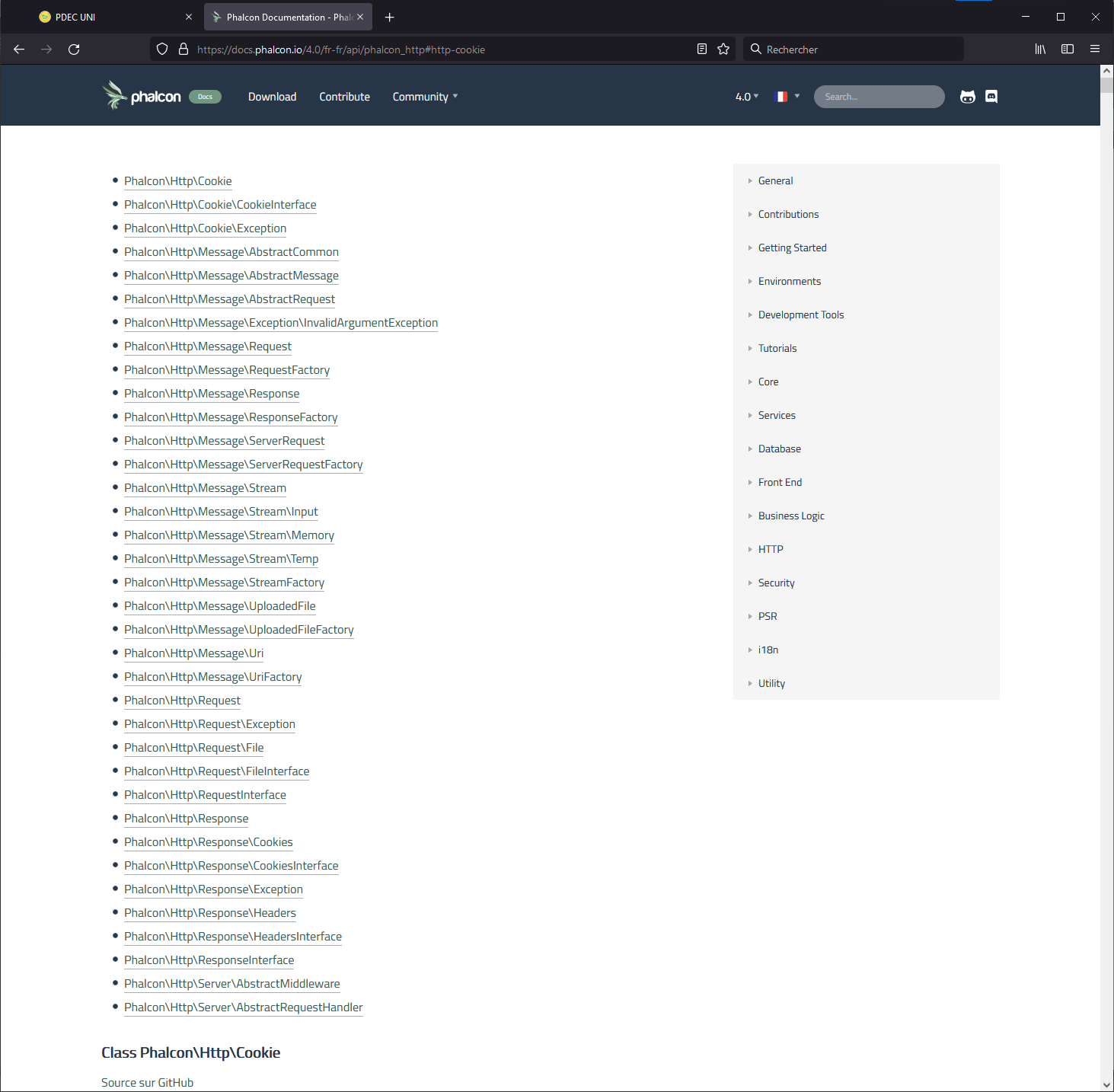
This happens at default zoom level on a 2560x1440 px monitor (with a vertical taskbar).