

 penpot
bug: How to resolve this Internal Error when I start this project locally
Steps To Reproduce
- Start this project locally, not using docker.
a. cd
frontend& yarn run watch-main, then open the url with default port 8888 b, cdbackend& run./scripts/start-devwith config of postgresal and redis c, cdexporter& runnode ./target/app.jsb. then it shows 404 error when send get request tohttp://localhost:8888/api/rpc/query/profile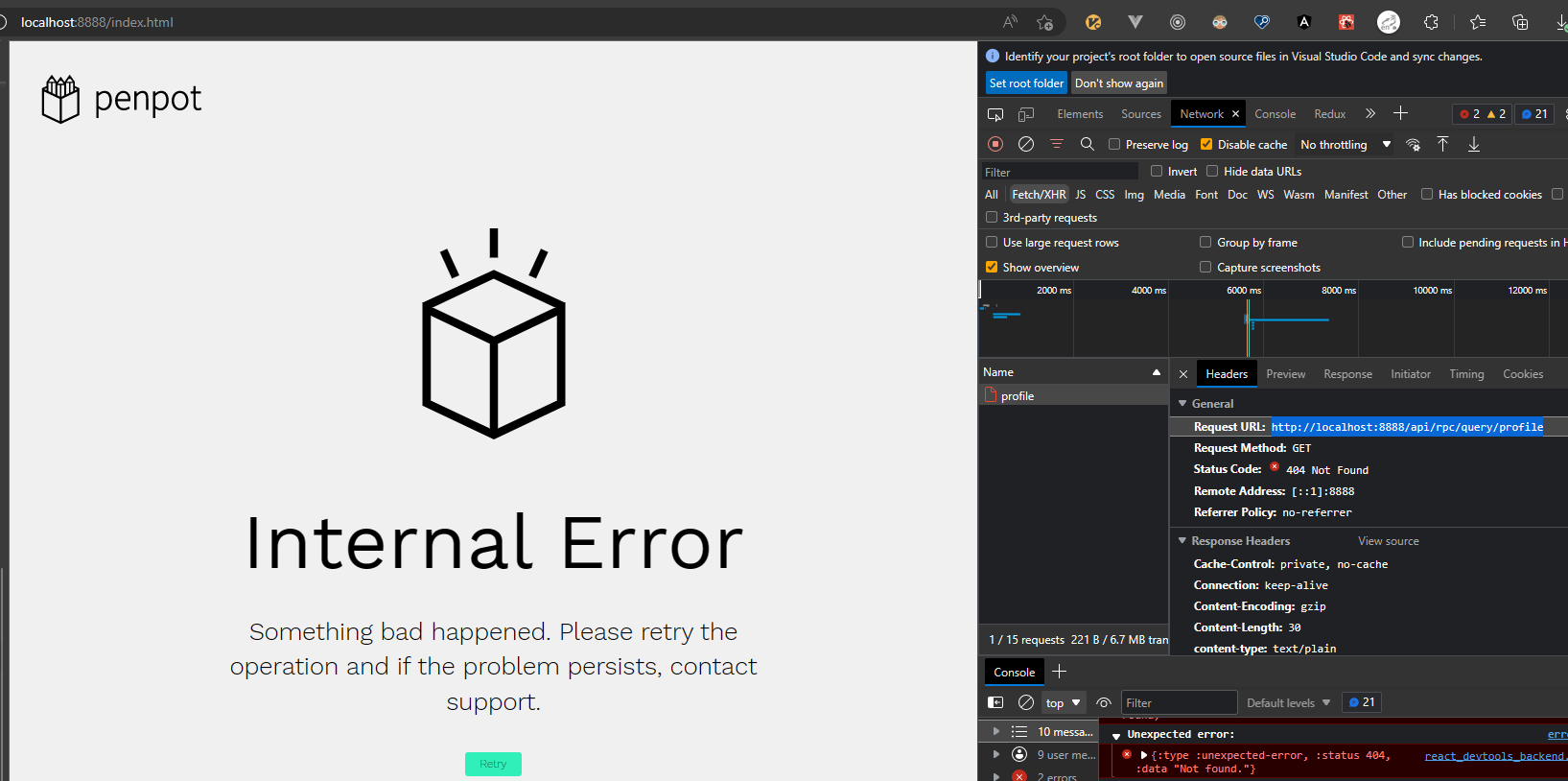
Expected behavior
Should respond 200 after I start all service.
Actual behavior
Screenshots or video
No response
Desktop (please complete the following information)
No response
Smartphone (please complete the following information)
No response
Environment (please complete the following information)
No response
Frontend Stack Trace
No response
Backend Stack Trace
No response
Additional context
No response

I guess you are not running docker devenv. In this case you have missed a piece: nginx. The nginx on devenv acts as a gateway fo route the API requests to backend on 6060 port and then serve the other stuff (like user upload assets access). Right now you are just accesing the frontend application which is unable to connect to backend because there are nothing lile /api serving on the frontend development http server (compiles the cljs to js and serves the compiled static content)

@niwinz Thanks for the reply. I'll investigate what you said. I wonder is there any guide for running locally without docker. I'm a js coder and new for clj. But I'm very interested in this product and implementation, so I didn't use docker.
There are nothing clj related, is just a missing piece. Our development enviroment in docker starts a nginx with a specific config for run all the services under same port. If you want to run it, you will need to setup it.
here https://github.com/penpot/penpot/blob/develop/docker/devenv/files/nginx.conf you have the configuration used by our devenv
