penpot

penpot copied to clipboard
Published
4 months ago
•
 penpot
penpot
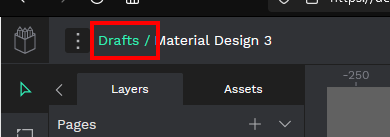
feature: Replace the "Drafts /" prefix in the project name with an `<a>` element
Is your feature request related to a problem? Please describe.
I did not find a way to quickly open your Drafts dashboard in a new tab to open a second project.
In Figma you can do this by clicking the project name's prefix (eg Drafts /) to open this page in a new tab.
Describe the solution you'd like.
Replace the Drafts / prefix of the project name (see screenshot) with an HTML <a> element.
This allows to open the drafts page in a new tab by either clicking it with your middle mouse button (scroll wheel click) or by clicking it with the right mouse button.
Alternatively, you could use the same implementation as Figma where it will open the drafts page in a new tab by default.