
kirby-page-lock
 kirby-page-lock copied to clipboard
 pedroborges
⬢ Page Lock helps prevent content loss by putting a temporary lock on pages being edited on the Panel.
Kirby Page Lock


Page Lock helps prevent content loss by placing a temporary lock on pages being edited on the Kirby's Panel. It supports multilingual sites out of the box by locking each page language individually.
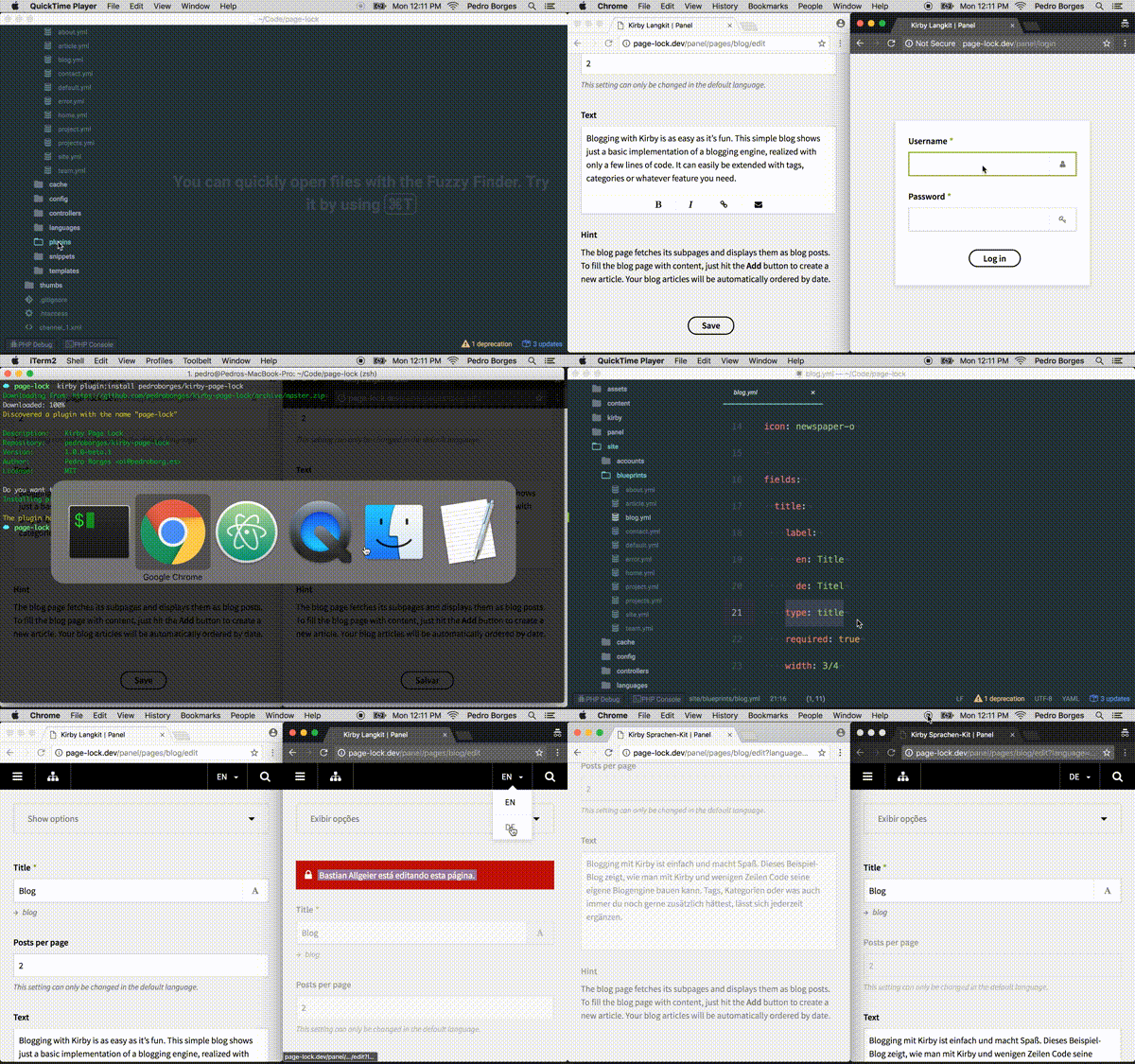
A helpful message with editor's name is displayed on locked pages. Additionally, the plugin protects the content by:
- Removing the save button
- Disabling keyboard shortcuts
- Making input fields read-only
- Disabling drag-and-drop sorting
- Removing action buttons
- Removing the files widget
Unfortunately Page Lock can't 'disable' all third-party custom fields. Be aware some these custom fields may still be edited even when the page is locked.
Requirements
- Kirby 2.3.2+
- PHP 5.4+
Installation
Download
Download the files and place them inside site/plugins/page-lock.
Kirby CLI
Kirby's command line interface is the easiest way to install the Page Lock plugin:
$ kirby plugin:install pedroborges/kirby-page-lock
Updating couldn't be any easier, simply run:
$ kirby plugin:update pedroborges/kirby-page-lock
Git Submodule
You can add the Page Lock as a Git submodule.
Show Git Submodule instructions 👁
$ cd your/project/root
$ git submodule add https://github.com/pedroborges/kirby-page-lock.git site/plugins/page-lock
$ git submodule update --init --recursive
$ git commit -am "Add Page Lock plugin"
Updating is as easy as running a few commands.
$ cd your/project/root
$ git submodule foreach git checkout master
$ git submodule foreach git pull
$ git commit -am "Update Page Lock plugin"
$ git submodule update --init --recursive
Basic Usage
Due to a limitation in Kirby's Panel, this plugin makes use of Form Fields in order to load a script on each page while it's being edited.
To make the installation process smoother, Page Lock registers a clone of the title field. Since most pages define a title field on the blueprint, you may not even need to do any configuration on your own.
title:
  label: Title
  type: title
When using the title field you can disable Page Lock on a single blueprint by setting the lock field option to false:
title:
  label: Title
  type: title
  lock: false
If you need to globally disable the
titlefield that ships with Page Lock, set thepage-lock.titleoption tofalse.
In case you don't need a title field on your blueprint, you can use the lock global field to enable the plugin on it.
lock: lock
The above is a shorthand for:
lock:
  type: lock
Option
The following options can be set in your /site/config/config.php:
page-lock.interval
Time in seconds that opened pages notify the plugin they are still being edited. This affects the time the page is unlock after the editor leaves it. Defaults to 10 seconds.
c::set('page-lock.interval', 10);
page-lock.title
Enables/disables Page Lock clone title field. Defaults to true.
c::set('page-lock.title', true);
FAQ
How can I test Page Lock on my site?
First make sure there at least two registered users. In your browser, login into Kirby's Panel with user1 then navigate to a page that either has a title or lock field defined in the corresponding blueprint. Login with user2 using a private window or another browser then open the same page. You should see a red box saying: user1 is editing this page.
Change Log
All notable changes to this project will be documented at: https://github.com/pedroborges/kirby-page-lock/blob/master/CHANGELOG.md
License
Page Lock plugin is open-sourced software licensed under the MIT license.
Copyright © 2017 Pedro Borges [email protected]
Metadata
Owner
 pedroborges
Metadata
⬢ Page Lock helps prevent content loss by putting a temporary lock on pages being edited on the Panel.