pbek
pbek
Feature Request: Import/Export Vivaldi .JSON notes
Hi! I would like to request the possibility of importing the .json notes from Vivaldi(browser), following the folder or hierarchy it has. For full disclosure, I've asked this request to Joplin, Zim, and Cherrytree about a week ago.
I've tried the python script available in Vivaldi's forum, but it only exports it plainly to one single .txt file, which makes it unusable anywhere. Another issue is that it doesn't export the folders, or the hierarchy.
Thank you, in advance, for any help or consideration.

You should be able to do that with any scripting language, since QOwnNotes just uses simple markdown files for notes. Or maybe someone has done that before, https://duckduckgo.com/?q=vivaldi+json+to+markdown+files&t=ffab&ia=web

Thanks for another venue to explore. I've given a look on scripting, before posting this, but I'm afraid it is beyond my skills of barely newbie level in programming(hello world level here).

Created a PR for the note export functionality.
The notes export functionality will generate an export file that should replace the Vivaldi Notes file (on Linux located in .config/vivaldi/Default/Notes). Please make sure to close all instances of Vivaldi and backup your Vivaldi Notes file first (just to make sure your notes are not lost, if sync is not enabled).
Normally, if sync is enabled, no notes are lost when replacing the Vivaldi Notes file with the file generated by this script. This is due to the fact that your Vivaldi Notes will be synced back from the cloud as soon as you start Vivaldi.
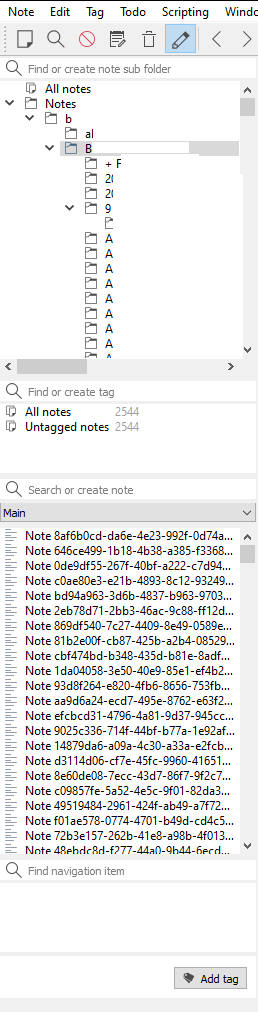
Just gave it a go again. The problem is still there. The notes are still being stored in one folder, and all the folders below the "B" on the screenshot were located in other places, or were subfolders from other folders.
Hello @RealDrJester , Tried to reproduce the issue with the folder structure that you previously provided. Sadly, I wasn't able to reproduce the issue.. Video demo: https://youtu.be/XJLvYqv-Zo0
Also, do you get any message in the Log panel maybe ?
If you manage to find a simple scenario to reproduce this issue, please let me know and I will fix it ASAP.
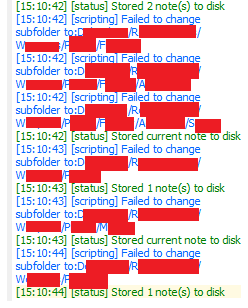
I have a theory, it may be related to size of the notes or the use of special characters that are not compatible with the folder name. The last one I got it from reading the log, as you suggested. Or because I'm using windows? So many variables!
Just checked your video, and it seems to be working quite well, in comparison to what is happening on my case. The UUID issue could also a side effect of the issue affecting the folder locations.