

 pauleve
handle_navigation_error Navigate to error page returned
I tried updating to wine 5.6 and followed the steps. I managed to get to step 5 wherein I need to install MTGO. However a Navigate to error page is returned. Kindly see this screenshot.
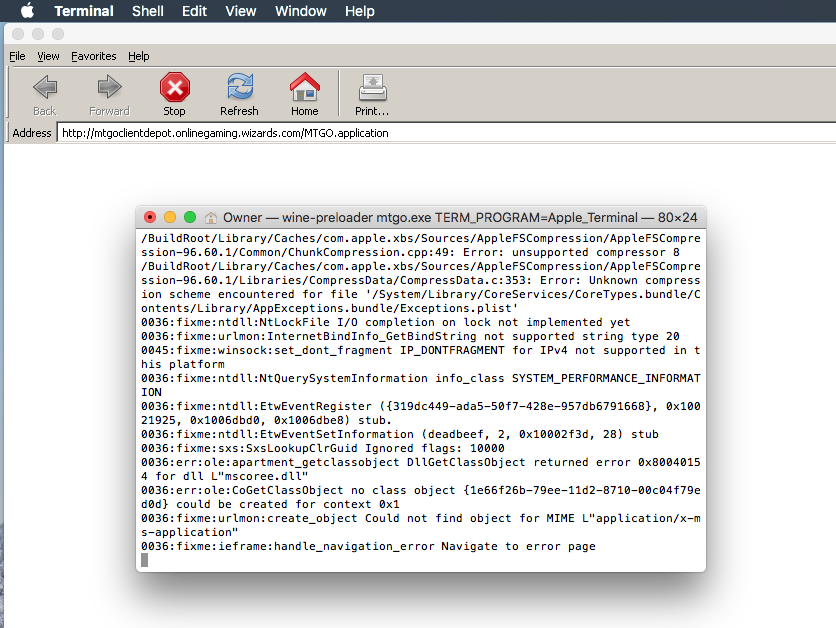

This is due to dotnet46 which is missing (step 4). You may try to do rm -rf ~/.wine* to remove all previous installed files, and start again at step 2.

I tried that and installed from scratch and it worked I think because it is not returning the same error again in Step 5.
However, I dont see any progress past that. I tried again installing everything and saw this error/warning returned after somewhere in Step4.
Also, for every .NET framework installation, there is this prompt that indicates there is no Windows Module Installer Service. Not sure if this affects something or not.
Prompt said .Net 4.4 to 4.6 was successfully installed even if The file '' was not found error was displayed numerous times somewhere in the installation..
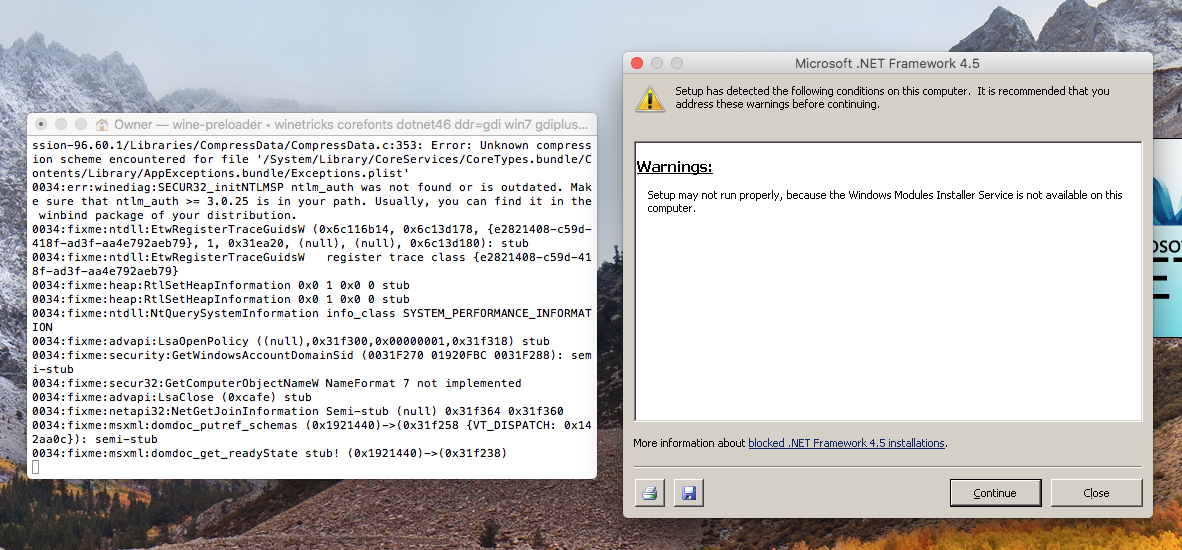
Since it showed it was successfully installed, I tried doing step5. Then this happens
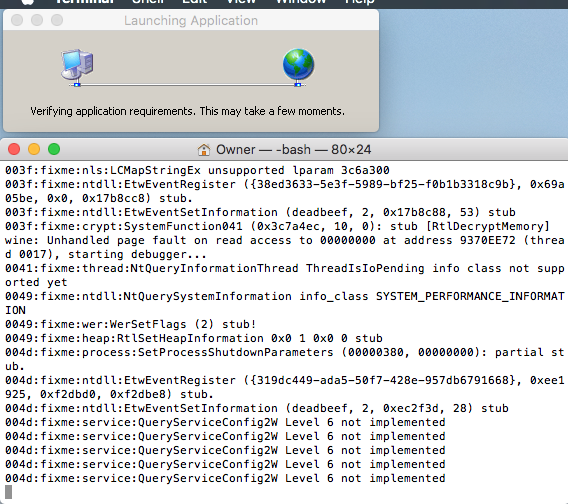
Note: I was using an earlier version before I tried this, wine 4.0 i think...Its just that I wasnt able to connect to the game so I decided to upgrade.
In the last screenshot everything looks fine, this is the dialog which downloads the game client. What happens then?
nothing happens.. i tried leaving it for hours but no progress was made.
im currently trying v5.5 wine i found by reading somewhere here in past issues.
Ah there is crash actually showing in the last screenshot.. yes, try with wine 5.5 staging https://dl.winehq.org/wine-builds/macosx/pool/winehq-staging-5.5.pkg you can also do the following for helping debugging:
wineserver -kw # shut down all wine processes
wine mtgo.exe &>output.log
and join the output.log file.
if you reinstall from scratch, you can use winetricks -q instead of winetricks at step 4 to suppress warnings.
So here were the steps I did:
- Start from scratch, updated Homebrew
- In Terminal, I ran rm
-rf ~/.wine* - Installed Wine 5.5
- Used
wineserver -kw # shut down all wine processes wine mtgo.exe &>output.log. Now MTGO prompts installation - Able to Login BUT gets dcd after a few minutes...
Thanks for all the help @pauleve
Ah there is crash actually showing in the last screenshot.. yes, try with wine 5.5 staging https://dl.winehq.org/wine-builds/macosx/pool/winehq-staging-5.5.pkg you can also do the following for helping debugging:
wineserver -kw # shut down all wine processes wine mtgo.exe &>output.logand join the output.log file.
Sorry, where do i find the output.log file?
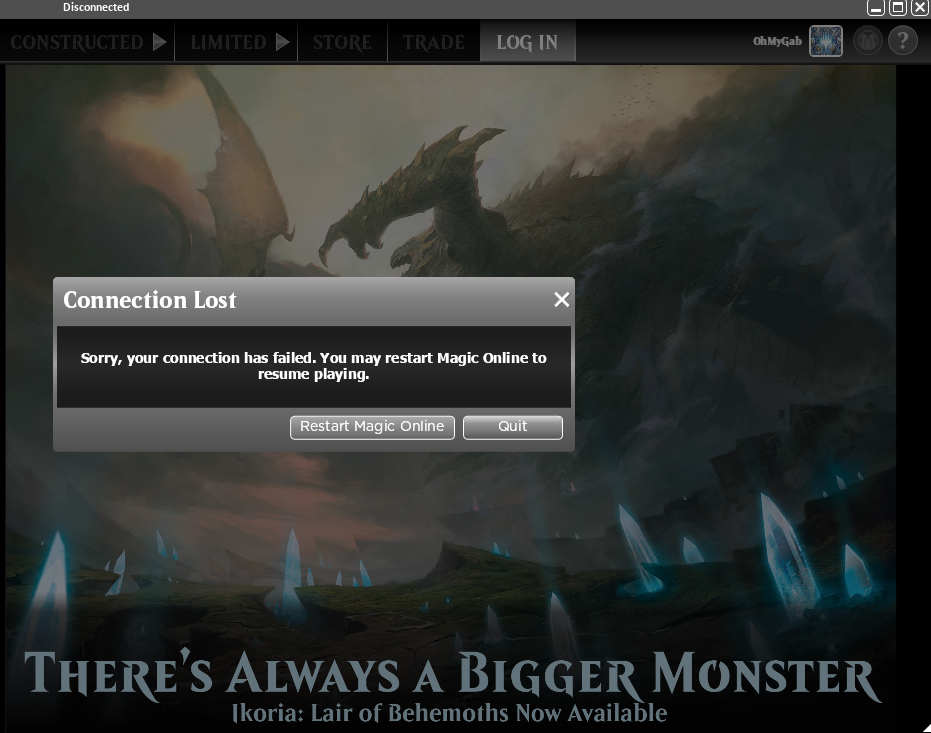
not sure it has anything to do with wine.. this looks like an internet connectivity issue.. you may try with virtualbox or parallel to emulate a windows and give a try there ; it will likely be slow, but if you do not encounter this connectivity issue, then it will indicate a potential bug for wine. Was it the same error with wine 5.6?
not sure it has anything to do with wine.. this looks like an internet connectivity issue.. you may try with virtualbox or parallel to emulate a windows and give a try there ; it will likely be slow, but if you do not encounter this connectivity issue, then it will indicate a potential bug for wine. Was it the same error with wine 5.6?
ill try for 5.6... I have stable connection for sure since disconnection wasnt happening at all before this issue... but will try on virtual box or parallel.
will keep you posted
@pauleve
tried using wine v5.6 and its not even prompting to install MTGO. Attached is the log file using same version.
Output log using Wine v5.6.txt
UPDATE:
I tried both Wine v5.5 and v5.6, and also Parallels. All installations were from scratch with cache for everything deleted first. Internet connection is stable, no hiccups.. but i am somehow UNABLE to connect with the server. Here are the observations:
Wine v5.5 -- able to install MTGO, but unable to connect. Wine v5.6 -- unable to install MTGO. Stuck at step5 Parallels -- able to install MTGO, able to play
Hoping I could get this resolved :)
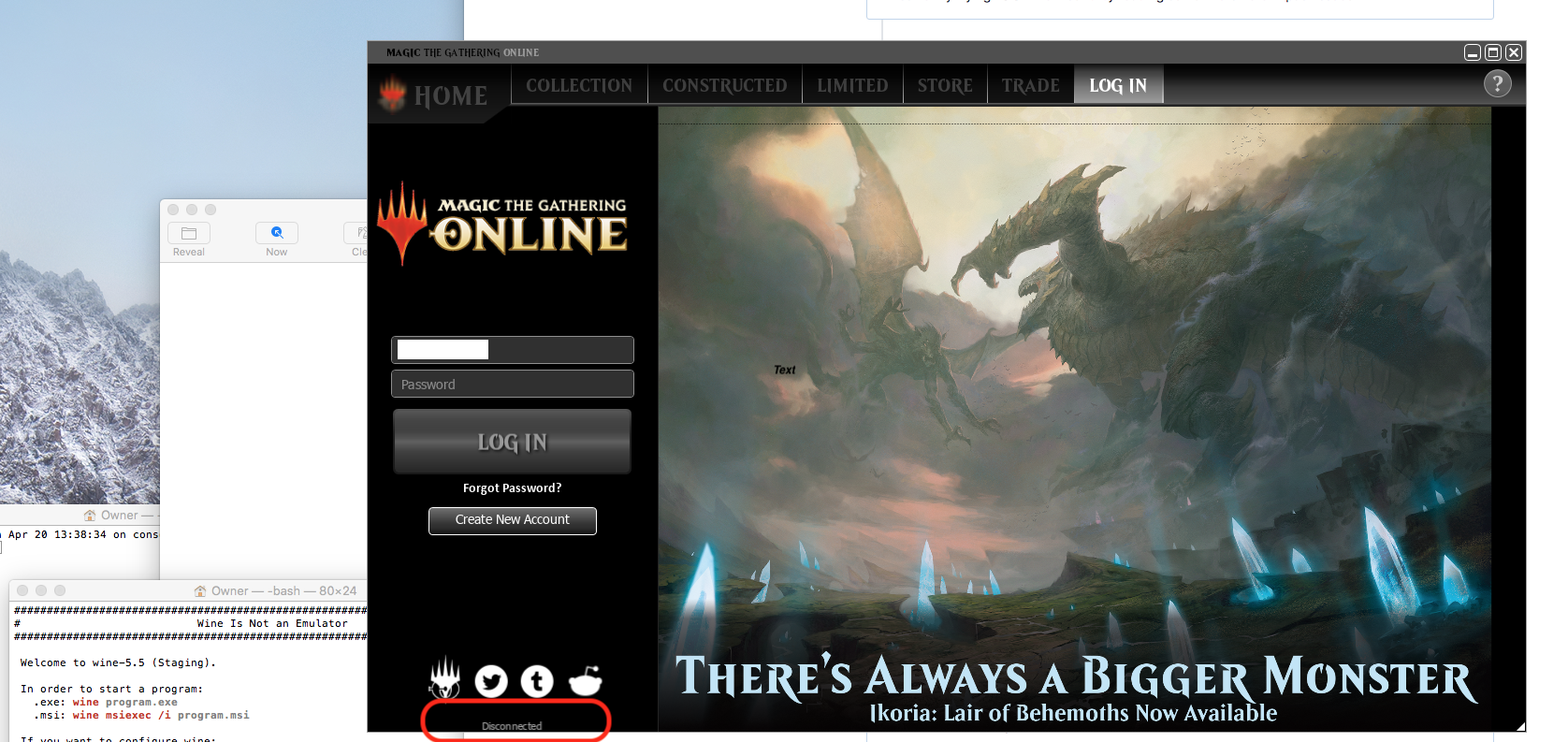
Wine v5.6 when wine mtgo.exe &>output.log is ran.txt Wine v5.5, disconnected on load of MTGO.txt
Closing old bugs. Please open an new issue if still happening. Note that on macOS without Docker, you'll have to wait until the release of wine 7.20 (within one week) to be able to connect to MTGO