

 pauldipietro
Add sample
Submission description
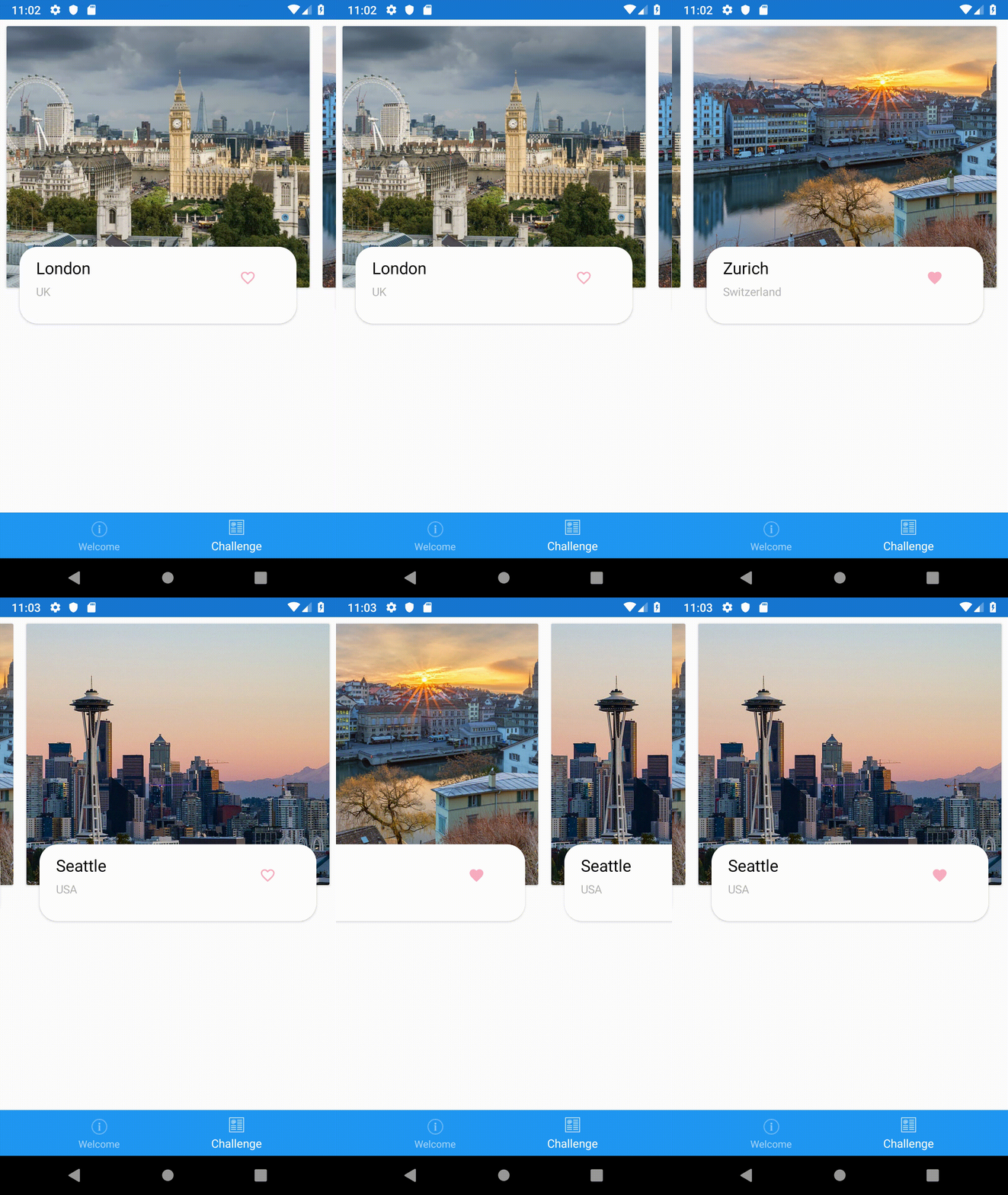
A layout that is a bit more complex than you usual layout to display an overview of cities. You can also favourite a city.
What went well
The Carousel view leads itself really nicely for certain scenarios.
What didn't go well
I at some point had a CellView as top item within the template. I only got a cast exception error in VS. No further explanation took me a while to figure out what was amiss.
Missing or desired things
I do like the peak, but it would be nice to get some padding on the carousel view directly. Right now one has to play around with the child contents to get a nice border between the items.
Anything else
Cool Challange - will have to play around with this view some more.
Take out a survey for some goodies
Please visit this link to take a survey. If you provide your contact information, we'll send you some swag!

Nice @mallibone ! Thanks for the PR.
to get a nice border between the items.
Do you think ItemsSpacing would work? Code from one of my carousels:
<CarouselView PeekAreaInsets="30"
                      Position="2"
                      ItemTemplate="{DataTemplate views:CityBoxTemplate}"
                      ItemsSource="{Binding Cities}"
                      Grid.Row="1">
            <CarouselView.ItemsLayout>
                <LinearItemsLayout Orientation="Horizontal"
                                   SnapPointsType="MandatorySingle"
                                   SnapPointsAlignment="Center"
                                   ItemSpacing="8"/>
            </CarouselView.ItemsLayout>
        </CarouselView>

@davidortinau yeah those are the options I was looking for 🙂 would it be possible to centre the first card? right now it is a bit off-centre to the right when PeekAreaInsets is enabled.
PS: I guess your sample either uses a homemade ItemsLayout or the naming has changed? I only found ListItemsLayout - but it is fun to play around with it and 🔥🔃😃