

 pauldemarco
Could not resolve all files for configuration ':flutter_blue:protobufToolsLocator_protoc' Apple M1 chip
Execution failed for task ':flutter_blue:generateDebugProto'.
> Could not resolve all files for configuration ':flutter_blue:protobufToolsLocator_protoc'.
   > Could not find protoc-3.11.4-osx-aarch_64.exe (com.google.protobuf:protoc:3.11.4).
     Searched in the following locations:
         https://jcenter.bintray.com/com/google/protobuf/protoc/3.11.4/protoc-3.11.4-osx-aarch_64.exe


Same here on M1 and flutter_blue v0.8.0, anyone solved?
I created this comment as a solution: https://github.com/protocolbuffers/protobuf/issues/8062#issuecomment-892689597
Maybe I could have been more precise and separate the Mac and other architectures according to this post, but also worked: https://github.com/grpc/grpc-java/issues/7690#issuecomment-784239768
I hope this helps!
Good luck!


Hey @vborbely, I still wasn't able to solve this problem for Android for my M1 Mac. Any update on the latest version of macOS Big Sur 11.5.2?

Hey @vborbely, I still wasn't able to solve this problem for Android for my M1 Mac. Any update on the latest version of macOS Big Sur 11.5.2?
I also have this update for Big Sur, but the same solution works for me, what I wrote. What is your problem / error log?
@vborbely I implemented the first solution but still got the same error regarding protobuf:protoc:3.13.0, it's like my changes to the flutter_blue gradle file aren't reflecting.
Couldn't understand the second solution though. Am I supposed to change that code in the flutter_blue gradle file or my own project's?
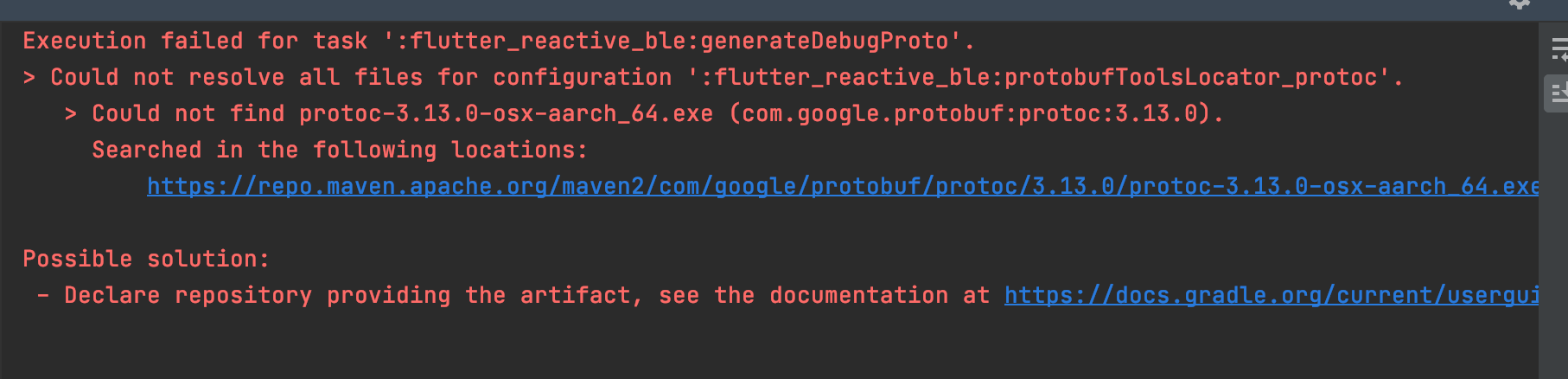

@vborbely I implemented the first solution but still got the same error regarding protobuf:protoc:3.13.0, it's like my changes to the flutter_blue gradle file aren't reflecting.
Couldn't understand the second solution though. Am I supposed to change that code in the flutter_blue gradle file or my own project's?
I checked the versions, and your error clearly says: "Could not find protoc-3.13.0-osx-aarch_64.exe"
In the repo https://repo1.maven.org/maven2/com/google/protobuf/protoc/ the first version, which has the Mac M1 architecture supported is 3.17.3, see image.

So, do the procedure in Android Studio that I provided originally, and set to 3.17.3 in the flutter_blue library build.gradle file.
I think a "flutter clean" will reset your changes, so don't to that, just a build.
I hope this helped.
Reloaded Gradle project, restarted Android Studio and VS Code, still the same issue 😔

Edited My bad, I was using flutter_blue as well as flutter_reactive_ble in my project, so I had to make these changes in both. Build Successful Finally! 🙌
I have the same problem in M1 Macmini ! Is there any issue? Thanks very much!


Please update the protobuf section in build.gradle to
import org.apache.tools.ant.taskdefs.condition.Os
// Compatible with macOS on Apple Silicon
def archSuffix = Os.isFamily(Os.FAMILY_MAC) ? ':osx-x86_64' : ''
protobuf {
    protoc {
        artifact = "com.google.protobuf:protoc:3.20.1$archSuffix"
    }
    plugins {
        javalite {
            artifact = "com.google.protobuf:protoc-gen-javalite:3.0.0$archSuffix"
        }
    }
}
Since you are now locked out of artifact = "com.google.protobuf:protoc:3.11.4", I specified in my own project that artifact = "com.google.protobuf:protoc:3.11.4:osx-x86_64" is invalid, which caused me to go to flutter_blue's source code and change it manually, which was really annoying. My development environment is macOS on Apple Silicon.
