

 patternfly
Bug - [Composable Table] - [documentation enhancement - toolbar location if OuterScrollContainer is used]
Describe the problem I have the need for a sticky header and a sticky toolbar, I think that is allowed with the design guidelines. The documentation is not completely clear how to do that
My first try:
<PageSection hasOverflowScroll={true}>
            <Toolbar><ToolbarContent><ToolbarItem><Button variant="secondary">Hello</Button></ToolbarItem></ToolbarContent></Toolbar>
            <OuterScrollContainer>
                <InnerScrollContainer>
                    <TableComposable variant={"compact"} borders={true} isStriped isStickyHeader>
                         ....
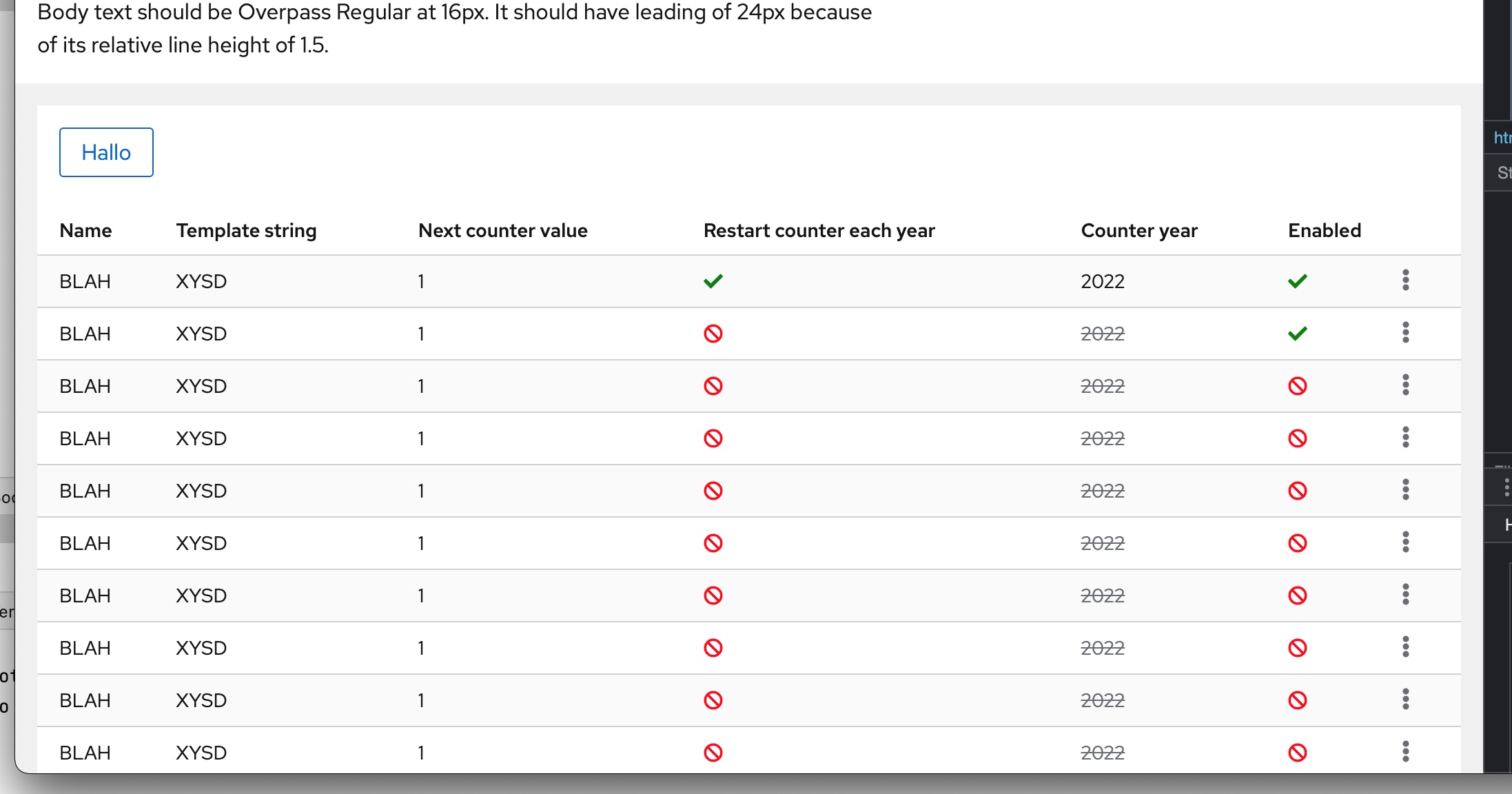
This has the problem, that the table overflows the page section, so you scroll the table and the page section. What appears to work correctly is
<PageSection hasOverflowScroll={true}>
        <OuterScrollContainer>
                <Toolbar><ToolbarContent><ToolbarItem><Button variant="secondary">Hello</Button></ToolbarItem></ToolbarContent></Toolbar>
                <InnerScrollContainer>
                    <TableComposable variant={"compact"} borders={true} isStriped isStickyHeader>
                         ....
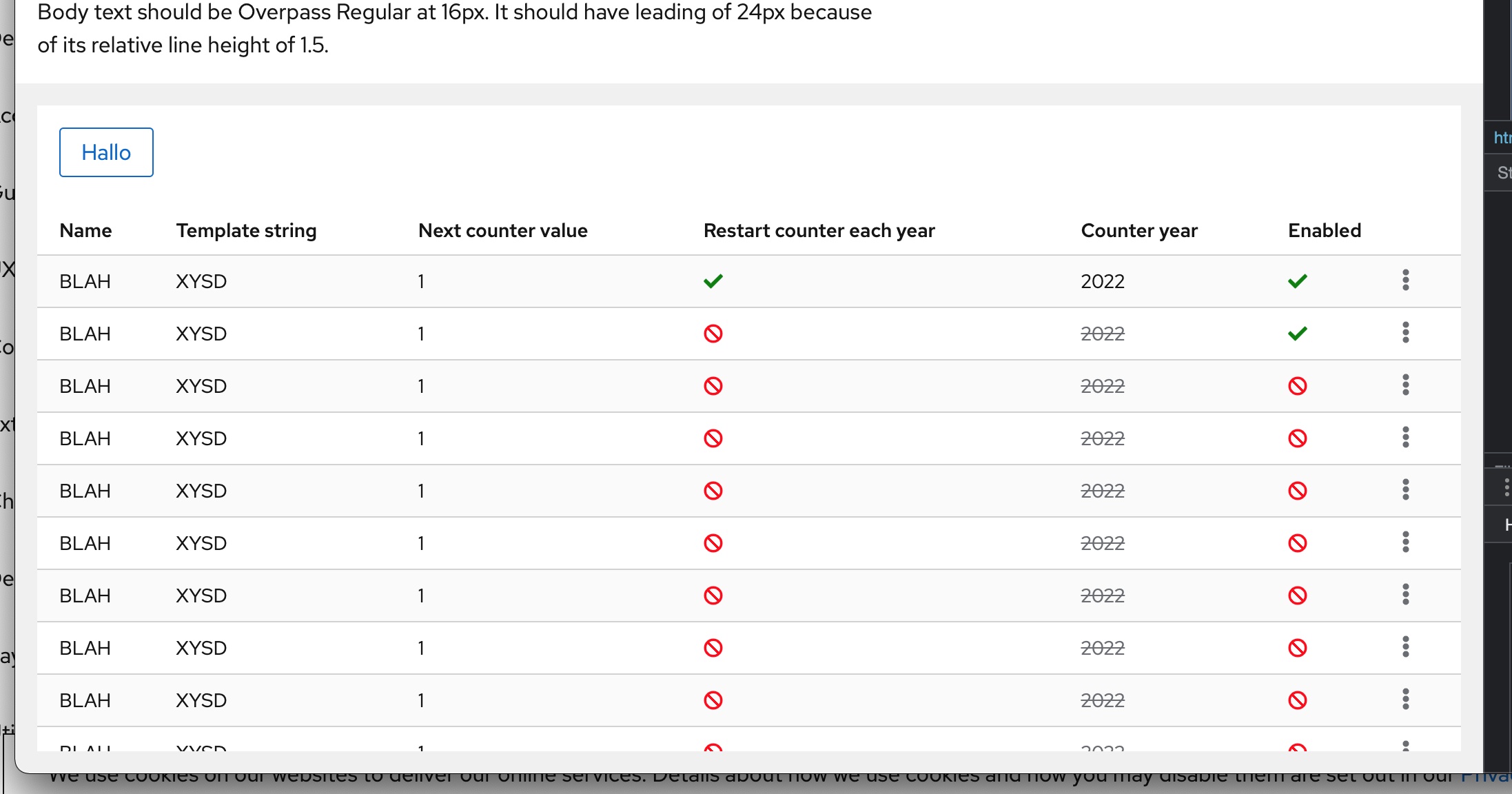
If the toolbar is within the OuterScrollContainer there is no overflow of the page section, and scrolling seams to work correctly
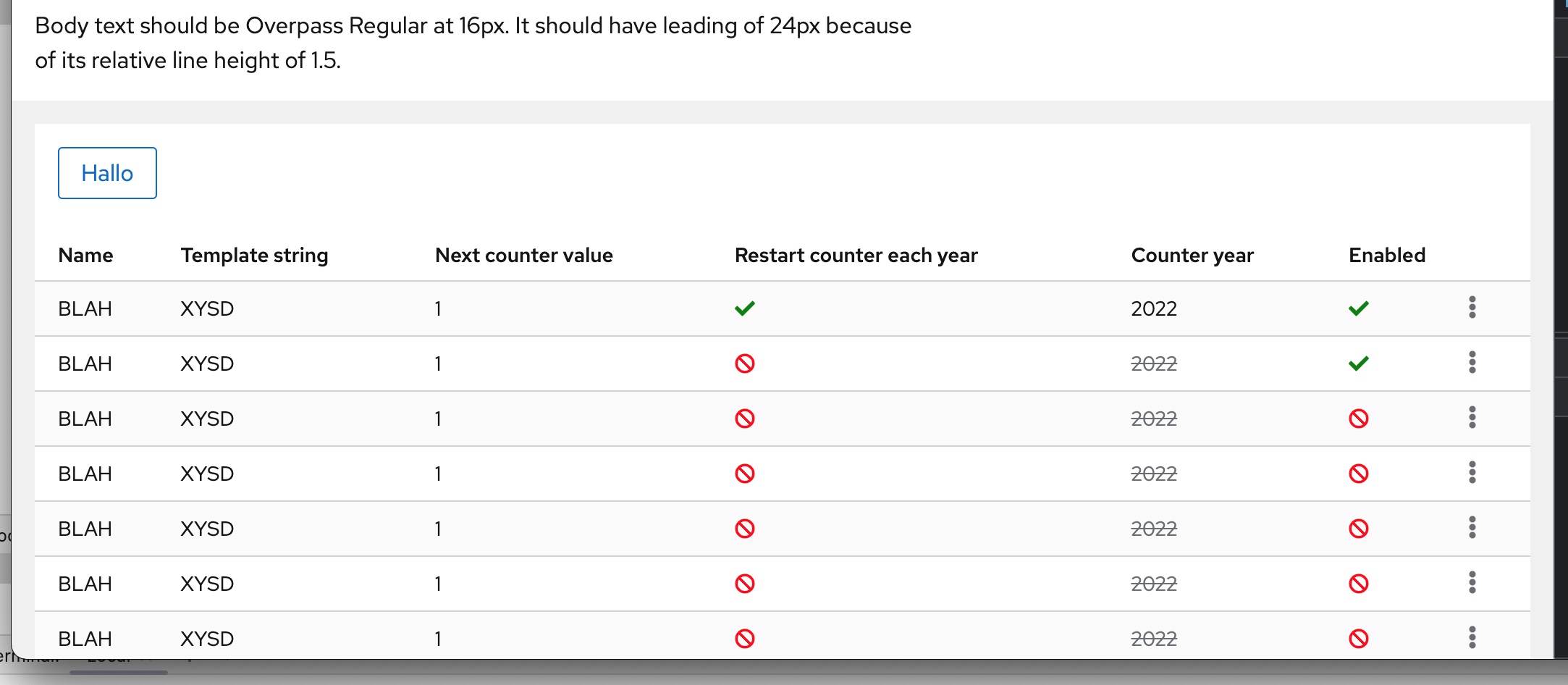
At least if the window is height is big enough (although table is scrollin). There might be another issue now with some minimal height values, at some point the table starts overflowing again
How do you reproduce the problem? See problem description
Expected behavior Better document the interaction of scrollable table, toolbars and page sections
Is this issue blocking you? no, it's just not completely clear for a newbee how to get that working
Screenshots
outside_outerscrollcontainer_layout_always_wrong:
within_outerscrollcontainer_layout_correct_if_window_is_high_enough:
within_outerscrollcontainer_there_might_be_a_minimum_height_issue_somewhere:
What is your environment?
- OS: macos
- Browser chrome, firefox
- Version 2022.06

I opened this codesandbox to reproduce the use case: https://codesandbox.io/s/snowy-bush-7zx6m9?file=/index.tsx:5705-5714
Putting the toolbar inside or outside above OuterScrollContainer appear to functionally make the toolbar sticky (the {toolbar} in the sandbox can be moved around to demonstrate). @nicolethoen @mattnolting @mcoker do you see any issues with this?
There is a minimum height of 25rem attached to OuterScrollContainer that I believe the table adheres to, but if the toolbar is inside OuterScrollContainer it may be pushing the table out again. Wrapping both the table and toolbar in a div with a min height should fix the overflow.
If there is an issue with how the table scroll toolbar isn't visually including the toolbar, we may need to update how the scroll containers are set up. Because the toolbar would have to go within InnerScrollContainer, but the scroll containers do not account for additional content and will scroll the toolbar out of view. @mattnolting I tried playing with this in the CSS but couldn't quite get it to function properly.
@jowenn

I think a Divider after the toolbar would make this appear less out of place, and then it seems like a reasonable solution

@kmcfaul The codesandbox implementation is correct (except that we wouldn't need a wrapping div w/height with the following) and the behavior is what I would expect to see. The OuterScrollContainer is set to display: flex; direction: column; and will adjust to the parent height for whatever it contains, but it also requires a min-height so that this doesn't happen.
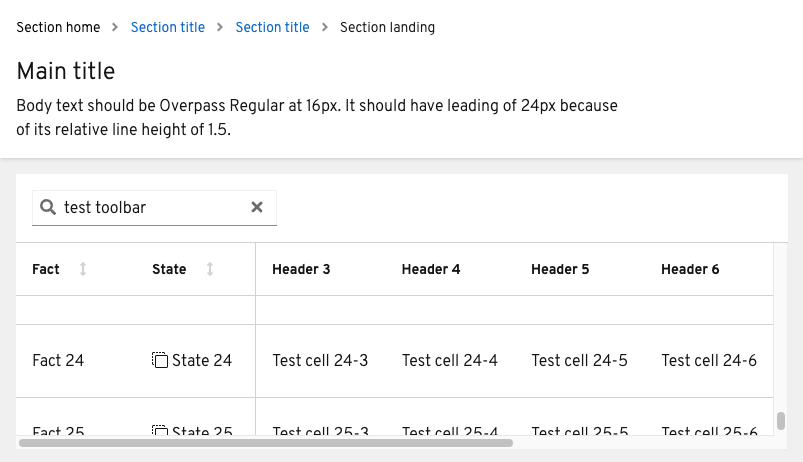
We could update to something like this:
    --pf-c-scroll-outer-wrapper--MinHeight: 16rem;
    --pf-c-scroll-outer-wrapper--MaxHeight: 100%;

    display: flex;
    flex-direction: column;
    max-width: 100%;
    min-height: min(100%, var(--pf-c-scroll-outer-wrapper--MinHeight));
    max-height: min(100%, var(--pf-c-scroll-outer-wrapper--MaxHeight));
    overflow: hidden;
Where you can specify the min and maximum height inline on OuterScrollContainer
<div class="pf-c-scroll-outer-wrapper" style="--pf-c-scroll-outer-wrapper--MinHeight: 6rem; --pf-c-scroll-outer-wrapper--MaxHeight: 12rem;">
  {toolbar}
  <div class="pf-c-scroll-inner-wrapper">
    {scrollable things}
  </div>
</div>

I think a Divider after the toolbar would make this appear less out of place, and then it seems like a reasonable solution
@kmcfaul @nicolethoen Agree with this comment
Yeah the codesandbox has the wrapping div to show the scrolling (otherwise the preview just keeps expanding the table). Adding a divider is a good idea as well. So I don't think there needs to be any updates currently then?
@kmcfaul Right, because max height of pf-c-scroll-outer-wrapper is 100%, so we could include a max-height (--pf-c-scroll-outer-wrapper--MaxHeight) variable that would allow you to do the same thing you're doing in the demo (setting a wrapping div to 500px tall). I could create an issue to update Core.
Yeah that might be a nice feature to add, should be straightforward to add that on the react side too
I just messed around a little with the isSticky prop in the toolbar and this is the demo i created. Seems like it works!
https://codesandbox.io/s/silly-voice-os6qh2?file=/index.tsx
Maybe a couple lines to highlight that tables can be placed under sticky toolbars - and when doing so, if they have sticky headers, the whole outerScrollContainer and innerScrollContainer should be placed in a fixed height div after the toolbar?
oh - wait, the sticky table columns/rows are overlaying the sticky toolbar just a bit. then I guess maybe we should update the sticky toolbar example to explain why implementing it with a table which also has sticky rows/columns is different?
Hosted the codesandox on the PF sandbox account to preserve it. (link: https://codesandbox.io/s/sticky-table-with-sticky-toolbar-dec9ox)