
bootsplash-manager
 bootsplash-manager copied to clipboard
 parov0z
Manjaro Bootsplash Manager
bootsplash-manager
Simple bootsplash manager for Manjaro

Features
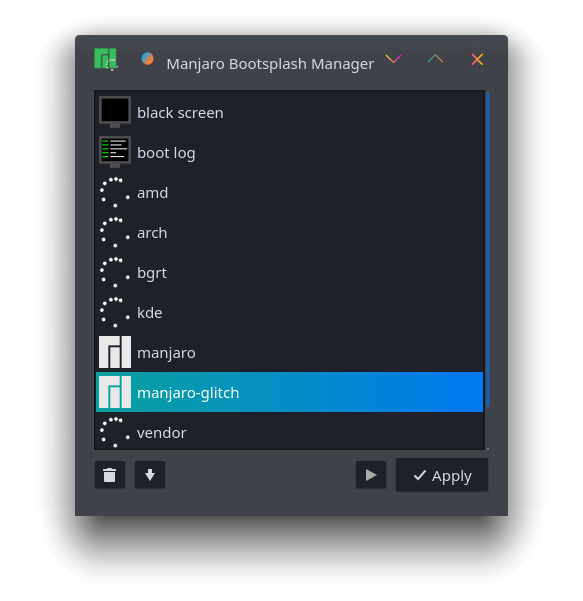
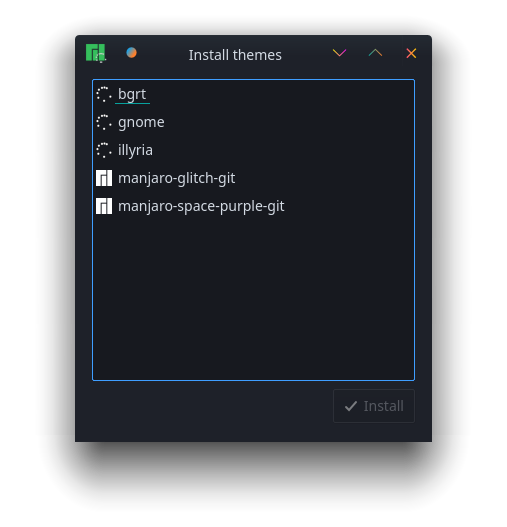
gui
- show all installed themes
- remove theme (if it was installed from package manager)
- install themes from repos or AUR
cli
- Check if bootsplash is enabled and supported by current kernel:
bootsplash-manager --status - List installed themes
bootsplash-manager --list - Enable bootsplash and change current theme
bootsplash-manager --set <theme_name> - Disable bootsplash ( black screen )
bootsplash-manager --disable - Disable bootsplash ( log )
bootsplash-manager --set-log
Installation
Make sure you have installed bootsplash-systemd. It's available in the official extra repo for Manjaro, for Arch - in AUR.
Make sure your current kernel supports bootsplash:
zgrep CONFIG_BOOTSPLASH /proc/config.gz
If you see CONFIG_BOOTSPLASH=y in the output - it does.
If it's not:
- on Manjaro use official one
pacman -S linux-latest - on Arch you can build one of custom kernels from AUR:
linux-bootsplashlinux-manjaro-xanmod
Install
AUR packages bootsplash-manager-bin, bootsplash-manager-git.
Manjaro community repo: bootsplash manager.
Usage
- Search for some themes:
pacman -Ss bootsplash-theme- - Install the ones you like
pacman -S bootsplash-theme-<theme_name> bootsplash-theme-<theme_name2> ... - Set theme
bootsplash-manager -s <theme_name>
Building
git clone https://github.com/ANDRoid7890/bootsplash-manager.git
cd bootsplash-manager
cmake .
make
Special thanks
TODO
- [x] gui
- [x] install/remove dialog
- [x] theme preview
- [x] translations
Localization
You can help with localization by using Qt Linguist. To add a new language, copy data/translations/bootsplash-manager.ts to data/translations/bootsplash-manager_<ISO 639-1 language code>_<ISO 3166-1 alpha-2 language code>.ts, translate it, then add the file to the TS_FILES variable in CMakeLists.txt, and create a pull request. It is also possible to add localized Comment into data/bootsplash-manager.desktop.
 parov0z